
FastVidl

Descargador de vídeos de Pinterest— Gratis, HD, sin marca de agua

Cómo descargar un vídeo de Pinterest

Pinterest no ofrece una forma integrada de guardar videos, por lo que FastVidl llena el vacío. Todo el proceso dura unos diez segundos:

  1. Open the pin with the video you want to save.
  2. Copy its link. On the Pinterest app, tap the share icon and choose "Copy link". On desktop, copy the URL from your browser's address bar.
  3. Paste the link into the box at the top of this page.
  4. Tap Download and choose where to save the MP4 file.

Eso es todo. No es necesario crear ninguna cuenta ni instalar ninguna aplicación.

En iPhone

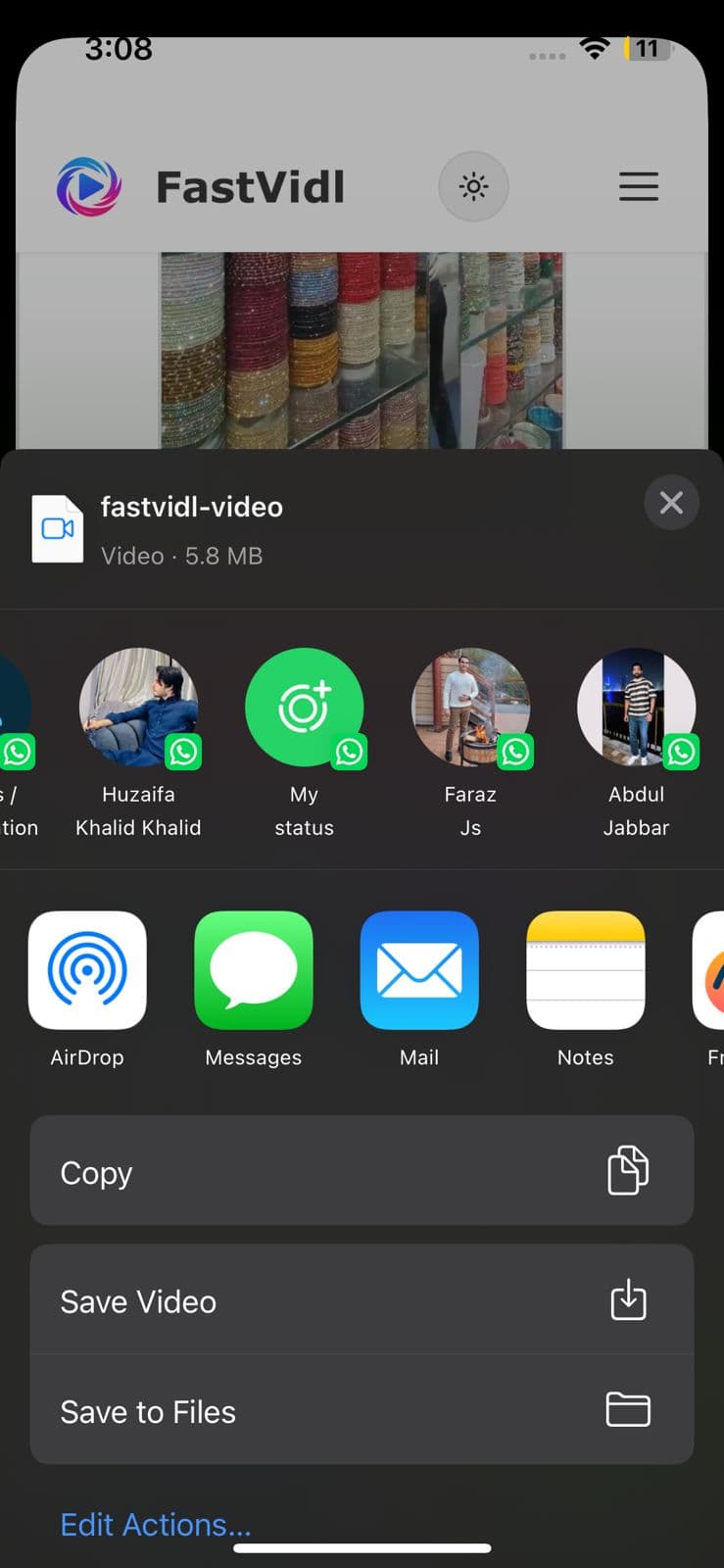
Abra el pin en la aplicación Pinterest, toque el ícono de compartir y toque "Copiar enlace". Cambie a Safari, abra fastvidl.com, pegue el enlace y toque Descargar. Cuando el video esté listo, toque "Descargar en calidad HD". En iPhone y iPad, FastVidl muestra el botón "Abrir hoja para compartir". Tócalo y, en la hoja para compartir, elige "Guardar video" para guardar el clip directamente en tu galería de fotos. Esa es la forma más rápida de incluir un video en el carrete de su cámara sin aplicaciones ni atajos adicionales.

También puedes usar el flujo de descarga estándar de Safari: iOS puede preguntar si desea guardar el archivo, elegir "Descargar", luego buscarlo en la aplicación Archivos y moverlo a Fotos si es necesario. En iOS 13 y versiones posteriores, ambas opciones funcionan completamente en Safari.
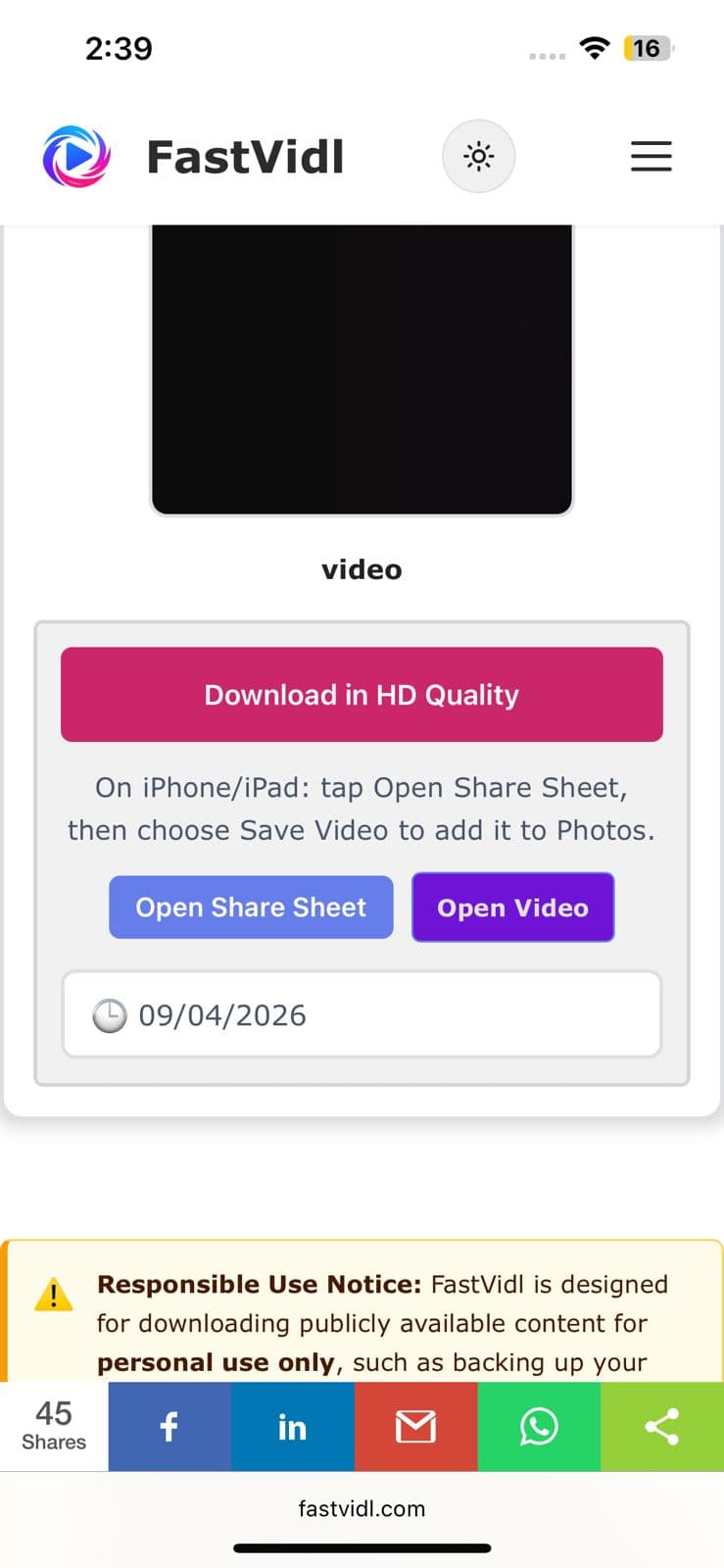
Descargar en calidad HD y botones Abrir hoja para compartir en iPhone
Hoja para compartir de iOS que muestra Guardar video para guardar un clip de Pinterest en Fotos

En Android

Copie el enlace pin de la aplicación Pinterest de la misma manera, abra esta página en Chrome, péguelo y toque Descargar. El video se guarda directamente en su carpeta de Descargas y aparece automáticamente en su galería en la mayoría de los dispositivos.
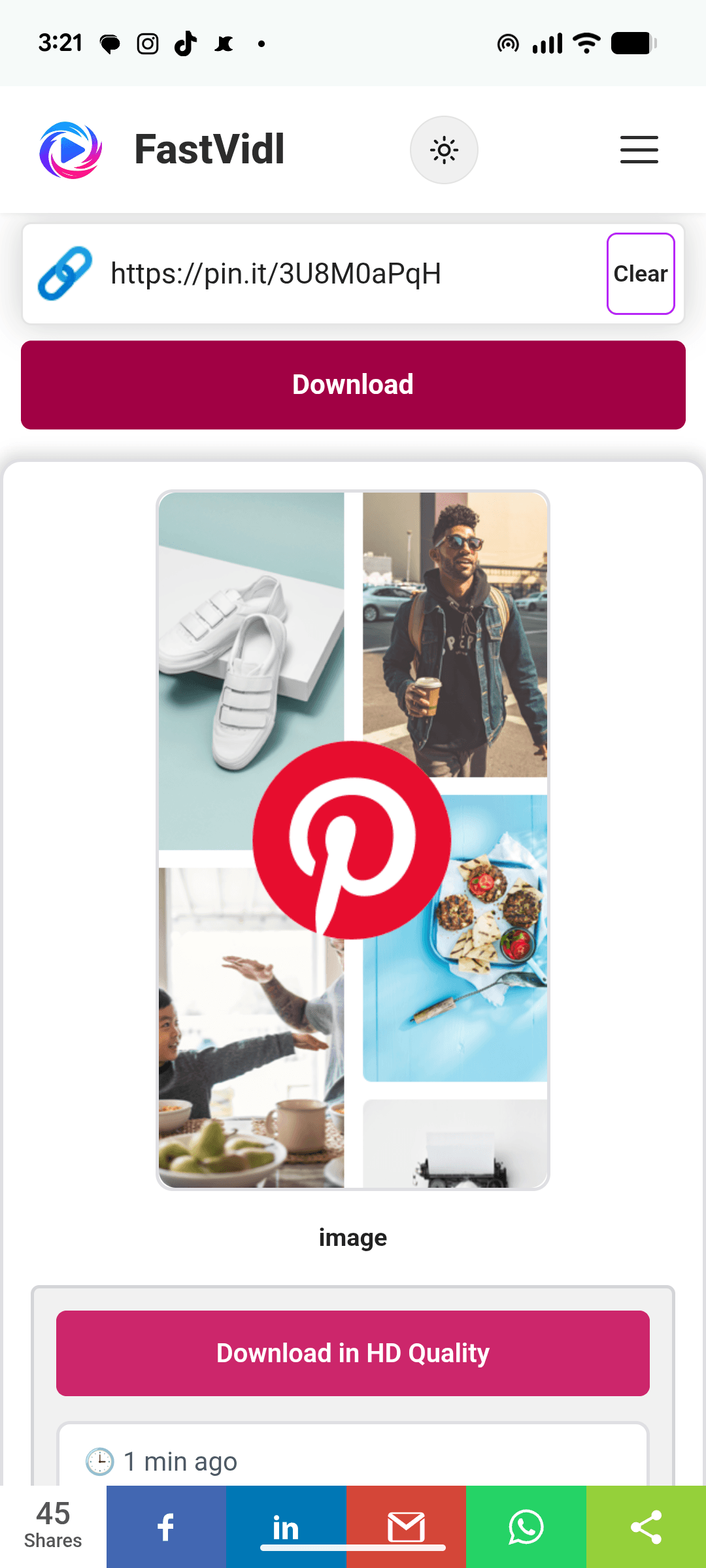
Descargar un vídeo de Pinterest en Android con FastVidl en Chrome

En Windows o Mac

En el escritorio, puedes copiar la URL del pin directamente desde la barra de direcciones, parece pinterest.com/pin/1234567890/. Pégalo aquí, haz clic en Descargar y el MP4 se guardará en tu carpeta de descargas predeterminada.
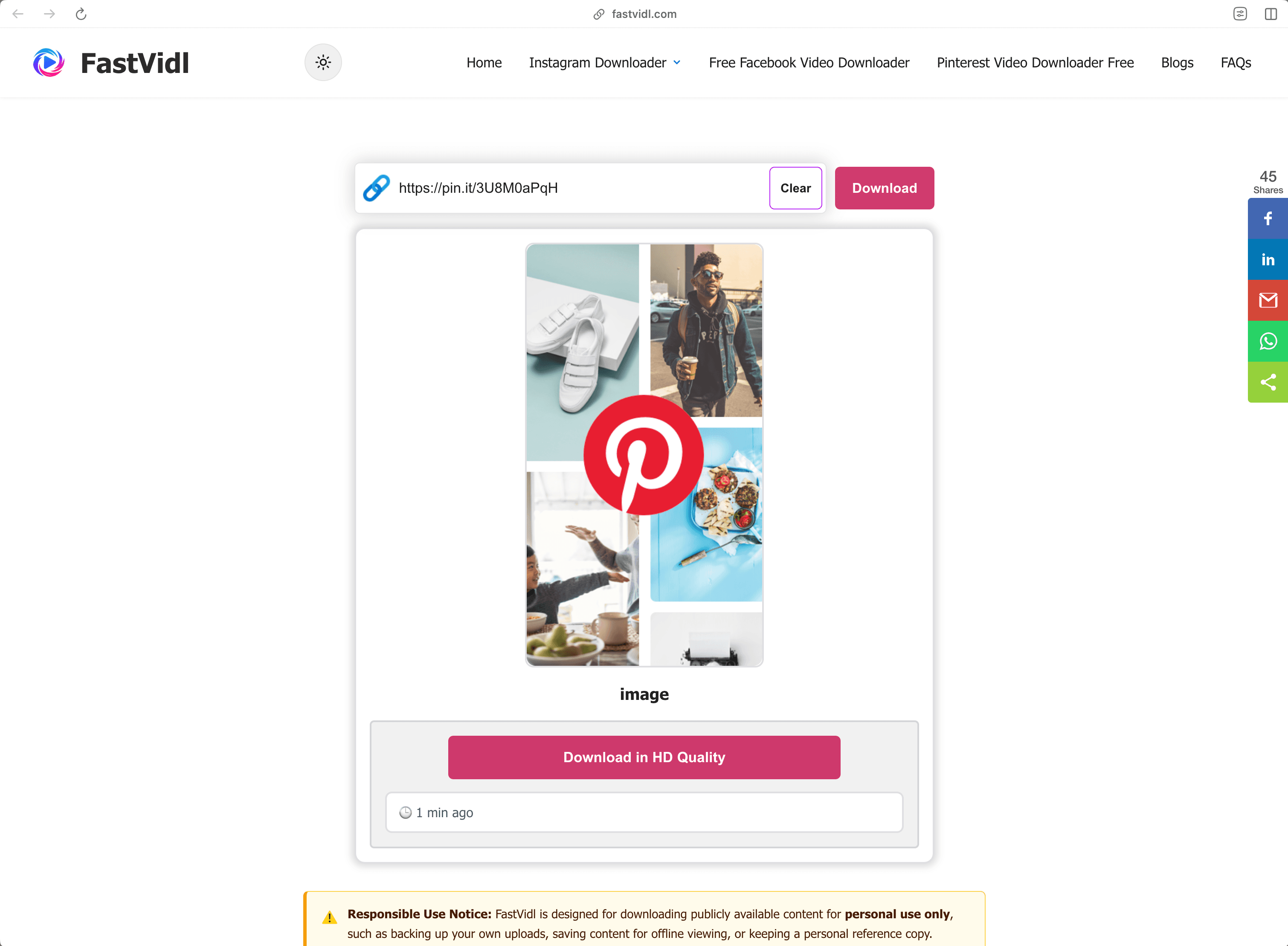
Descargar un vídeo de Pinterest en Windows o Mac con FastVidl en un navegador de escritorio

¿Qué enlaces funcionan?

FastVidl comprende todos los formatos de enlaces de vídeos públicos de Pinterest:

  • Full pin URLs like https://www.pinterest.com/pin/1234567890/
  • Short share links like https://pin.it/abc123 (these are what the mobile app copies)
  • Regional domains such as pinterest.co.uk, pinterest.de, or pinterest.com.mx

Funciona con pines de video y pines de ideas que contienen video. No puede descargar pines privados, pines en tableros secretos o pines de solo imágenes; para imágenes, use una captura de pantalla o la opción de descarga de imágenes propia de Pinterest.

Solución de problemas: ¿por qué no se descarga mi video?

Algunas causas comunes, en orden de probabilidad:

  • The pin is private or on a secret board. Only publicly visible pins can be fetched. If you can open the pin in an incognito window without logging in, it's public.
  • The link points to a board or profile, not a pin. Make sure the URL contains /pin/ or is a pin.it short link to a single pin.
  • The pin contains only an image or a GIF. Video download only works for pins that actually contain video.
  • The link was copied incompletely. Re-copy it and make sure nothing was cut off.

Si un pin de video público aún no se descarga, es posible que el pin use un formato que aún no admitimos; infórmenos a través del pagina de contacto

Calidad, marcas de agua y privacidad

FastVidl descarga el archivo de vídeo original que publica Pinterest, por lo que la calidad que obtienes es exactamente la calidad que subió el creador, normalmente 720p o 1080p. Nunca volvemos a codificar el vídeo ni le imprimimos nada, por lo que no hay marca de agua: usted recibe el archivo tal cual.

No solicitamos su inicio de sesión en Pinterest (ningún descargador legítimo debería hacerlo), no almacenamos los videos que descarga y no mantenemos un historial de sus enlaces. Todo se ejecuta a través de HTTPS directamente en su navegador.

¿Es legal descargar vídeos de Pinterest?

Por lo general, está bien descargar un vídeo público para uso personal y sin conexión, guardar un tutorial para verlo más tarde o mantener una referencia para un proyecto. Lo que no puedes hacer es volver a publicar o reutilizar comercialmente el contenido de otra persona sin permiso: descargar un archivo no transfiere ningún derecho sobre él. En caso de duda, pregúntale al creador. Vea nuestro completo descargo de responsabilidad

Preguntas frecuentes

¿FastVidl es realmente gratuito?

Sí. No hay límites de descarga, ni nivel premium ni registro. El sitio está respaldado por anuncios.

¿Necesito instalar algo?

No. FastVidl se ejecuta completamente en su navegador en cualquier dispositivo. Tenga cuidado con los sitios de descarga que impulsan instalaciones de APK o EXE: un descargador de videos nunca necesita uno.

¿El vídeo tendrá marca de agua?

No. Obtienes el archivo original exactamente como lo muestra Pinterest, sin nada agregado.

¿Qué calidad obtendré?

La misma calidad que subió el creador, hasta 1080p. No podemos aumentar la calidad de un video más allá de su fuente.

¿Puedo descargar pines privados o tableros secretos?

No. FastVidl solo funciona con pines de acceso público y no le solicitamos que inicie sesión bajo ninguna circunstancia.

¿Puedo descargar imágenes de Pinterest y GIF también?

Esta página es para vídeos. Para las imágenes, la opción "Descargar imagen" de Pinterest funciona bien; Estamos trabajando en compatibilidad con imágenes dedicadas y GIF.

¿Funciona esto en iPhone sin una aplicación?

Sí, Safari puede guardar archivos de vídeo directamente. Vea los pasos del iPhone anteriores.

Más de FastVidl

FastVidl también soporta otras plataformas: Descargador de carretes de Instagram, Descargador de historias de Instagram, and Descargador de vídeos de Facebook.

Paste a Pinterest video link above and this free online Pinterest video downloader fetches the original MP4 for you, in HD up to 1080p, no watermark, no login, and nothing to install. Works in any browser on iPhone, Android, and desktop.

How to download a Pinterest video

Pinterest doesn't offer a built-in way to save videos, so FastVidl fills the gap. The whole process takes about ten seconds:

  1. Open the pin with the video you want to save.
  2. Copy its link. On the Pinterest app, tap the share icon and choose "Copy link". On desktop, copy the URL from your browser's address bar.
  3. Paste the link into the box at the top of this page.
  4. Tap Download and choose where to save the MP4 file.

That's it. There's no account to create and no app to install.

On iPhone

Open the pin in the Pinterest app, tap the share icon, and tap "Copy link". Switch to Safari, open fastvidl.com, paste the link, and tap Download. When the video is ready, tap "Download in HD Quality", on iPhone and iPad, FastVidl then shows an "Open Share Sheet" button. Tap it, and in the share sheet choose "Save Video" to save the clip straight to your Photos gallery. That's the quickest way to get a video into your camera roll without extra apps or shortcuts.

You can also use the standard Safari download flow: iOS may ask whether to save the file, choose "Download", then find it in the Files app and move it to Photos if needed. On iOS 13 and later, both options work entirely in Safari.

Download in HD Quality and Open Share Sheet buttons on iPhone
iOS share sheet showing Save Video to save a Pinterest clip to Photos

On Android

Copy the pin link from the Pinterest app the same way, open this page in Chrome, paste, and tap Download. The video saves straight to your Downloads folder and shows up in your gallery automatically on most devices.

Downloading a Pinterest video on Android with FastVidl in Chrome

On Windows or Mac

On desktop, you can copy the pin's URL directly from the address bar, it looks like pinterest.com/pin/1234567890/. Paste it here, click Download, and the MP4 saves to your default downloads folder.

Downloading a Pinterest video on Windows or Mac with FastVidl in a desktop browser

Which links work?

FastVidl understands every public Pinterest video link format:

  • Full pin URLs like https://www.pinterest.com/pin/1234567890/
  • Short share links like https://pin.it/abc123 (these are what the mobile app copies)
  • Regional domains such as pinterest.co.uk, pinterest.de, or pinterest.com.mx

It works with video pins and idea pins that contain video. It can't download private pins, pins on secret boards, or image-only pins, for images, use a screenshot or Pinterest's own image download option.

Troubleshooting: why won't my video download?

A few common causes, in order of likelihood:

  • The pin is private or on a secret board. Only publicly visible pins can be fetched. If you can open the pin in an incognito window without logging in, it's public.
  • The link points to a board or profile, not a pin. Make sure the URL contains /pin/ or is a pin.it short link to a single pin.
  • The pin contains only an image or a GIF. Video download only works for pins that actually contain video.
  • The link was copied incompletely. Re-copy it and make sure nothing was cut off.

If a public video pin still won't download, the pin may use a format we don't support yet, let us know through the contact page and we'll look into it.

Quality, watermarks, and privacy

FastVidl downloads the original video file that Pinterest serves, so the quality you get is exactly the quality the creator uploaded, typically 720p or 1080p. We never re-encode the video or stamp anything on it, which is why there's no watermark: you receive the file as-is.

We don't ask for your Pinterest login (no legitimate downloader should), we don't store the videos you download, and we don't keep a history of your links. Everything runs over HTTPS directly in your browser.

Is it legal to download Pinterest videos?

Downloading a public video for personal, offline use, saving a tutorial to watch later, keeping a reference for a project, is generally fine. What you can't do is republish or commercially reuse someone else's content without permission: downloading a file doesn't transfer any rights to it. When in doubt, ask the creator. See our full disclaimer for details.

Frequently asked questions

Is FastVidl really free?

Yes. There are no download limits, no premium tier, and no signup. The site is supported by ads.

Do I need to install anything?

No. FastVidl runs entirely in your browser on any device. Be cautious of downloader sites that push APK or EXE installs. A video downloader never needs one.

Will the video have a watermark?

No. You get the original file exactly as Pinterest serves it, with nothing added.

What quality will I get?

The same quality the creator uploaded, up to 1080p. We can't increase a video's quality beyond its source.

Can I download private pins or secret boards?

No. FastVidl only works with publicly accessible pins, and we don't ask for your login under any circumstances.

Can I download Pinterest images and GIFs too?

This page is for videos. For images, Pinterest's own "Download image" option works well; we're working on dedicated image and GIF support.

Does this work on iPhone without an app?

Yes. Safari can save video files directly. See the iPhone steps above.

FastVidl es una herramienta independiente y no está afiliada, respaldada ni conectada oficialmente de ninguna manera con Instagram, Metaplataformas, Facebook, Pinterest ni ninguna otra plataforma. Todos los nombres de productos y logotipos son marcas comerciales de sus respectivos propietarios.