
FastVidl

Baixador de vídeos do Pinterest– Grátis, HD, sem marca d'água

Como baixar um vídeo do Pinterest

O Pinterest não oferece uma maneira integrada de salvar vídeos, então o FastVidl preenche essa lacuna. Todo o processo leva cerca de dez segundos:

  1. Open the pin with the video you want to save.
  2. Copy its link. On the Pinterest app, tap the share icon and choose "Copy link". On desktop, copy the URL from your browser's address bar.
  3. Paste the link into the box at the top of this page.
  4. Tap Download and choose where to save the MP4 file.

É isso. Não há nenhuma conta para criar e nenhum aplicativo para instalar.

No iPhone

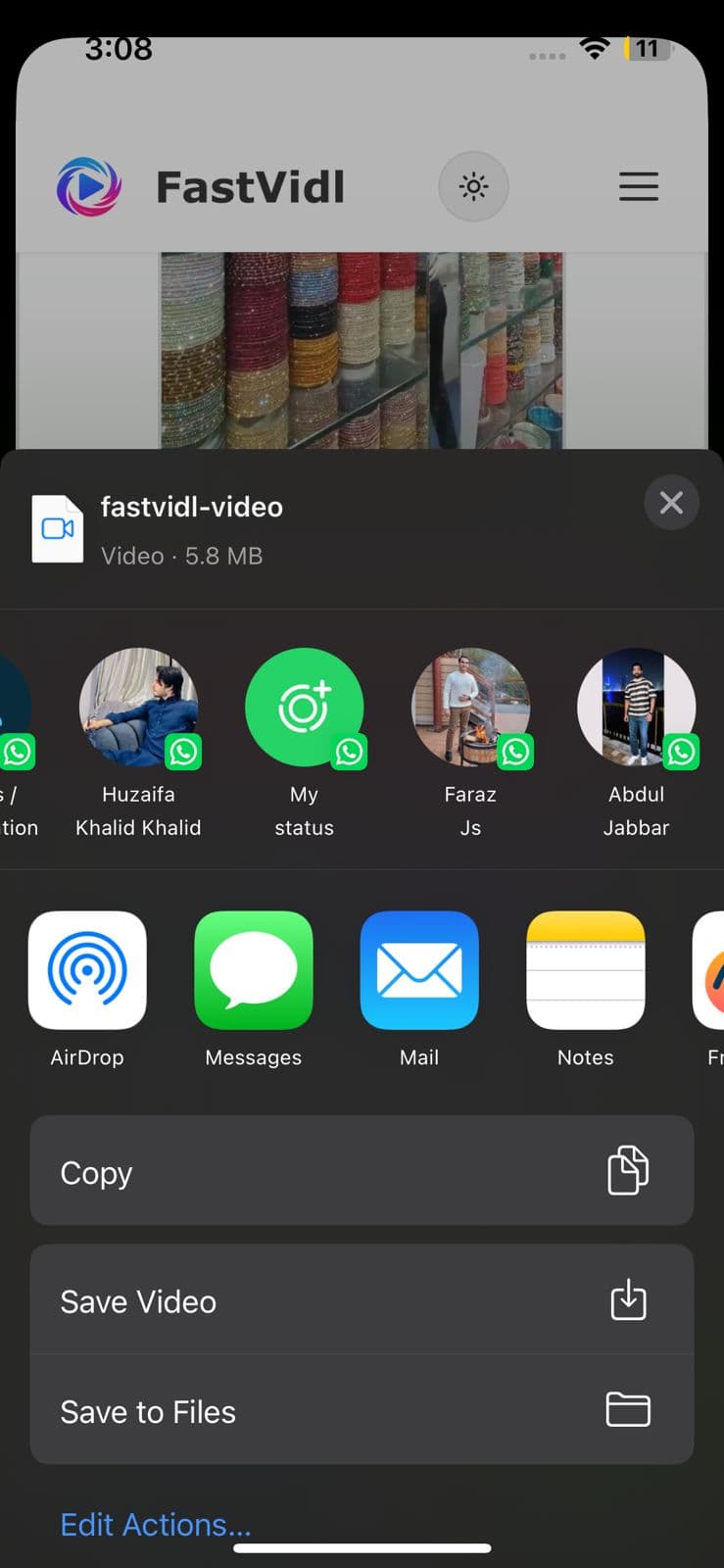
Abra o pin no aplicativo Pinterest, toque no ícone de compartilhamento e toque em “Copiar link”. Mude para o Safari, abra fastvidl.com, cole o link e toque em Download. Quando o vídeo estiver pronto, toque em “Baixar em qualidade HD”, no iPhone e iPad, FastVidl mostra um botão “Abrir planilha de compartilhamento”. Toque nele e, na planilha de compartilhamento, escolha "Salvar vídeo" para salvar o clipe diretamente na sua galeria de fotos. Essa é a maneira mais rápida de colocar um vídeo no rolo da câmera sem aplicativos ou atalhos extras.

Você também pode usar o fluxo de download padrão do Safari: o iOS pode perguntar se deseja salvar o arquivo, escolha “Baixar”, localize-o no aplicativo Arquivos e mova-o para Fotos, se necessário. No iOS 13 e posterior, ambas as opções funcionam inteiramente no Safari.
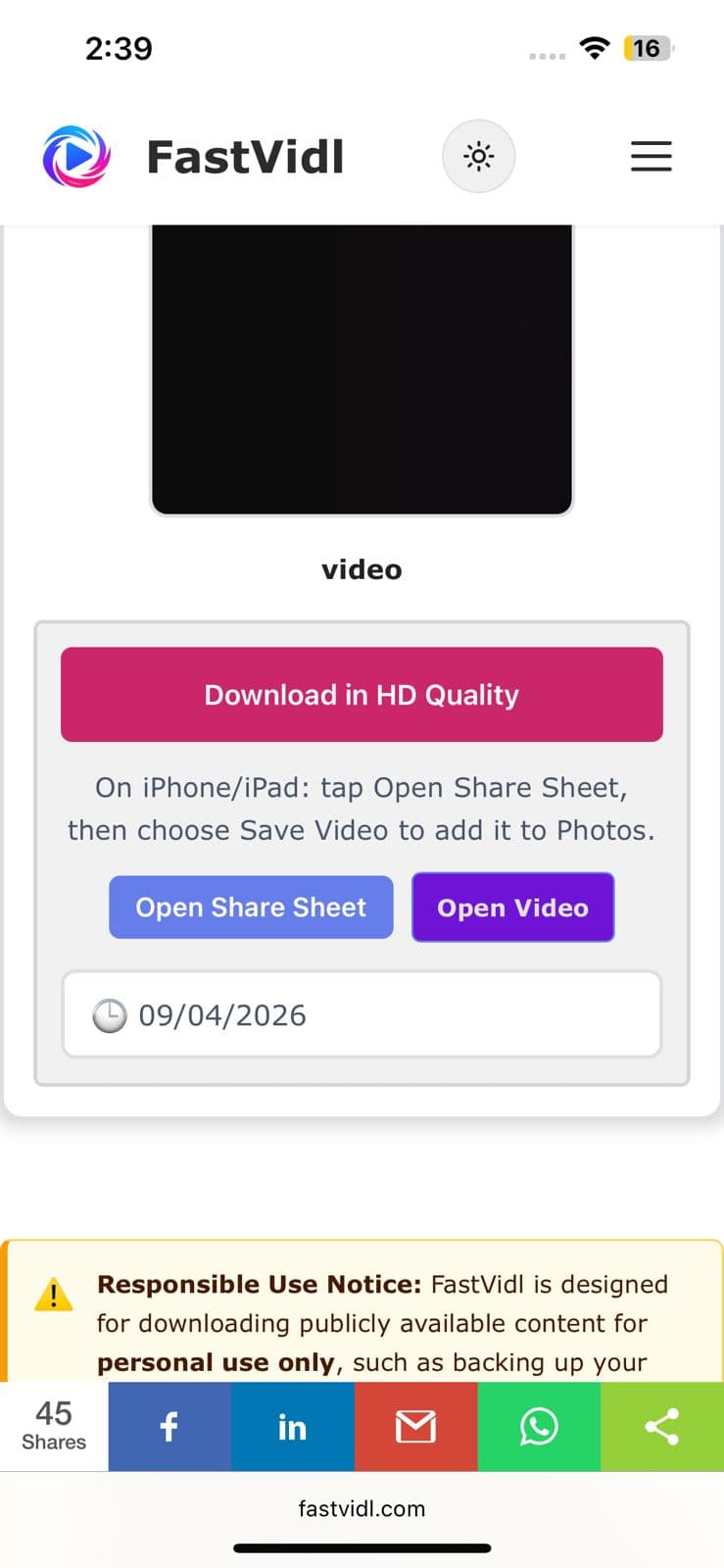
Botões de download em qualidade HD e abrir planilha de compartilhamento no iPhone
Folha de compartilhamento do iOS mostrando Salvar vídeo para salvar um clipe do Pinterest em Fotos

No Android

Copie o link pin do aplicativo Pinterest da mesma forma, abra esta página no Chrome, cole e toque em Download. O vídeo é salvo diretamente na pasta Downloads e aparece automaticamente na sua galeria na maioria dos dispositivos.
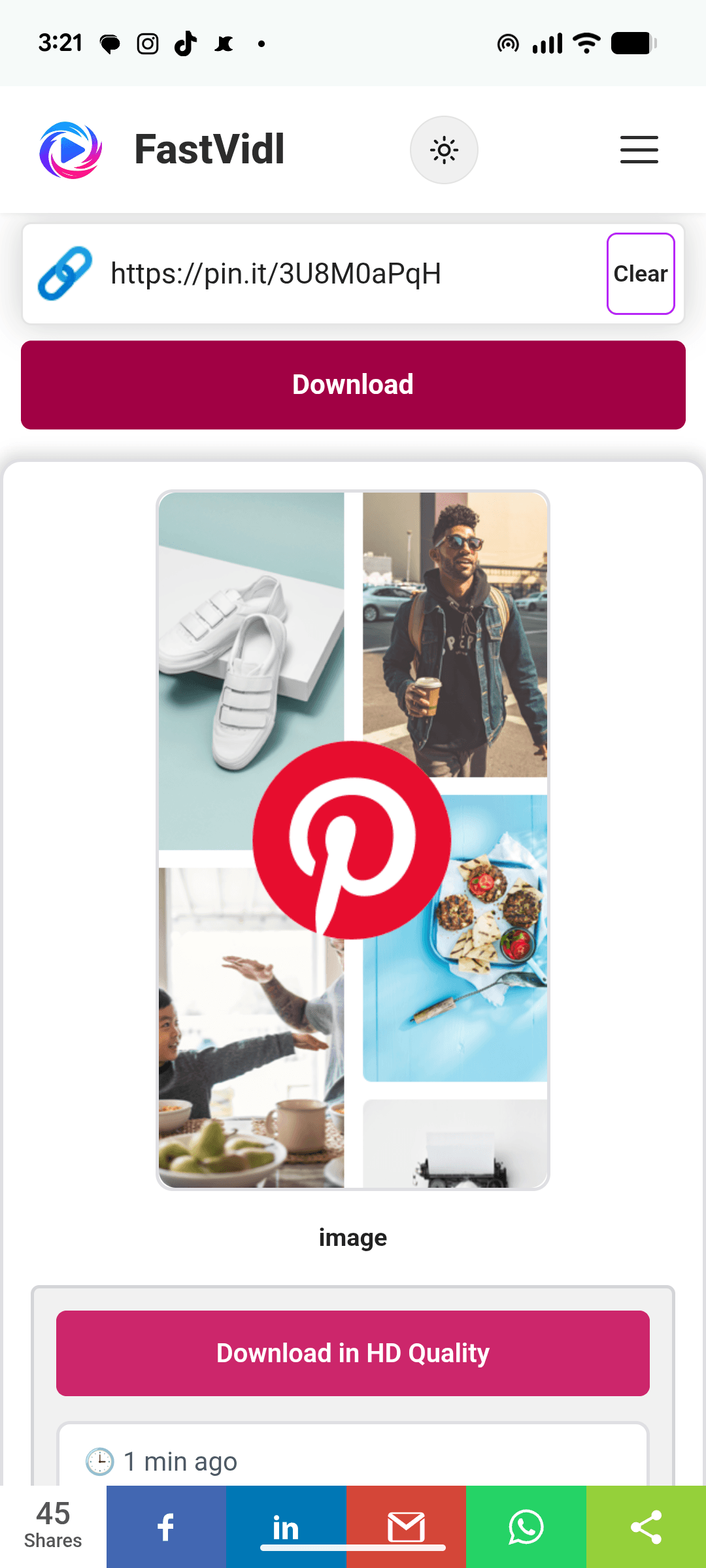
Baixando um vídeo do Pinterest no Android com FastVidl no Chrome

No Windows ou Mac

No desktop, você pode copiar o URL do pin diretamente da barra de endereço, parece pinterest.com/pin/1234567890/. Cole-o aqui, clique em Download e o MP4 será salvo na pasta de downloads padrão.
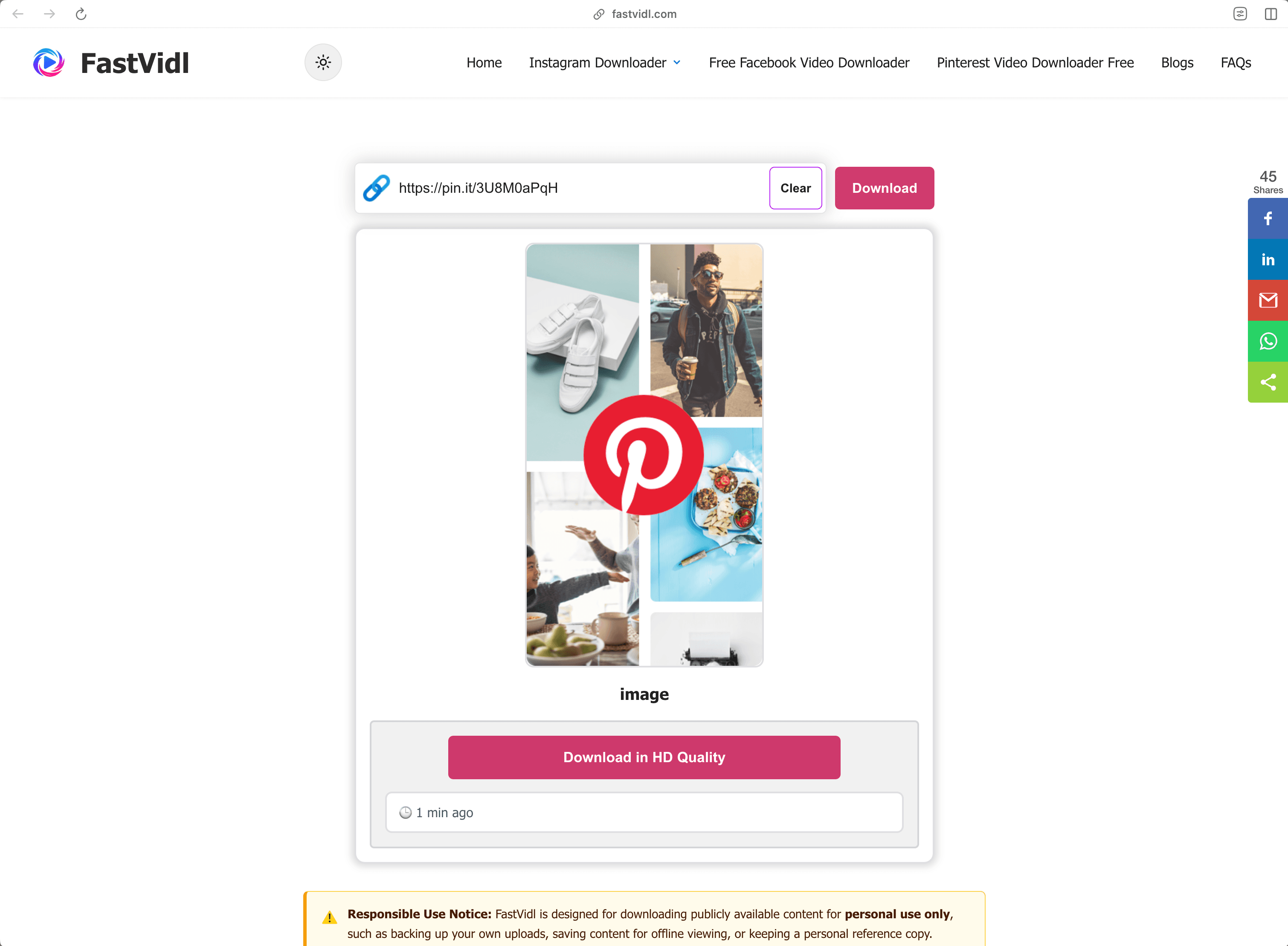
Baixando um vídeo do Pinterest no Windows ou Mac com FastVidl em um navegador de desktop

Quais links funcionam?

FastVidl entende todos os formatos de link de vídeo público do Pinterest:

  • Full pin URLs like https://www.pinterest.com/pin/1234567890/
  • Short share links like https://pin.it/abc123 (these are what the mobile app copies)
  • Regional domains such as pinterest.co.uk, pinterest.de, or pinterest.com.mx

Funciona com pins de vídeo e pins de ideias que contêm vídeo. Ele não pode baixar pins privados, pins em fóruns secretos ou pins somente de imagem. Para imagens, use uma captura de tela ou a opção de download de imagens do próprio Pinterest.

Solução de problemas: por que meu vídeo não baixa?

Algumas causas comuns, em ordem de probabilidade:

  • The pin is private or on a secret board. Only publicly visible pins can be fetched. If you can open the pin in an incognito window without logging in, it's public.
  • The link points to a board or profile, not a pin. Make sure the URL contains /pin/ or is a pin.it short link to a single pin.
  • The pin contains only an image or a GIF. Video download only works for pins that actually contain video.
  • The link was copied incompletely. Re-copy it and make sure nothing was cut off.

Se um pin de vídeo público ainda não for baixado, o pin pode estar usando um formato que ainda não suportamos. Informe-nos através do página de contato

Qualidade, marcas d'água e privacidade

FastVidl baixa o arquivo de vídeo original que o Pinterest veicula, então a qualidade que você obtém é exatamente a qualidade que o criador carregou, normalmente 720p ou 1080p. Nunca recodificamos o vídeo nem carimbamos nada nele, por isso não há marca d'água: você recebe o arquivo como está.

Não solicitamos seu login no Pinterest (nenhum downloader legítimo deveria fazê-lo), não armazenamos os vídeos que você baixa e não mantemos um histórico de seus links. Tudo é executado em HTTPS diretamente no seu navegador.

É legal baixar vídeos do Pinterest?

Baixar um vídeo público para uso pessoal off-line, salvar um tutorial para assistir mais tarde, manter uma referência para um projeto geralmente é bom. O que você não pode fazer é republicar ou reutilizar comercialmente o conteúdo de outra pessoa sem permissão: baixar um arquivo não transfere nenhum direito sobre ele. Na dúvida, pergunte ao criador. Veja nosso completo isenção de responsabilidade

Perguntas frequentes

O FastVidl é realmente gratuito?

Sim. Não há limites de download, nem nível premium, nem inscrição. O site é suportado por anúncios.

Preciso instalar alguma coisa?

Não. FastVidl roda inteiramente no seu navegador em qualquer dispositivo. Tenha cuidado com sites de download que enviam instalações de APK ou EXE – um downloader de vídeo nunca precisa de um.

O vídeo terá marca d'água?

Você obtém o arquivo original exatamente como o Pinterest o disponibiliza, sem nada adicionado.

Que qualidade obterei?

A mesma qualidade que o criador carregou, até 1080p. Não podemos aumentar a qualidade de um vídeo além da sua fonte.

Posso baixar pins privados ou fóruns secretos?

Não. FastVidl só funciona com pins de acesso público e não solicitamos seu login em nenhuma circunstância.

Posso baixar imagens e GIFs do Pinterest também?

Esta página é para vídeos. Para imagens, a opção “Baixar imagem” do Pinterest funciona bem; estamos trabalhando em suporte dedicado para imagens e GIFs.

Isso funciona no iPhone sem um aplicativo?

Sim – o Safari pode salvar arquivos de vídeo diretamente. Veja as etapas do iPhone acima.

Mais de FastVidl

FastVidl também oferece suporte a outras plataformas: Downloader de carretel do Instagram, Baixador de histórias do Instagram, and Baixador de vídeos do Facebook.

Paste a Pinterest video link above and this free online Pinterest video downloader fetches the original MP4 for you, in HD up to 1080p, no watermark, no login, and nothing to install. Works in any browser on iPhone, Android, and desktop.

How to download a Pinterest video

Pinterest doesn't offer a built-in way to save videos, so FastVidl fills the gap. The whole process takes about ten seconds:

  1. Open the pin with the video you want to save.
  2. Copy its link. On the Pinterest app, tap the share icon and choose "Copy link". On desktop, copy the URL from your browser's address bar.
  3. Paste the link into the box at the top of this page.
  4. Tap Download and choose where to save the MP4 file.

That's it. There's no account to create and no app to install.

On iPhone

Open the pin in the Pinterest app, tap the share icon, and tap "Copy link". Switch to Safari, open fastvidl.com, paste the link, and tap Download. When the video is ready, tap "Download in HD Quality", on iPhone and iPad, FastVidl then shows an "Open Share Sheet" button. Tap it, and in the share sheet choose "Save Video" to save the clip straight to your Photos gallery. That's the quickest way to get a video into your camera roll without extra apps or shortcuts.

You can also use the standard Safari download flow: iOS may ask whether to save the file, choose "Download", then find it in the Files app and move it to Photos if needed. On iOS 13 and later, both options work entirely in Safari.

Download in HD Quality and Open Share Sheet buttons on iPhone
iOS share sheet showing Save Video to save a Pinterest clip to Photos

On Android

Copy the pin link from the Pinterest app the same way, open this page in Chrome, paste, and tap Download. The video saves straight to your Downloads folder and shows up in your gallery automatically on most devices.

Downloading a Pinterest video on Android with FastVidl in Chrome

On Windows or Mac

On desktop, you can copy the pin's URL directly from the address bar, it looks like pinterest.com/pin/1234567890/. Paste it here, click Download, and the MP4 saves to your default downloads folder.

Downloading a Pinterest video on Windows or Mac with FastVidl in a desktop browser

Which links work?

FastVidl understands every public Pinterest video link format:

  • Full pin URLs like https://www.pinterest.com/pin/1234567890/
  • Short share links like https://pin.it/abc123 (these are what the mobile app copies)
  • Regional domains such as pinterest.co.uk, pinterest.de, or pinterest.com.mx

It works with video pins and idea pins that contain video. It can't download private pins, pins on secret boards, or image-only pins, for images, use a screenshot or Pinterest's own image download option.

Troubleshooting: why won't my video download?

A few common causes, in order of likelihood:

  • The pin is private or on a secret board. Only publicly visible pins can be fetched. If you can open the pin in an incognito window without logging in, it's public.
  • The link points to a board or profile, not a pin. Make sure the URL contains /pin/ or is a pin.it short link to a single pin.
  • The pin contains only an image or a GIF. Video download only works for pins that actually contain video.
  • The link was copied incompletely. Re-copy it and make sure nothing was cut off.

If a public video pin still won't download, the pin may use a format we don't support yet, let us know through the contact page and we'll look into it.

Quality, watermarks, and privacy

FastVidl downloads the original video file that Pinterest serves, so the quality you get is exactly the quality the creator uploaded, typically 720p or 1080p. We never re-encode the video or stamp anything on it, which is why there's no watermark: you receive the file as-is.

We don't ask for your Pinterest login (no legitimate downloader should), we don't store the videos you download, and we don't keep a history of your links. Everything runs over HTTPS directly in your browser.

Is it legal to download Pinterest videos?

Downloading a public video for personal, offline use, saving a tutorial to watch later, keeping a reference for a project, is generally fine. What you can't do is republish or commercially reuse someone else's content without permission: downloading a file doesn't transfer any rights to it. When in doubt, ask the creator. See our full disclaimer for details.

Frequently asked questions

Is FastVidl really free?

Yes. There are no download limits, no premium tier, and no signup. The site is supported by ads.

Do I need to install anything?

No. FastVidl runs entirely in your browser on any device. Be cautious of downloader sites that push APK or EXE installs. A video downloader never needs one.

Will the video have a watermark?

No. You get the original file exactly as Pinterest serves it, with nothing added.

What quality will I get?

The same quality the creator uploaded, up to 1080p. We can't increase a video's quality beyond its source.

Can I download private pins or secret boards?

No. FastVidl only works with publicly accessible pins, and we don't ask for your login under any circumstances.

Can I download Pinterest images and GIFs too?

This page is for videos. For images, Pinterest's own "Download image" option works well; we're working on dedicated image and GIF support.

Does this work on iPhone without an app?

Yes. Safari can save video files directly. See the iPhone steps above.

FastVidl é uma ferramenta independente e não é afiliada, endossada ou de qualquer forma oficialmente conectada ao Instagram, Meta Platforms, Facebook, Pinterest ou qualquer outra plataforma. Todos os nomes e logotipos de produtos são marcas registradas de seus respectivos proprietários.