
FastVidl

Pinterest वीडियो डाउनलोडर- नि:शुल्क, एचडी, कोई वॉटरमार्क नहीं

Pinterest वीडियो कैसे डाउनलोड करें

Pinterest वीडियो को सहेजने का कोई अंतर्निहित तरीका प्रदान नहीं करता है, इसलिए FastVidl इस कमी को पूरा करता है। पूरी प्रक्रिया में लगभग दस सेकंड लगते हैं:

  1. Open the pin with the video you want to save.
  2. Copy its link. On the Pinterest app, tap the share icon and choose "Copy link". On desktop, copy the URL from your browser's address bar.
  3. Paste the link into the box at the top of this page.
  4. Tap Download and choose where to save the MP4 file.

इतना ही। बनाने के लिए कोई खाता नहीं है और इंस्टॉल करने के लिए कोई ऐप नहीं है।

आईफोन पर

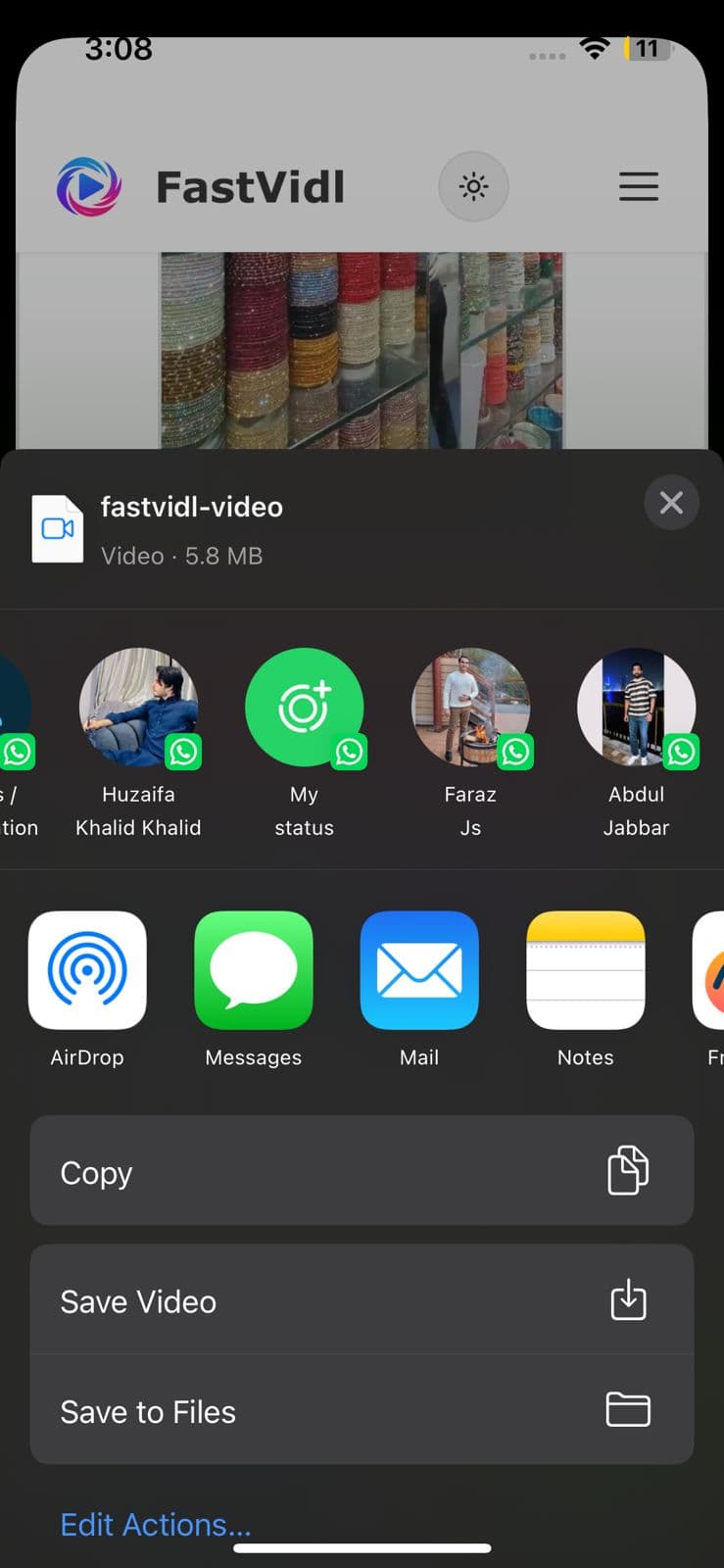
Pinterest ऐप में पिन खोलें, शेयर आइकन पर टैप करें और "कॉपी लिंक" पर टैप करें। Safari पर स्विच करें, fastvidl.com खोलें, लिंक पेस्ट करें और डाउनलोड पर टैप करें। जब वीडियो तैयार हो जाए, तो iPhone और iPad पर "HD क्वालिटी में डाउनलोड करें" पर टैप करें, इसके बाद FastVidl एक "ओपन शेयर शीट" बटन दिखाता है। इसे टैप करें, और क्लिप को सीधे अपनी फोटो गैलरी में सहेजने के लिए शेयर शीट में "वीडियो सहेजें" चुनें। अतिरिक्त ऐप्स या शॉर्टकट के बिना अपने कैमरा रोल में वीडियो लाने का यह सबसे तेज़ तरीका है।

आप मानक सफ़ारी डाउनलोड प्रवाह का भी उपयोग कर सकते हैं: iOS पूछ सकता है कि क्या फ़ाइल को सहेजना है, "डाउनलोड करें" चुनें, फिर इसे फ़ाइलें ऐप में ढूंढें और यदि आवश्यक हो तो इसे फ़ोटो में ले जाएं। iOS 13 और उसके बाद के संस्करण पर, दोनों विकल्प पूरी तरह से Safari में काम करते हैं।
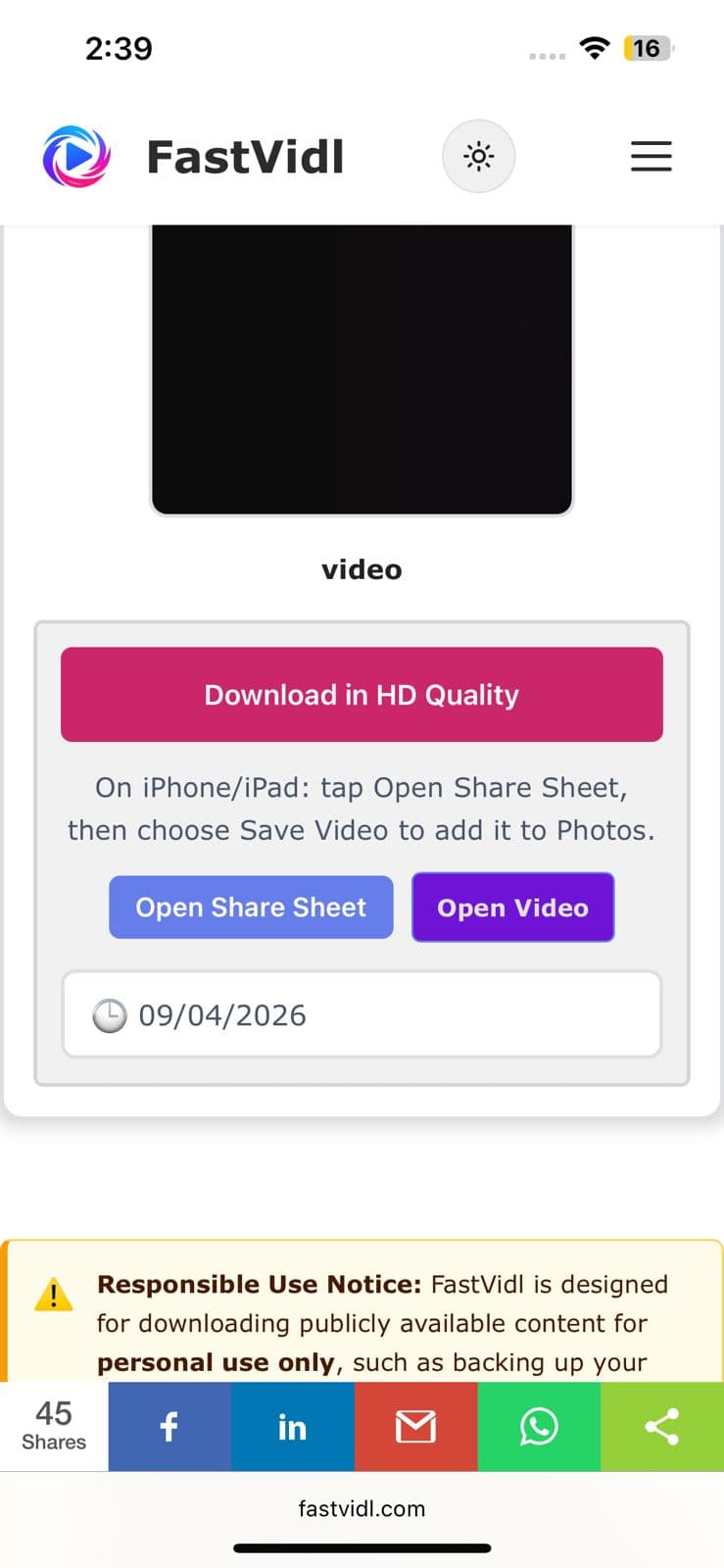
एचडी गुणवत्ता में डाउनलोड करें और iPhone पर शेयर शीट बटन खोलें
iOS शेयर शीट Pinterest क्लिप को फ़ोटो में सहेजने के लिए वीडियो सहेजें दिखा रही है

एंड्रॉइड पर

Pinterest ऐप से पिन लिंक को उसी तरह कॉपी करें, क्रोम में इस पेज को खोलें, पेस्ट करें और डाउनलोड पर टैप करें। वीडियो सीधे आपके डाउनलोड फ़ोल्डर में सहेजा जाता है और अधिकांश डिवाइस पर स्वचालित रूप से आपकी गैलरी में दिखाई देता है।
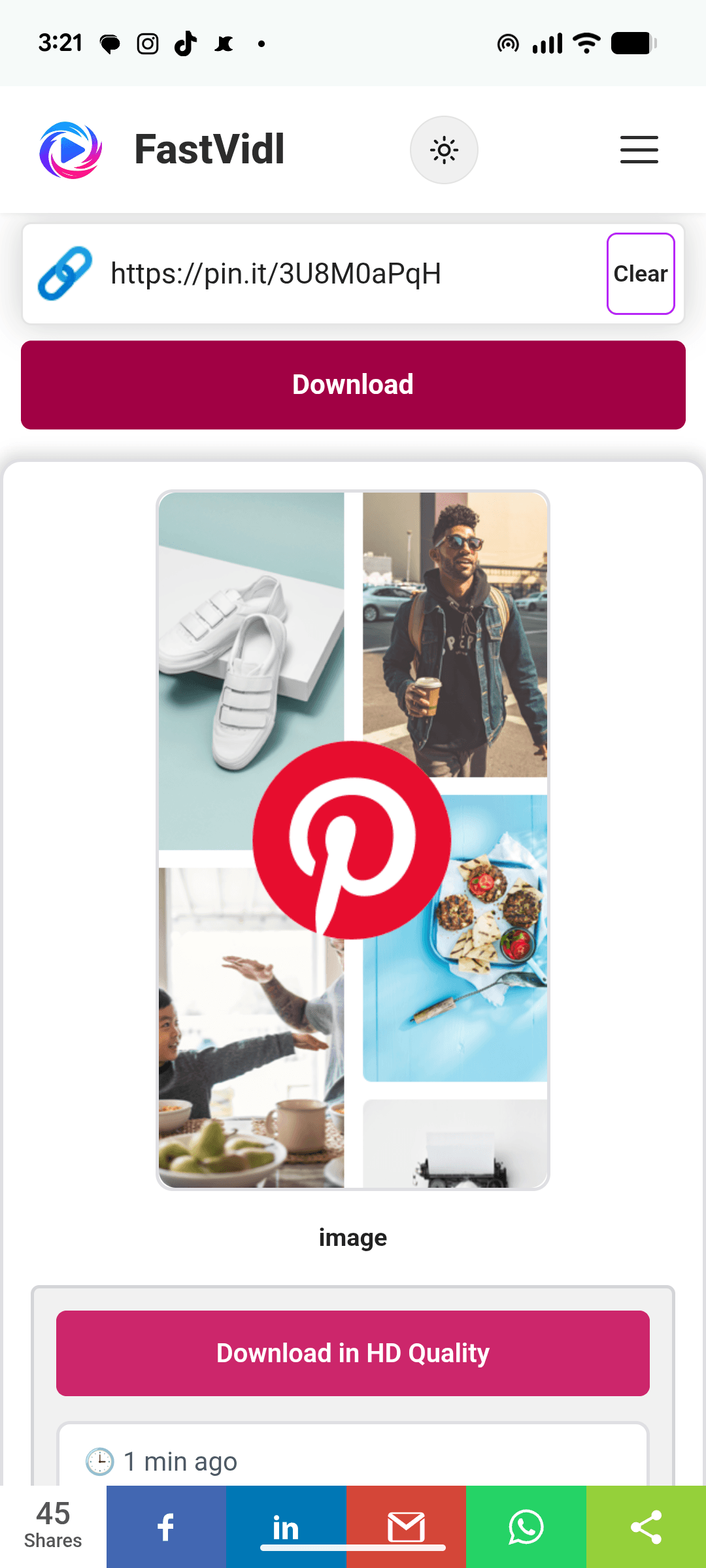
Chrome में FastVidl के साथ Android पर Pinterest वीडियो डाउनलोड करना

विंडोज़ या मैक पर

डेस्कटॉप पर, आप पिन के यूआरएल को सीधे एड्रेस बार से कॉपी कर सकते हैं, यह pinterest.com/pin/1234567890/ जैसा दिखता है। इसे यहां पेस्ट करें, डाउनलोड पर क्लिक करें और MP4 आपके डिफ़ॉल्ट डाउनलोड फ़ोल्डर में सेव हो जाएगा।
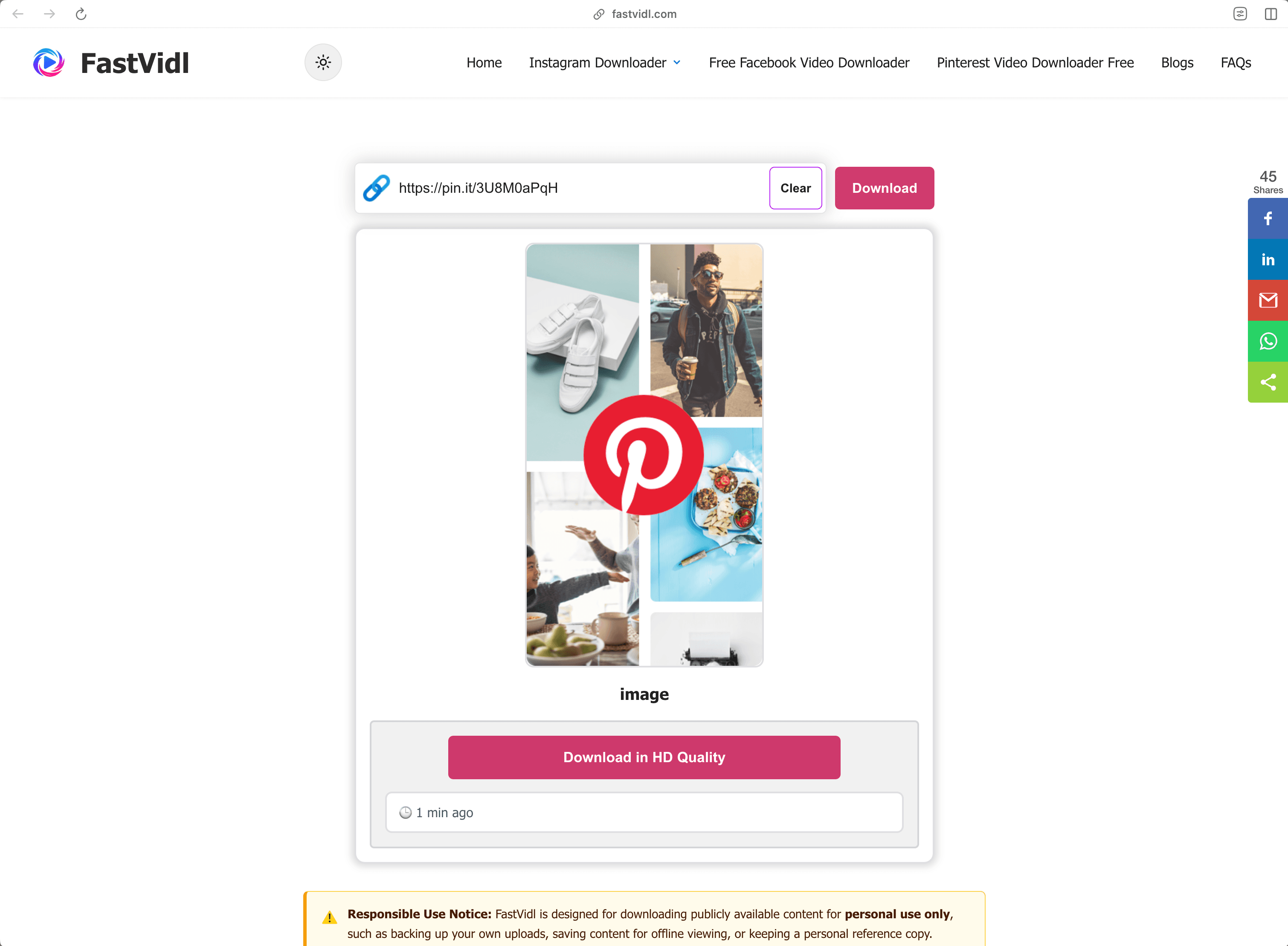
डेस्कटॉप ब्राउज़र में FastVidl के साथ Windows या Mac पर Pinterest वीडियो डाउनलोड करना

कौन से लिंक काम करते हैं?

FastVidl प्रत्येक सार्वजनिक Pinterest वीडियो लिंक प्रारूप को समझता है:

  • Full pin URLs like https://www.pinterest.com/pin/1234567890/
  • Short share links like https://pin.it/abc123 (these are what the mobile app copies)
  • Regional domains such as pinterest.co.uk, pinterest.de, or pinterest.com.mx

यह वीडियो पिन और आइडिया पिन के साथ काम करता है जिसमें वीडियो होता है। यह निजी पिन, गुप्त बोर्ड पर पिन, या छवि-केवल पिन डाउनलोड नहीं कर सकता है, छवियों के लिए स्क्रीनशॉट या Pinterest के स्वयं के छवि डाउनलोड विकल्प का उपयोग करें।

समस्या निवारण: मेरा वीडियो डाउनलोड क्यों नहीं होगा?

संभावना के क्रम में कुछ सामान्य कारण:

  • The pin is private or on a secret board. Only publicly visible pins can be fetched. If you can open the pin in an incognito window without logging in, it's public.
  • The link points to a board or profile, not a pin. Make sure the URL contains /pin/ or is a pin.it short link to a single pin.
  • The pin contains only an image or a GIF. Video download only works for pins that actually contain video.
  • The link was copied incompletely. Re-copy it and make sure nothing was cut off.

यदि कोई सार्वजनिक वीडियो पिन अभी भी डाउनलोड नहीं होता है, तो पिन उस प्रारूप का उपयोग कर सकता है जिसका हम अभी तक समर्थन नहीं करते हैं, हमें इसके माध्यम से बताएं संपर्क पृष्ठ

गुणवत्ता, वॉटरमार्क और गोपनीयता

FastVidl मूल वीडियो फ़ाइल को डाउनलोड करता है जिसे Pinterest प्रस्तुत करता है, इसलिए आपको जो गुणवत्ता मिलती है वह बिल्कुल निर्माता द्वारा अपलोड की गई गुणवत्ता है, आमतौर पर 720p या 1080p। हम कभी भी वीडियो को दोबारा एन्कोड नहीं करते हैं या उस पर कुछ भी मुहर नहीं लगाते हैं, यही कारण है कि कोई वॉटरमार्क नहीं है: आपको फ़ाइल वैसी ही प्राप्त होती है जैसी है।

हम आपका Pinterest लॉगिन नहीं मांगते (किसी भी वैध डाउनलोडर को ऐसा नहीं करना चाहिए), हम आपके द्वारा डाउनलोड किए गए वीडियो को संग्रहीत नहीं करते हैं, और हम आपके लिंक का इतिहास नहीं रखते हैं। सब कुछ सीधे आपके ब्राउज़र में HTTPS पर चलता है।

क्या Pinterest वीडियो डाउनलोड करना कानूनी है?

व्यक्तिगत, ऑफ़लाइन उपयोग के लिए सार्वजनिक वीडियो डाउनलोड करना, बाद में देखने के लिए ट्यूटोरियल सहेजना, किसी प्रोजेक्ट के लिए संदर्भ रखना, आम तौर पर ठीक है। आप जो नहीं कर सकते हैं वह बिना अनुमति के किसी और की सामग्री को पुनः प्रकाशित या व्यावसायिक रूप से पुन: उपयोग करना है: किसी फ़ाइल को डाउनलोड करने से उस पर कोई अधिकार स्थानांतरित नहीं होता है। जब संदेह हो तो निर्माता से पूछें। हमारा पूरा देखें अस्वीकरण

अक्सर पूछे जाने वाले प्रश्नों

क्या फास्टविड्ल वास्तव में मुफ़्त है?

हाँ। There are no download limits, no premium tier, and no signup. साइट विज्ञापनों द्वारा समर्थित है.

क्या मुझे कुछ भी इंस्टॉल करने की आवश्यकता है?

नहीं, FastVidl किसी भी डिवाइस पर पूरी तरह से आपके ब्राउज़र में चलता है। उन डाउनलोडर साइटों से सावधान रहें जो APK या EXE इंस्टॉल को आगे बढ़ाती हैं - एक वीडियो डाउनलोडर को कभी भी इसकी आवश्यकता नहीं होती है।

क्या वीडियो में वॉटरमार्क होगा?

नहीं, आपको मूल फ़ाइल ठीक उसी तरह मिलती है जैसे Pinterest इसे पेश करता है, बिना कुछ जोड़े।

मुझे कौन सी गुणवत्ता मिलेगी?

निर्माता ने वही गुणवत्ता अपलोड की, 1080p तक। हम किसी वीडियो की गुणवत्ता उसके स्रोत से अधिक नहीं बढ़ा सकते।

क्या मैं निजी पिन या गुप्त बोर्ड डाउनलोड कर सकता हूँ?

नहीं, फास्टविड्ल केवल सार्वजनिक रूप से पहुंच योग्य पिन के साथ काम करता है, और हम किसी भी परिस्थिति में आपका लॉगिन नहीं मांगते हैं।

क्या मैं Pinterest छवियाँ और GIF भी डाउनलोड कर सकता हूँ?

यह पेज वीडियो के लिए है. छवियों के लिए, Pinterest का अपना "छवि डाउनलोड करें" विकल्प अच्छा काम करता है; हम समर्पित छवि और GIF समर्थन पर काम कर रहे हैं।

क्या यह बिना ऐप के iPhone पर काम करता है?

हाँ - Safari सीधे वीडियो फ़ाइलों को सहेज सकता है। ऊपर iPhone चरण देखें।

फास्टविड्ल से अधिक

FastVidl अन्य प्लेटफ़ॉर्म का भी समर्थन करता है: इंस्टाग्राम रील डाउनलोडर, इंस्टाग्राम स्टोरी डाउनलोडर, and फेसबुक वीडियो डाउनलोडर.

Paste a Pinterest video link above and this free online Pinterest video downloader fetches the original MP4 for you, in HD up to 1080p, no watermark, no login, and nothing to install. Works in any browser on iPhone, Android, and desktop.

How to download a Pinterest video

Pinterest doesn't offer a built-in way to save videos, so FastVidl fills the gap. The whole process takes about ten seconds:

  1. Open the pin with the video you want to save.
  2. Copy its link. On the Pinterest app, tap the share icon and choose "Copy link". On desktop, copy the URL from your browser's address bar.
  3. Paste the link into the box at the top of this page.
  4. Tap Download and choose where to save the MP4 file.

That's it. There's no account to create and no app to install.

On iPhone

Open the pin in the Pinterest app, tap the share icon, and tap "Copy link". Switch to Safari, open fastvidl.com, paste the link, and tap Download. When the video is ready, tap "Download in HD Quality", on iPhone and iPad, FastVidl then shows an "Open Share Sheet" button. Tap it, and in the share sheet choose "Save Video" to save the clip straight to your Photos gallery. That's the quickest way to get a video into your camera roll without extra apps or shortcuts.

You can also use the standard Safari download flow: iOS may ask whether to save the file, choose "Download", then find it in the Files app and move it to Photos if needed. On iOS 13 and later, both options work entirely in Safari.

Download in HD Quality and Open Share Sheet buttons on iPhone
iOS share sheet showing Save Video to save a Pinterest clip to Photos

On Android

Copy the pin link from the Pinterest app the same way, open this page in Chrome, paste, and tap Download. The video saves straight to your Downloads folder and shows up in your gallery automatically on most devices.

Downloading a Pinterest video on Android with FastVidl in Chrome

On Windows or Mac

On desktop, you can copy the pin's URL directly from the address bar, it looks like pinterest.com/pin/1234567890/. Paste it here, click Download, and the MP4 saves to your default downloads folder.

Downloading a Pinterest video on Windows or Mac with FastVidl in a desktop browser

Which links work?

FastVidl understands every public Pinterest video link format:

  • Full pin URLs like https://www.pinterest.com/pin/1234567890/
  • Short share links like https://pin.it/abc123 (these are what the mobile app copies)
  • Regional domains such as pinterest.co.uk, pinterest.de, or pinterest.com.mx

It works with video pins and idea pins that contain video. It can't download private pins, pins on secret boards, or image-only pins, for images, use a screenshot or Pinterest's own image download option.

Troubleshooting: why won't my video download?

A few common causes, in order of likelihood:

  • The pin is private or on a secret board. Only publicly visible pins can be fetched. If you can open the pin in an incognito window without logging in, it's public.
  • The link points to a board or profile, not a pin. Make sure the URL contains /pin/ or is a pin.it short link to a single pin.
  • The pin contains only an image or a GIF. Video download only works for pins that actually contain video.
  • The link was copied incompletely. Re-copy it and make sure nothing was cut off.

If a public video pin still won't download, the pin may use a format we don't support yet, let us know through the contact page and we'll look into it.

Quality, watermarks, and privacy

FastVidl downloads the original video file that Pinterest serves, so the quality you get is exactly the quality the creator uploaded, typically 720p or 1080p. We never re-encode the video or stamp anything on it, which is why there's no watermark: you receive the file as-is.

We don't ask for your Pinterest login (no legitimate downloader should), we don't store the videos you download, and we don't keep a history of your links. Everything runs over HTTPS directly in your browser.

Is it legal to download Pinterest videos?

Downloading a public video for personal, offline use, saving a tutorial to watch later, keeping a reference for a project, is generally fine. What you can't do is republish or commercially reuse someone else's content without permission: downloading a file doesn't transfer any rights to it. When in doubt, ask the creator. See our full disclaimer for details.

Frequently asked questions

Is FastVidl really free?

Yes. There are no download limits, no premium tier, and no signup. The site is supported by ads.

Do I need to install anything?

No. FastVidl runs entirely in your browser on any device. Be cautious of downloader sites that push APK or EXE installs. A video downloader never needs one.

Will the video have a watermark?

No. You get the original file exactly as Pinterest serves it, with nothing added.

What quality will I get?

The same quality the creator uploaded, up to 1080p. We can't increase a video's quality beyond its source.

Can I download private pins or secret boards?

No. FastVidl only works with publicly accessible pins, and we don't ask for your login under any circumstances.

Can I download Pinterest images and GIFs too?

This page is for videos. For images, Pinterest's own "Download image" option works well; we're working on dedicated image and GIF support.

Does this work on iPhone without an app?

Yes. Safari can save video files directly. See the iPhone steps above.

फास्टविडल एक स्वतंत्र टूल है और यह इंस्टाग्राम, मेटा प्लेटफॉर्म, फेसबुक, पिनटेरेस्ट या किसी अन्य प्लेटफॉर्म से संबद्ध, समर्थित या किसी भी तरह से आधिकारिक तौर पर जुड़ा नहीं है। सभी उत्पाद नाम और लोगो उनके संबंधित स्वामियों के ट्रेडमार्क हैं।