FastVidl

Pengunduh Video Facebook— Gratis, HD, Tanpa Tanda Air

Cara mengunduh video Facebook

Salin tautan video publik dari Facebook, tempelkan ke dalam kotak di bagian atas halaman ini, dan ketuk Unduh. Seluruh proses memakan waktu sekitar sepuluh detik.

  1. Open the public video or Reel on Facebook.
  2. Tap Share and choose "Copy link".
  3. Paste the link here and tap Download.
  4. Save the MP4 to your device.

Di iPhone

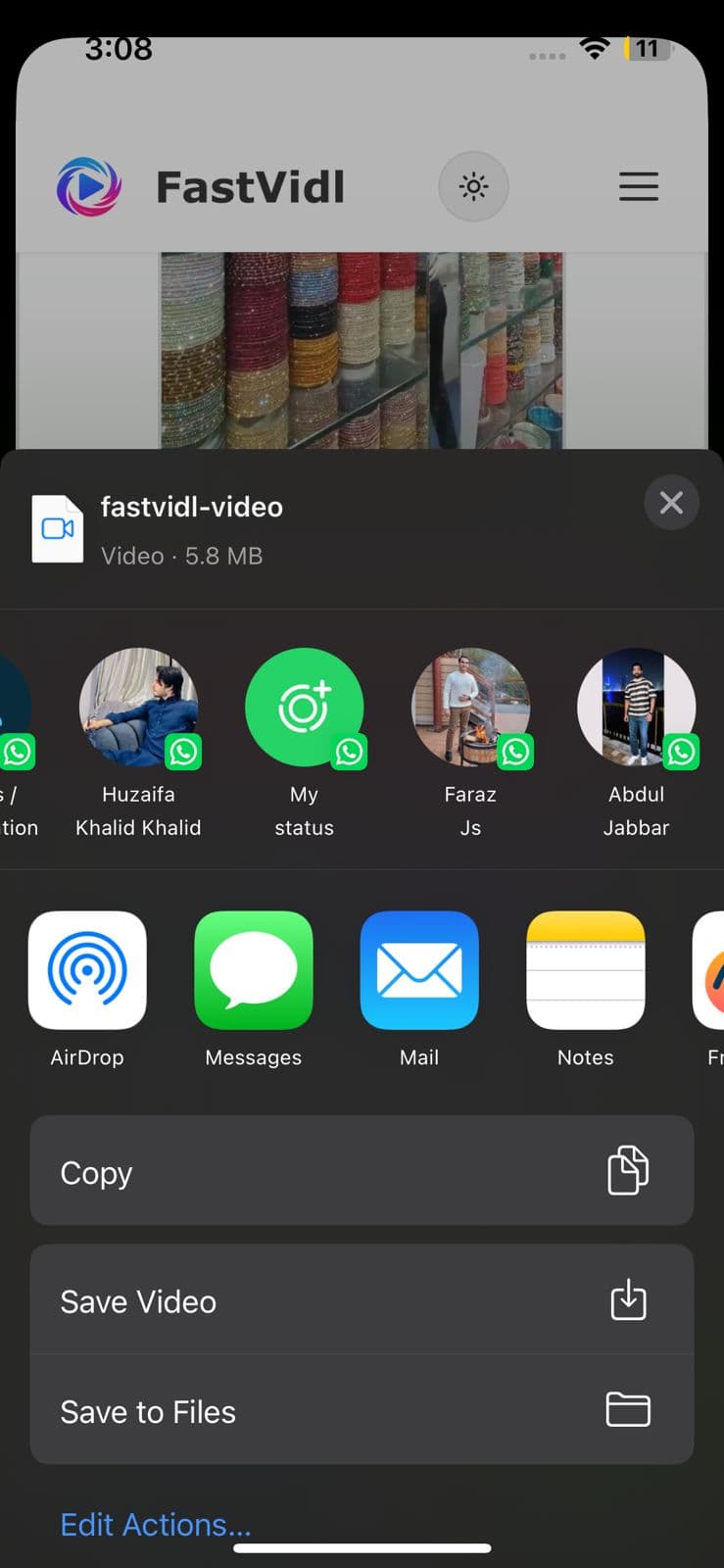
Salin tautan dari aplikasi Facebook, buka halaman ini di Safari, tempel, dan unduh. Gunakan Buka Lembar Bagikan → Simpan Video untuk Foto, atau simpan ke File terlebih dahulu.
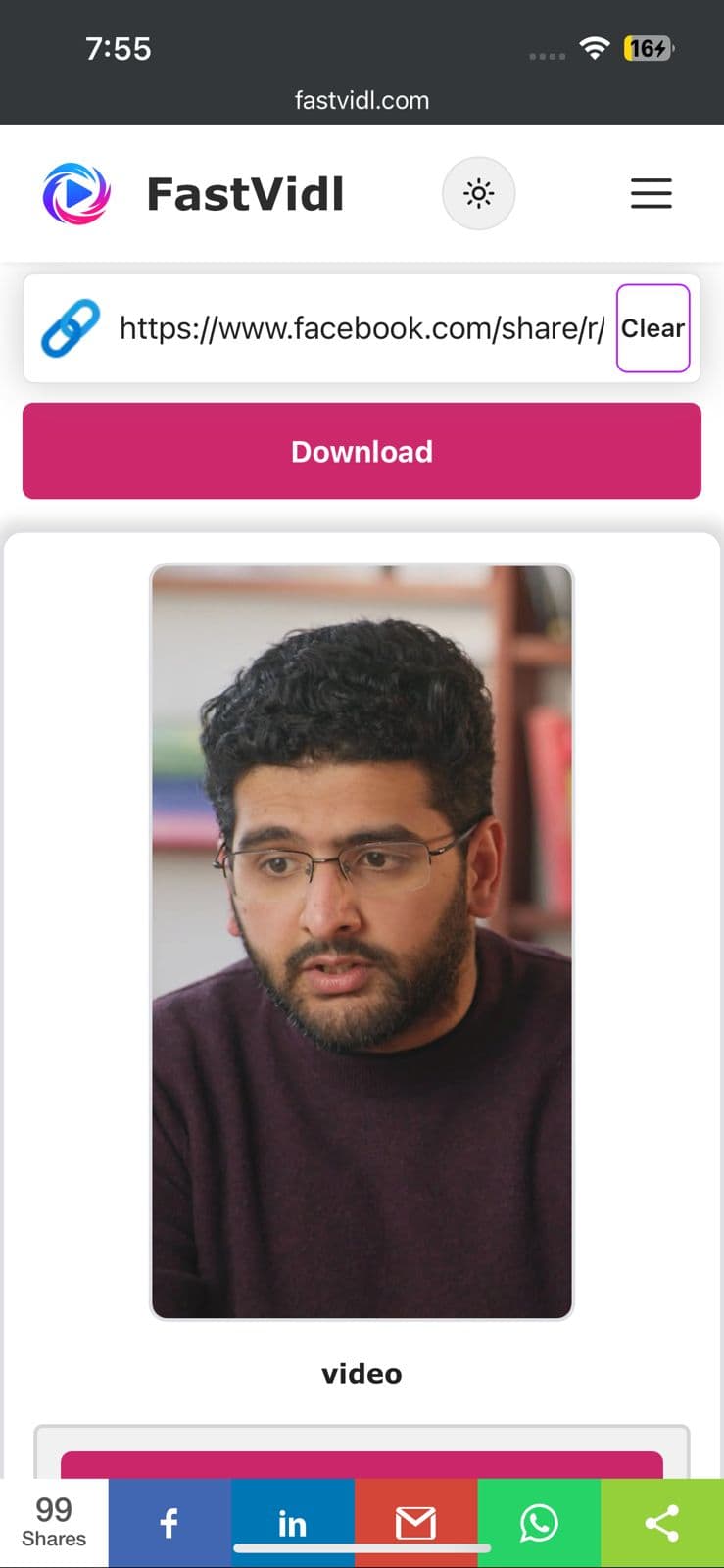
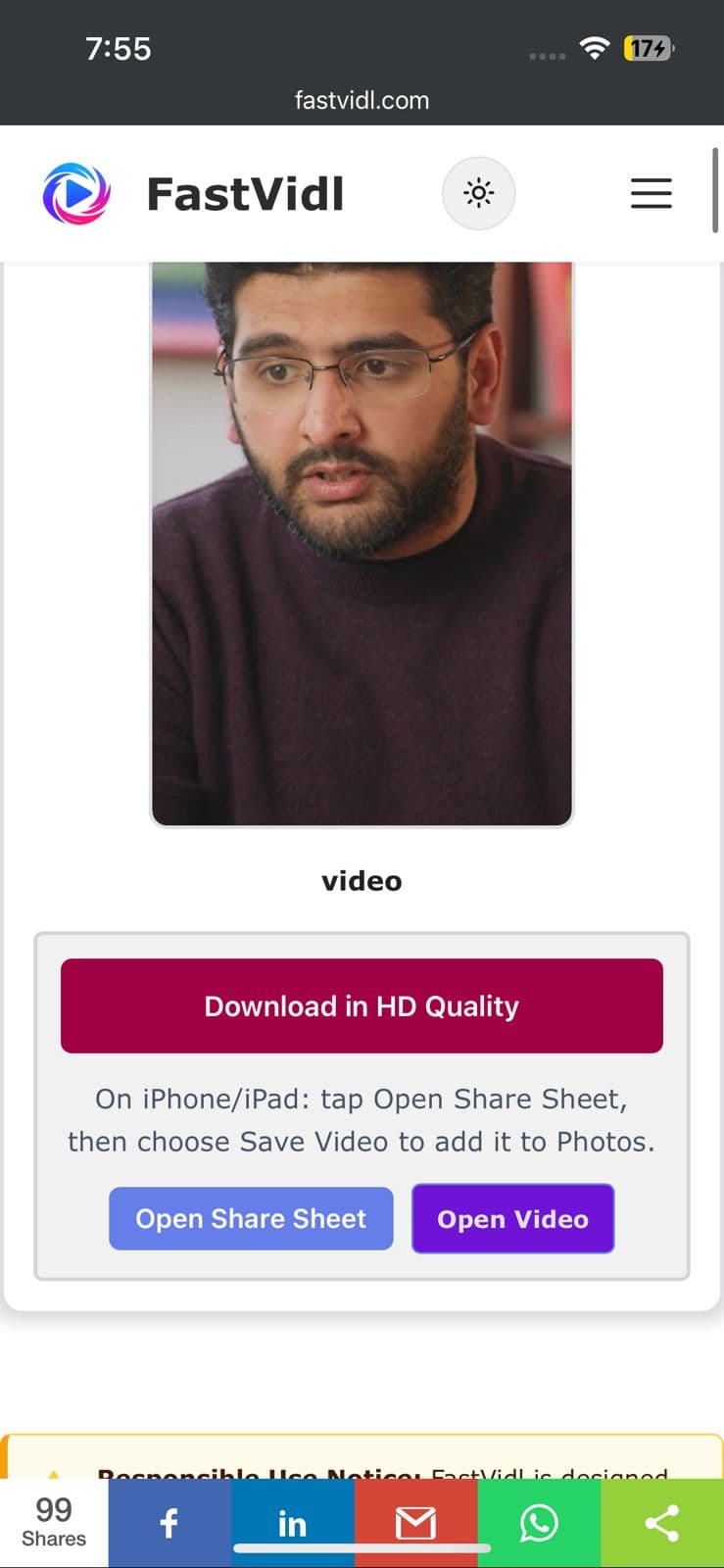
Unduh dalam kualitas HD dan tombol Buka Bagikan Lembar untuk video Facebook di iPhone
Pengunduhan video Facebook FastVidl siap di iPhone di Safari
Lembar berbagi iOS menampilkan Simpan Video untuk menyimpan klip ke Foto

Di Android

Salin tautannya, buka halaman ini di Chrome, tempel, dan unduh. File biasanya muncul di Unduhan dan galeri Anda.
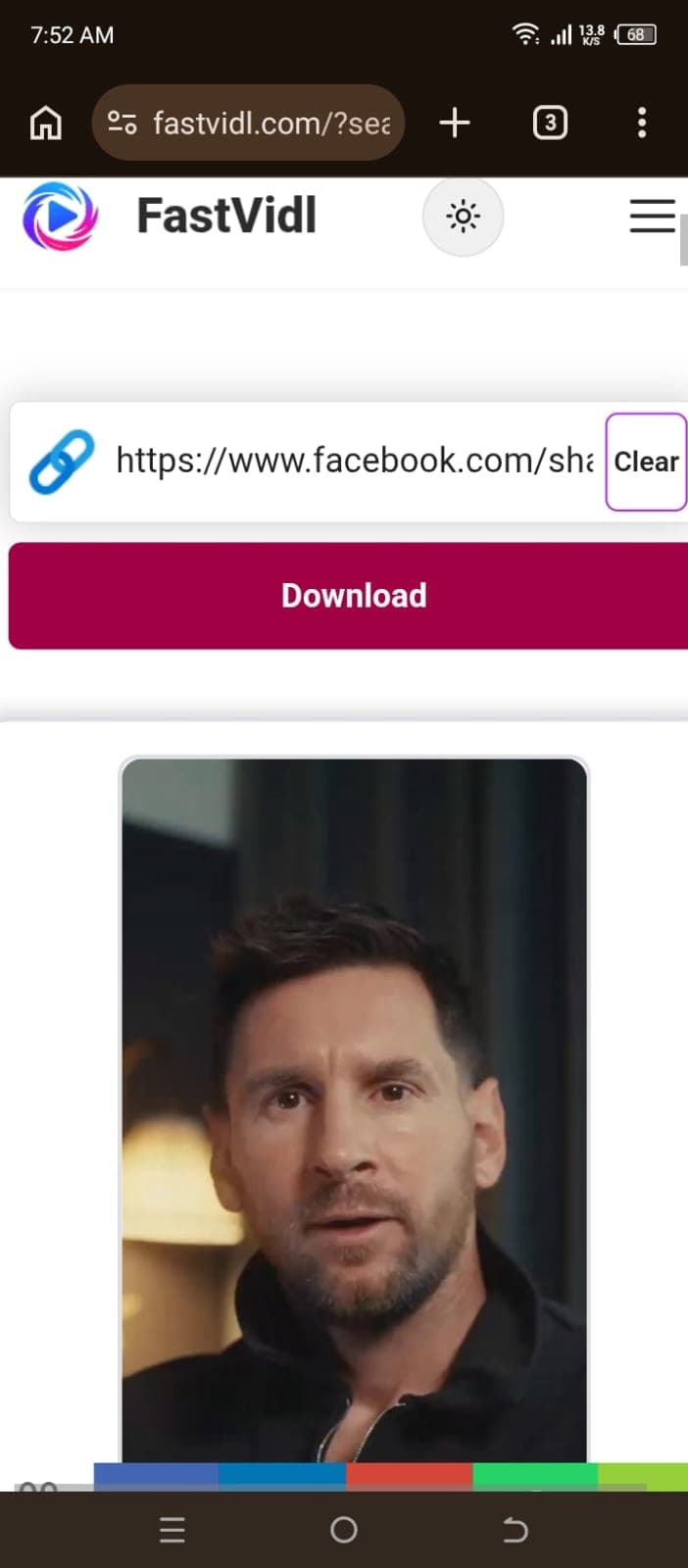
Mengunduh video Facebook di Android dengan FastVidl di Chrome

Di Windows atau Mac

Salin URL video dari bilah alamat atau menu Bagikan, tempel di sini, dan klik Unduh.
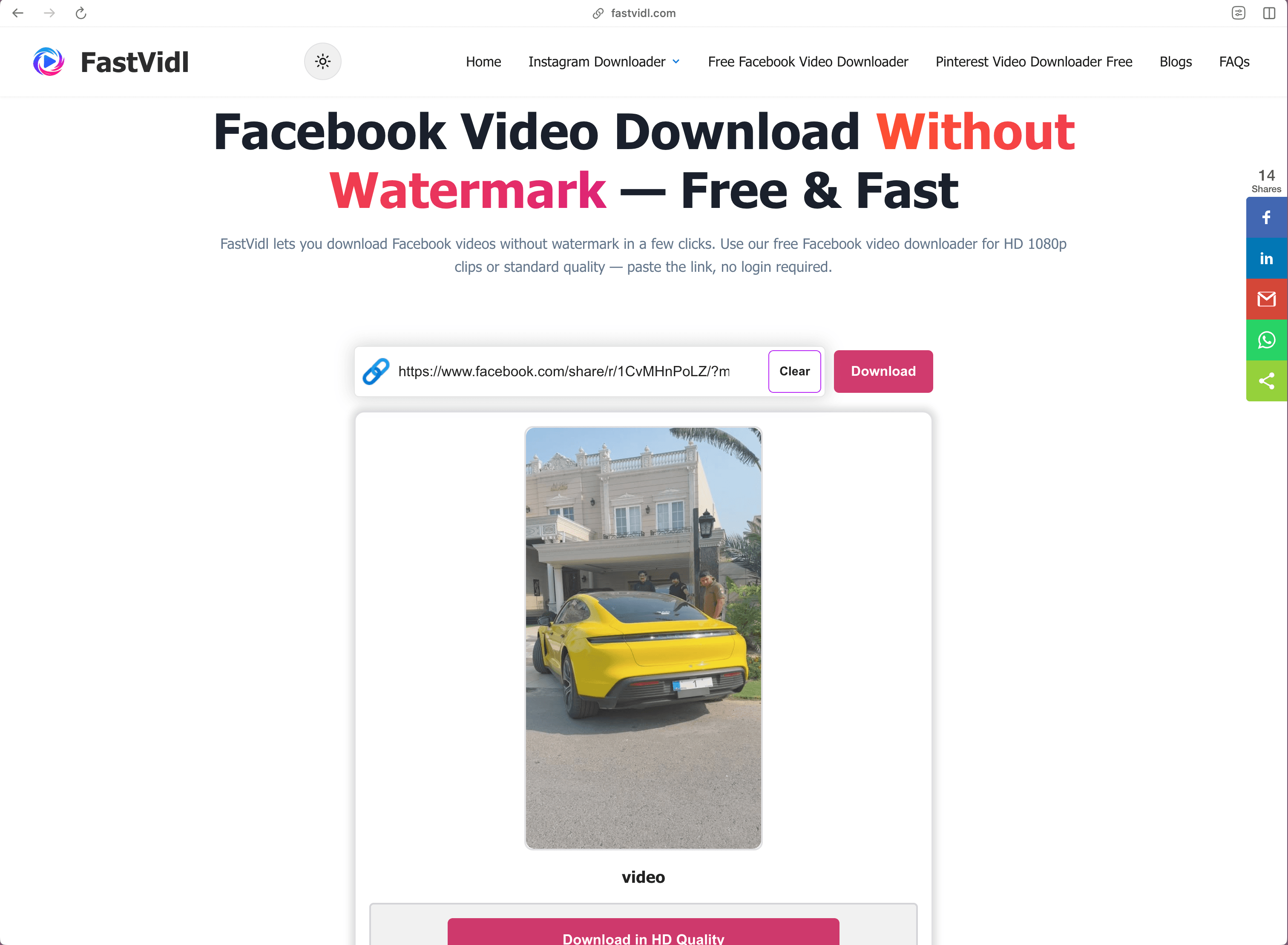
Mengunduh video Facebook di Windows atau Mac dengan FastVidl di browser desktop

Cara mengunduh Reel Facebook

Reel Facebook menggunakan alur kerja yang sama: salin tautan reel (URL biasanya berisi /reel/), tempelkan ke FastVidl, dan simpan MP4. Jika Anda melihat "Media tidak tersedia", reel tersebut mungkin bersifat pribadi, dikunci wilayah, atau dihapus, konfirmasikan bahwa reel tersebut diputar secara publik di Facebook, lalu salin tautan baru.

Baik URL berisi /reel/ atau /watch/, langkah tempel dan unduh di halaman ini sama.

Tautan mana yang berfungsi?

FastVidl mendukung URL video Facebook publik umum, termasuk tautan pendek facebook.com/watch/, /reel/, dan fb.watch. Postingan pribadi, video khusus grup, dan live stream aktif tidak dapat diunduh.

Pemecahan masalah

  • Media not available: The post may be private, deleted, or restricted. Copy a new link from Share on a public post.
  • Live stream: Active live broadcasts cannot be saved mid-stream. Try again after a public replay is posted, if Facebook serves one.
  • No sound: See our Facebook video no sound guide .

Kualitas, tanda air, dan privasi

FastVidl mengunduh file yang disediakan Facebook untuk postingan publik tersebut dan tidak menambahkan apa pun ke dalamnya, tanpa logo, tanpa stempel. Kami tidak menyandikan ulang video tersebut. Kualitas adalah apa pun yang dipaparkan Facebook untuk unggahan tersebut, biasanya hingga 1080p. Kami tidak meminta login Facebook Anda dan tidak menyimpan unduhan Anda di server kami.

Catatan pengujian kami

Pada bulan April 2026 kami menguji video tontonan dan Reel Facebook publik di Edge desktop dan Chrome seluler. Video feed standar biasanya diselesaikan dalam 5–12 detik. Beberapa Reel awalnya gagal dengan "Media tidak tersedia", mencoba ulang dengan tautan publik baru sering kali berhasil dalam waktu 20 detik. Streaming langsung yang aktif tidak dapat diunduh di tengah siaran.

Apakah legal mengunduh video Facebook?

Referensi offline pribadi umumnya baik-baik saja; publikasi ulang atau penggunaan kembali secara komersial memerlukan izin. Lihat kami penafian.

Pertanyaan yang sering diajukan

Apakah FastVidl benar-benar gratis untuk video Facebook?

Ya. Tidak ada batasan unduhan, tidak ada tingkat premium, dan tidak ada pendaftaran. Situs ini didukung oleh iklan.

Apakah saya perlu menginstal aplikasi?

Tidak. FastVidl berjalan sepenuhnya di browser Anda pada perangkat apa pun. Berhati-hatilah terhadap situs pengunduh yang mendorong pemasangan APK atau EXE — pengunduh video tidak memerlukannya.

Akankah video tersebut memiliki tanda air?

Tidak. Anda mendapatkan file asli persis seperti yang disajikan Facebook, tanpa tambahan apa pun dari FastVidl.

Bisakah saya mengunduh Reel Facebook?

Ya. Salin tautan Reel publik (facebook.com/reel/…), tempel di sini, dan simpan MP4. Reel pribadi atau terbatas tidak dapat diambil.

Mengapa Facebook mengatakan media tidak tersedia untuk diunduh?

Beberapa gulungan dikunci wilayahnya, dihapus, atau ditandai sebagai pribadi. Konfirmasikan postingan tersebut bersifat publik, segarkan tautan dari Bagikan, dan coba lagi. Jika pembuatnya menghapus video tersebut, tidak ada pengunduh yang dapat memulihkannya.

Bisakah saya mengunduh streaming langsung saat sedang siaran?

Tidak. Streaming langsung yang aktif tidak dapat diunduh di tengah siaran. Setelah siaran langsung berakhir, tautan pemutaran ulang publik dapat berfungsi jika Facebook masih menyajikan file tersebut.

Bagaimana cara menyimpan video Facebook ke galeri ponsel saya?

Di Android, unduhan biasanya muncul di folder dan galeri Unduhan. Di iPhone, simpan dari Safari ke File, lalu ketuk Bagikan dan Simpan Video untuk memindahkannya ke Foto.

Lainnya dari FastVidl

Pengunduh Reel Instagram, Pengunduh Cerita Instagram, and Pengunduh Video Pinterest.

Paste a public Facebook video or Reel link above and this free online Facebook video downloader fetches the original MP4 in HD, no watermark added, no login, and nothing to install. Quality typically reaches 1080p for most public posts and Reels.

How to download a Facebook video

Copy the public video link from Facebook, paste it into the box at the top of this page, and tap Download. The whole process takes about ten seconds.

  1. Open the public video or Reel on Facebook.
  2. Tap Share and choose "Copy link".
  3. Paste the link here and tap Download.
  4. Save the MP4 to your device.

On iPhone

Copy the link from the Facebook app, open this page in Safari, paste, and download. Use Open Share Sheet → Save Video for Photos, or save to Files first.

Download in HD Quality and Open Share Sheet buttons for Facebook video on iPhone
FastVidl Facebook video download ready on iPhone in Safari
iOS share sheet showing Save Video to save the clip to Photos

On Android

Copy the link, open this page in Chrome, paste, and download. Files usually appear in Downloads and your gallery.

Downloading a Facebook video on Android with FastVidl in Chrome

On Windows or Mac

Copy the video URL from the address bar or Share menu, paste it here, and click Download.

Downloading a Facebook video on Windows or Mac with FastVidl in a desktop browser

How to download Facebook Reels

Facebook Reels use the same workflow: copy the reel link (the URL usually contains /reel/), paste it into FastVidl, and save the MP4. If you see "Media not available," the reel may be private, region-locked, or removed, confirm it plays publicly on Facebook, then copy a fresh link.

Whether the URL contains /reel/ or /watch/, the paste-and-download steps on this page are the same.

Which links work?

FastVidl supports common public Facebook video URLs, including facebook.com/watch/, /reel/, and fb.watch short links. Private posts, group-only videos, and active live streams cannot be downloaded.

Troubleshooting

  • Media not available: The post may be private, deleted, or restricted. Copy a new link from Share on a public post.
  • Live stream: Active live broadcasts cannot be saved mid-stream. Try again after a public replay is posted, if Facebook serves one.
  • No sound: See our Facebook video no sound guide.

Quality, watermarks, and privacy

FastVidl downloads the file Facebook serves for that public post and adds nothing to it, no logo, no stamp. We do not re-encode the video. Quality is whatever Facebook exposes for that upload, typically up to 1080p. We do not ask for your Facebook login and do not store your downloads on our servers.

Our testing notes

In April 2026 we tested public Facebook watch videos and Reels on desktop Edge and mobile Chrome. Standard feed videos usually resolved in 5–12 seconds. Some Reels initially failed with "Media not available", retrying with a fresh public link often worked within 20 seconds. Active live streams could not be downloaded mid-broadcast.

Is it legal to download Facebook videos?

Personal offline reference is generally fine; republication or commercial reuse requires permission. See our disclaimer.

Frequently asked questions

Is FastVidl really free for Facebook videos?

Yes. There are no download limits, no premium tier, and no signup. The site is supported by ads.

Do I need to install an app?

No. FastVidl runs entirely in your browser on any device. Be cautious of downloader sites that push APK or EXE installs. A video downloader never needs one.

Will the video have a watermark?

No. You get the original file exactly as Facebook serves it, with nothing added by FastVidl.

Can I download Facebook Reels?

Yes. Copy the public Reel link (facebook.com/reel/…), paste it here, and save the MP4. Private or restricted reels cannot be fetched.

Why does Facebook say media is not available for download?

Some reels are region-locked, deleted, or marked private. Confirm the post is public, refresh the link from Share, and retry. If the creator removed the video, no downloader can recover it.

Can I download live streams while they are broadcasting?

No. Active live streams cannot be downloaded mid-broadcast. After a live ends, a public replay link may work if Facebook still serves the file.

How do I save a Facebook video to my phone gallery?

On Android, downloads usually appear in the Downloads folder and gallery. On iPhone, save from Safari to Files, then tap Share and Save Video to move it to Photos.

FastVidl adalah alat independen dan tidak berafiliasi dengan, didukung oleh, atau dengan cara apa pun terhubung secara resmi ke Instagram, Platform Meta, Facebook, Pinterest, atau platform lainnya. Semua nama dan logo produk adalah merek dagang dari pemiliknya masing-masing.