
FastVidl

Pengunduh Video Pinterest— Gratis, HD, Tanpa Tanda Air

Cara mengunduh video Pinterest

Pinterest tidak menawarkan cara bawaan untuk menyimpan video, jadi FastVidl mengisi kekosongan tersebut. Seluruh proses memakan waktu sekitar sepuluh detik:

  1. Open the pin with the video you want to save.
  2. Copy its link. On the Pinterest app, tap the share icon and choose "Copy link". On desktop, copy the URL from your browser's address bar.
  3. Paste the link into the box at the top of this page.
  4. Tap Download and choose where to save the MP4 file.

Itu saja. Tidak ada akun untuk dibuat dan tidak ada aplikasi untuk dipasang.

Di iPhone

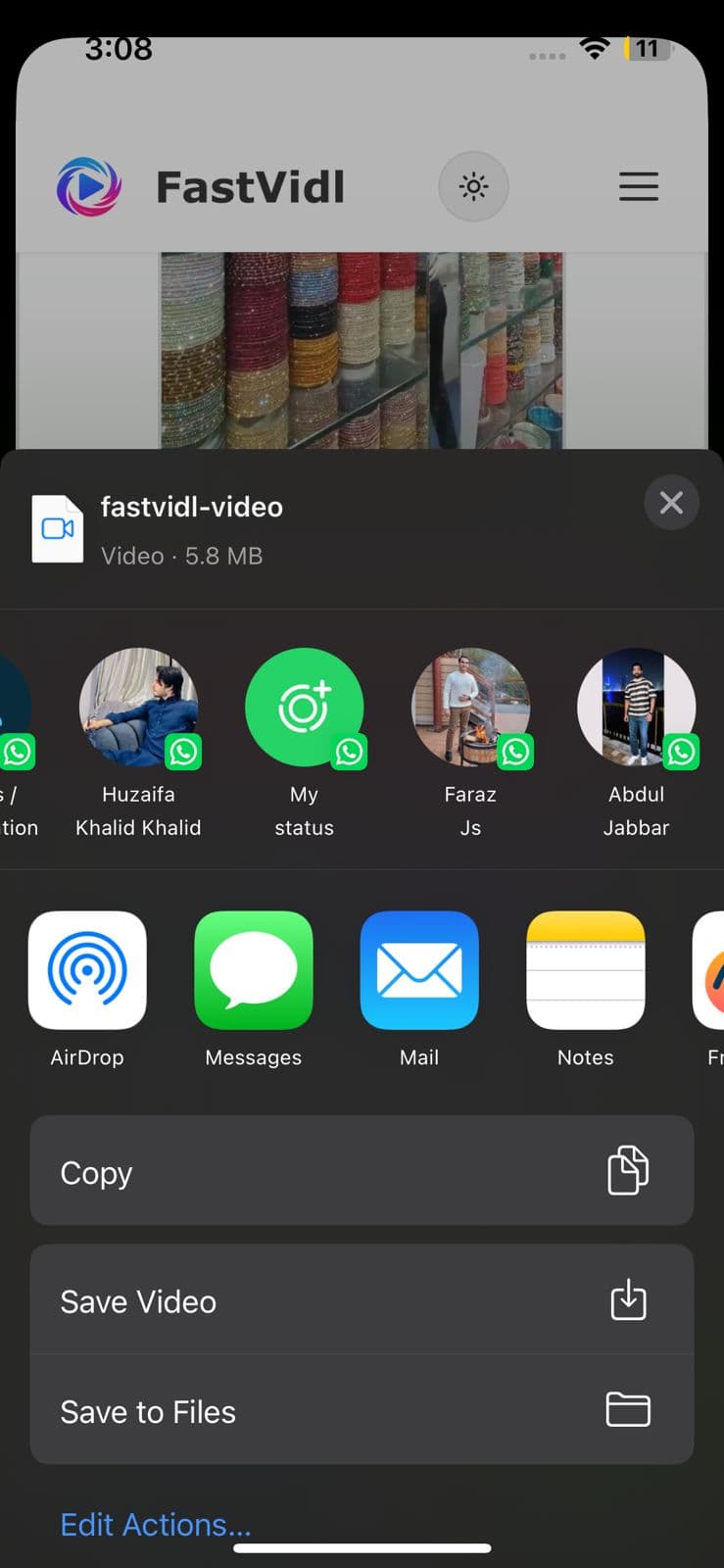
Buka pin di aplikasi Pinterest, ketuk ikon bagikan, dan ketuk "Salin tautan". Beralih ke Safari, buka fastvidl.com, tempel tautannya, dan ketuk Unduh. Saat video sudah siap, ketuk "Unduh dalam Kualitas HD", di iPhone dan iPad, FastVidl kemudian menampilkan tombol "Buka Lembar Bagikan". Ketuk, dan di lembar berbagi pilih "Simpan Video" untuk menyimpan klip langsung ke galeri Foto Anda. Itulah cara tercepat untuk memasukkan video ke rol kamera Anda tanpa aplikasi atau pintasan tambahan.

Anda juga dapat menggunakan alur pengunduhan Safari standar: iOS mungkin menanyakan apakah akan menyimpan file, pilih "Unduh", lalu temukan di aplikasi File dan pindahkan ke Foto jika diperlukan. Di iOS 13 dan versi lebih baru, kedua opsi berfungsi sepenuhnya di Safari.
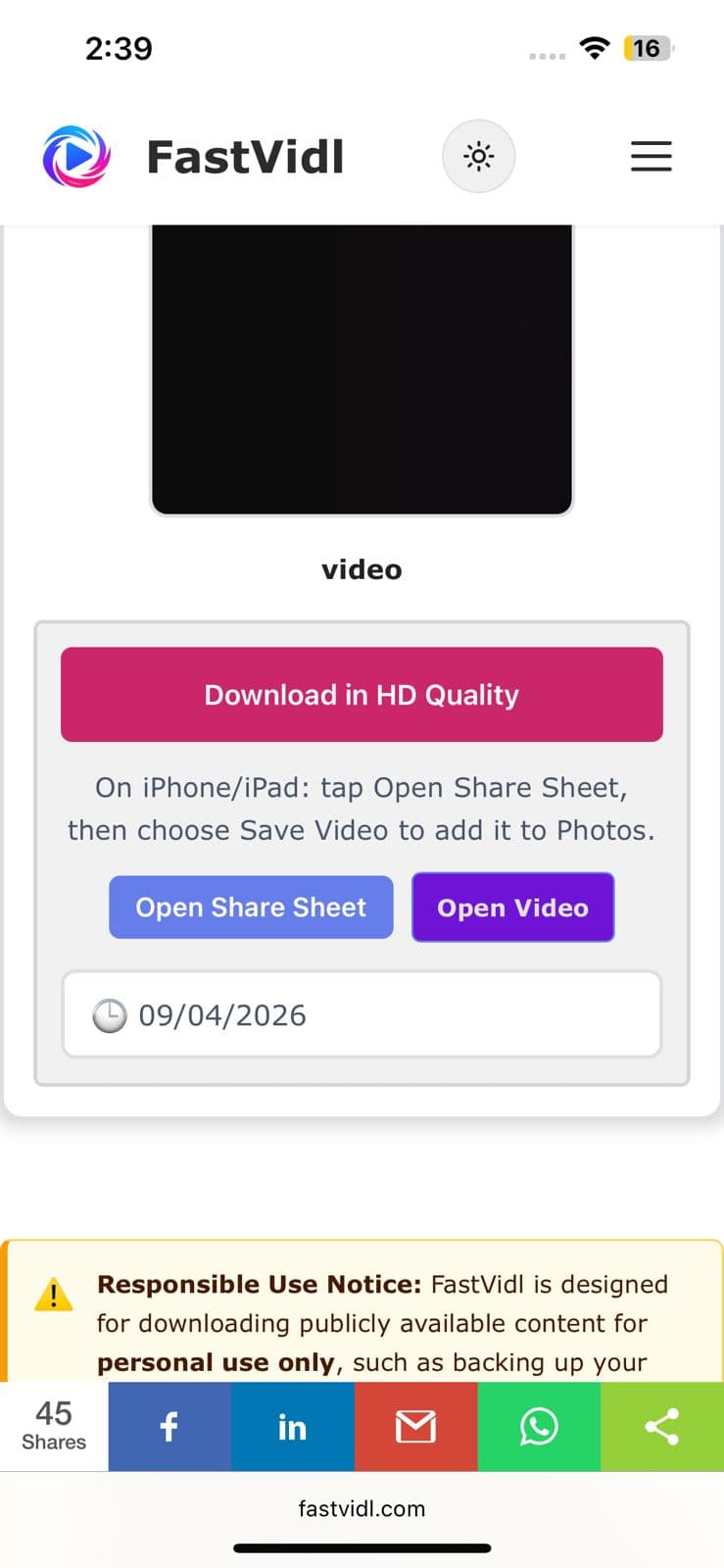
Unduh dalam tombol Kualitas HD dan Buka Lembar Bagikan di iPhone
Lembar berbagi iOS menampilkan Simpan Video untuk menyimpan klip Pinterest ke Foto

Di Android

Salin tautan pin dari aplikasi Pinterest dengan cara yang sama, buka halaman ini di Chrome, tempel, dan ketuk Unduh. Video disimpan langsung ke folder Unduhan Anda dan muncul di galeri Anda secara otomatis di sebagian besar perangkat.
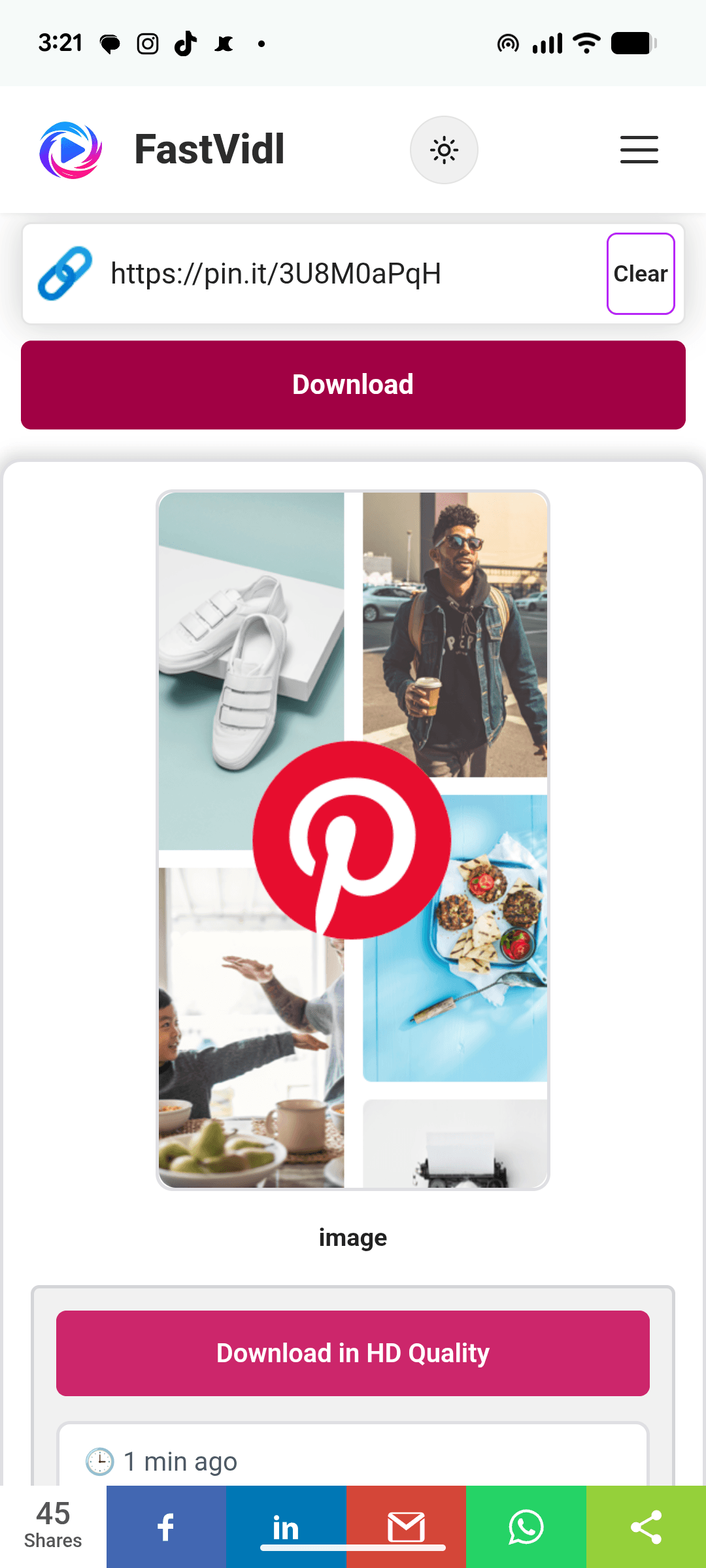
Mengunduh video Pinterest di Android dengan FastVidl di Chrome

Di Windows atau Mac

Di desktop, Anda dapat menyalin URL pin langsung dari bilah alamat, seperti pinterest.com/pin/1234567890/. Rekatkan di sini, klik Unduh, dan MP4 disimpan ke folder unduhan default Anda.
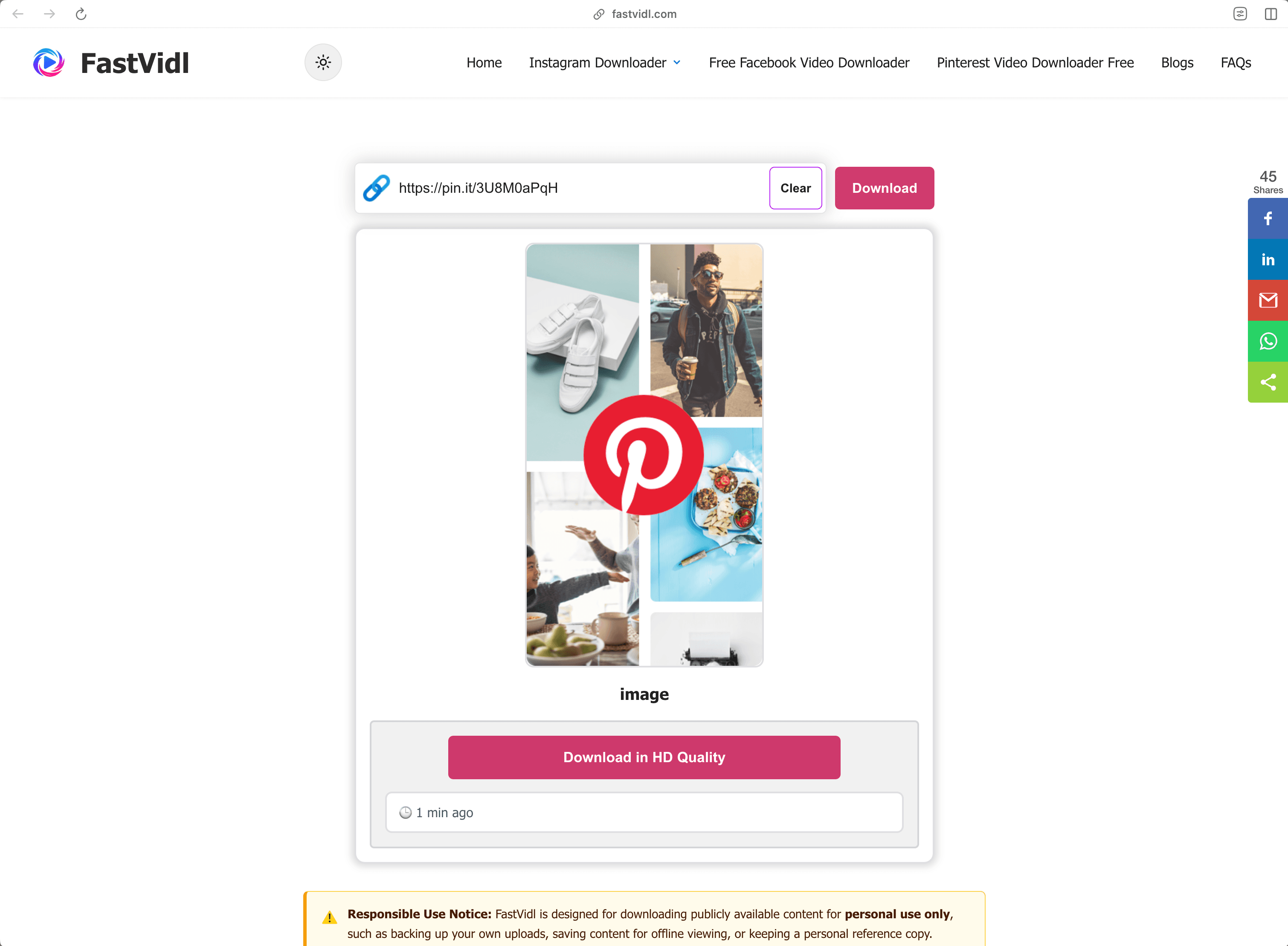
Mengunduh video Pinterest di Windows atau Mac dengan FastVidl di browser desktop

Tautan mana yang berfungsi?

FastVidl memahami setiap format tautan video Pinterest publik:

  • Full pin URLs like https://www.pinterest.com/pin/1234567890/
  • Short share links like https://pin.it/abc123 (these are what the mobile app copies)
  • Regional domains such as pinterest.co.uk, pinterest.de, or pinterest.com.mx

Ia berfungsi dengan pin video dan pin ide yang berisi video. Itu tidak dapat mengunduh pin pribadi, pin di papan rahasia, atau pin hanya gambar, untuk gambar, gunakan tangkapan layar atau opsi pengunduhan gambar Pinterest sendiri.

Pemecahan masalah: mengapa video saya tidak dapat diunduh?

Beberapa penyebab umum, berdasarkan kemungkinannya:

  • The pin is private or on a secret board. Only publicly visible pins can be fetched. If you can open the pin in an incognito window without logging in, it's public.
  • The link points to a board or profile, not a pin. Make sure the URL contains /pin/ or is a pin.it short link to a single pin.
  • The pin contains only an image or a GIF. Video download only works for pins that actually contain video.
  • The link was copied incompletely. Re-copy it and make sure nothing was cut off.

Jika pin video publik masih tidak dapat diunduh, pin tersebut mungkin menggunakan format yang belum kami dukung, beri tahu kami melalui halaman kontak

Kualitas, tanda air, dan privasi

FastVidl mengunduh file video asli yang disajikan Pinterest, sehingga kualitas yang Anda dapatkan sama persis dengan kualitas yang diunggah pembuatnya, biasanya 720p atau 1080p. Kami tidak pernah menyandikan ulang video atau mencap apa pun di dalamnya, itulah sebabnya tidak ada tanda air: Anda menerima file apa adanya.

Kami tidak meminta login Pinterest Anda (tidak boleh ada pengunduh resmi), kami tidak menyimpan video yang Anda unduh, dan kami tidak menyimpan riwayat tautan Anda. Semuanya berjalan melalui HTTPS langsung di browser Anda.

Apakah legal mengunduh video Pinterest?

Mengunduh video publik untuk penggunaan pribadi dan offline, menyimpan tutorial untuk ditonton nanti, menyimpan referensi untuk suatu proyek, secara umum tidak masalah. Yang tidak boleh Anda lakukan adalah memublikasikan ulang atau menggunakan kembali konten orang lain secara komersial tanpa izin: mengunduh file tidak mengalihkan hak apa pun ke dalamnya. Jika ragu, tanyakan pada penciptanya. Lihat kami selengkapnya penafian

Pertanyaan yang sering diajukan

Apakah FastVidl benar-benar gratis?

Ya. Tidak ada batasan unduhan, tidak ada tingkat premium, dan tidak ada pendaftaran. Situs ini didukung oleh iklan.

Apakah saya perlu menginstal sesuatu?

Tidak. FastVidl berjalan sepenuhnya di browser Anda pada perangkat apa pun. Berhati-hatilah terhadap situs pengunduh yang mendorong pemasangan APK atau EXE — pengunduh video tidak memerlukannya.

Akankah video tersebut memiliki tanda air?

Tidak. Anda mendapatkan file asli persis seperti yang disajikan Pinterest, tanpa tambahan apa pun.

Kualitas apa yang akan saya dapatkan?

Kualitas yang sama dengan yang diunggah pembuatnya, hingga 1080p. Kami tidak dapat meningkatkan kualitas video selain sumbernya.

Bisakah saya mengunduh pin pribadi atau papan rahasia?

Tidak. FastVidl hanya berfungsi dengan pin yang dapat diakses publik, dan kami tidak meminta login Anda dalam keadaan apa pun.

Bisakah saya mengunduh gambar dan GIF Pinterest juga?

Halaman ini untuk video. Untuk gambar, opsi "Unduh gambar" milik Pinterest berfungsi dengan baik; kami sedang mengerjakan dukungan gambar dan GIF khusus.

Apakah ini berfungsi di iPhone tanpa aplikasi?

Ya — Safari dapat menyimpan file video secara langsung. Lihat langkah-langkah iPhone di atas.

Lainnya dari FastVidl

FastVidl juga mendukung platform lain: Pengunduh Reel Instagram, Pengunduh Cerita Instagram, and Pengunduh Video Facebook.

Paste a Pinterest video link above and this free online Pinterest video downloader fetches the original MP4 for you, in HD up to 1080p, no watermark, no login, and nothing to install. Works in any browser on iPhone, Android, and desktop.

How to download a Pinterest video

Pinterest doesn't offer a built-in way to save videos, so FastVidl fills the gap. The whole process takes about ten seconds:

  1. Open the pin with the video you want to save.
  2. Copy its link. On the Pinterest app, tap the share icon and choose "Copy link". On desktop, copy the URL from your browser's address bar.
  3. Paste the link into the box at the top of this page.
  4. Tap Download and choose where to save the MP4 file.

That's it. There's no account to create and no app to install.

On iPhone

Open the pin in the Pinterest app, tap the share icon, and tap "Copy link". Switch to Safari, open fastvidl.com, paste the link, and tap Download. When the video is ready, tap "Download in HD Quality", on iPhone and iPad, FastVidl then shows an "Open Share Sheet" button. Tap it, and in the share sheet choose "Save Video" to save the clip straight to your Photos gallery. That's the quickest way to get a video into your camera roll without extra apps or shortcuts.

You can also use the standard Safari download flow: iOS may ask whether to save the file, choose "Download", then find it in the Files app and move it to Photos if needed. On iOS 13 and later, both options work entirely in Safari.

Download in HD Quality and Open Share Sheet buttons on iPhone
iOS share sheet showing Save Video to save a Pinterest clip to Photos

On Android

Copy the pin link from the Pinterest app the same way, open this page in Chrome, paste, and tap Download. The video saves straight to your Downloads folder and shows up in your gallery automatically on most devices.

Downloading a Pinterest video on Android with FastVidl in Chrome

On Windows or Mac

On desktop, you can copy the pin's URL directly from the address bar, it looks like pinterest.com/pin/1234567890/. Paste it here, click Download, and the MP4 saves to your default downloads folder.

Downloading a Pinterest video on Windows or Mac with FastVidl in a desktop browser

Which links work?

FastVidl understands every public Pinterest video link format:

  • Full pin URLs like https://www.pinterest.com/pin/1234567890/
  • Short share links like https://pin.it/abc123 (these are what the mobile app copies)
  • Regional domains such as pinterest.co.uk, pinterest.de, or pinterest.com.mx

It works with video pins and idea pins that contain video. It can't download private pins, pins on secret boards, or image-only pins, for images, use a screenshot or Pinterest's own image download option.

Troubleshooting: why won't my video download?

A few common causes, in order of likelihood:

  • The pin is private or on a secret board. Only publicly visible pins can be fetched. If you can open the pin in an incognito window without logging in, it's public.
  • The link points to a board or profile, not a pin. Make sure the URL contains /pin/ or is a pin.it short link to a single pin.
  • The pin contains only an image or a GIF. Video download only works for pins that actually contain video.
  • The link was copied incompletely. Re-copy it and make sure nothing was cut off.

If a public video pin still won't download, the pin may use a format we don't support yet, let us know through the contact page and we'll look into it.

Quality, watermarks, and privacy

FastVidl downloads the original video file that Pinterest serves, so the quality you get is exactly the quality the creator uploaded, typically 720p or 1080p. We never re-encode the video or stamp anything on it, which is why there's no watermark: you receive the file as-is.

We don't ask for your Pinterest login (no legitimate downloader should), we don't store the videos you download, and we don't keep a history of your links. Everything runs over HTTPS directly in your browser.

Is it legal to download Pinterest videos?

Downloading a public video for personal, offline use, saving a tutorial to watch later, keeping a reference for a project, is generally fine. What you can't do is republish or commercially reuse someone else's content without permission: downloading a file doesn't transfer any rights to it. When in doubt, ask the creator. See our full disclaimer for details.

Frequently asked questions

Is FastVidl really free?

Yes. There are no download limits, no premium tier, and no signup. The site is supported by ads.

Do I need to install anything?

No. FastVidl runs entirely in your browser on any device. Be cautious of downloader sites that push APK or EXE installs. A video downloader never needs one.

Will the video have a watermark?

No. You get the original file exactly as Pinterest serves it, with nothing added.

What quality will I get?

The same quality the creator uploaded, up to 1080p. We can't increase a video's quality beyond its source.

Can I download private pins or secret boards?

No. FastVidl only works with publicly accessible pins, and we don't ask for your login under any circumstances.

Can I download Pinterest images and GIFs too?

This page is for videos. For images, Pinterest's own "Download image" option works well; we're working on dedicated image and GIF support.

Does this work on iPhone without an app?

Yes. Safari can save video files directly. See the iPhone steps above.

FastVidl adalah alat independen dan tidak berafiliasi dengan, didukung oleh, atau dengan cara apa pun terhubung secara resmi ke Instagram, Platform Meta, Facebook, Pinterest, atau platform lainnya. Semua nama dan logo produk adalah merek dagang dari pemiliknya masing-masing.