
FastVidl

Pinterest Video İndirici— Ücretsiz, HD, Filigran Yok

Pinterest videosu nasıl indirilir

Pinterest, videoları kaydetmenin yerleşik bir yolunu sunmuyor, dolayısıyla FastVidl boşluğu dolduruyor. Tüm süreç yaklaşık on saniye sürer:

  1. Open the pin with the video you want to save.
  2. Copy its link. On the Pinterest app, tap the share icon and choose "Copy link". On desktop, copy the URL from your browser's address bar.
  3. Paste the link into the box at the top of this page.
  4. Tap Download and choose where to save the MP4 file.

İşte bu. Oluşturulacak hesap ve yüklenecek uygulama yok.

iPhone'da

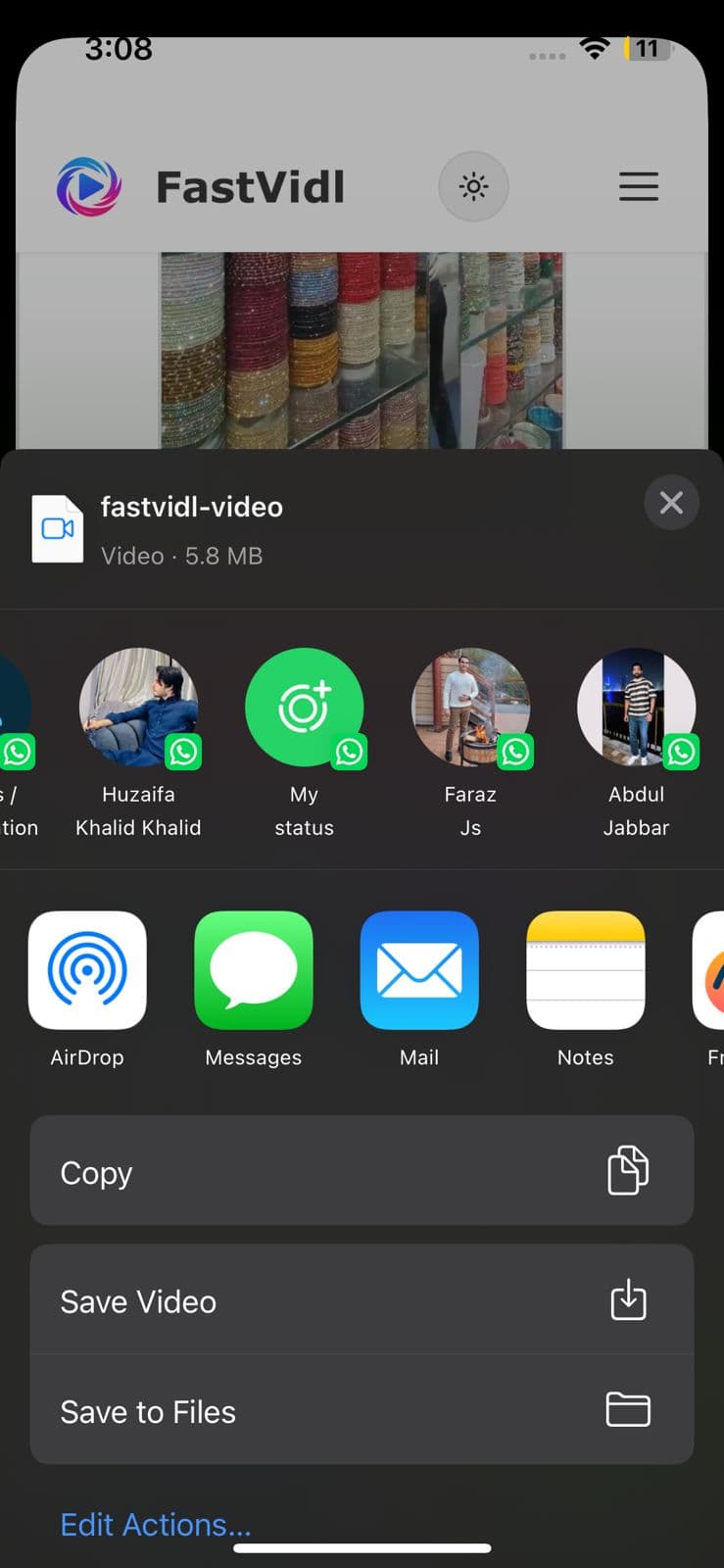
Pini Pinterest uygulamasında açın, paylaş simgesine ve ardından "Bağlantıyı kopyala"ya dokunun. Safari'ye geçin, fastvidl.com'u açın, bağlantıyı yapıştırın ve İndir'e dokunun. Video hazır olduğunda iPhone ve iPad'de "HD Kalitesinde İndir"e dokunun, FastVidl ardından "Paylaşım Sayfasını Aç" düğmesini gösterir. Ona dokunun ve klibi doğrudan Fotoğraflar galerinize kaydetmek için paylaşım sayfasında "Videoyu Kaydet" seçeneğini seçin. Bu, ekstra uygulamalar veya kısayollar olmadan bir videoyu film rulonuza aktarmanın en hızlı yoludur.

Ayrıca standart Safari indirme akışını da kullanabilirsiniz: iOS, dosyayı kaydedip kaydetmeyeceğinizi sorabilir, "İndir"i seçebilir, ardından dosyayı Dosyalar uygulamasında bulabilir ve gerekirse Fotoğraflar'a taşıyabilirsiniz. iOS 13 ve sonraki sürümlerde her iki seçenek de tamamen Safari'de çalışır.
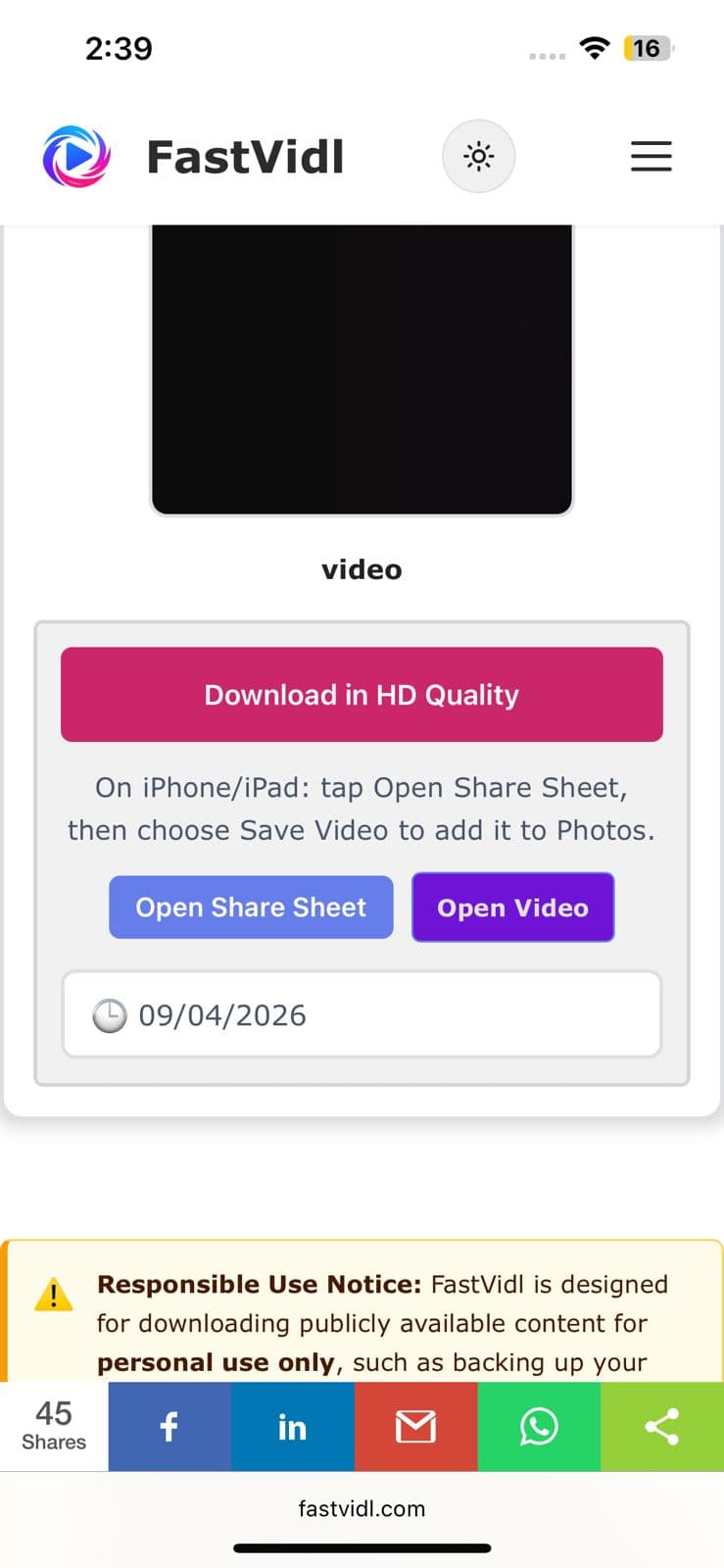
iPhone'da HD Kalitesinde İndir ve Paylaşım Sayfasını Aç düğmeleri
Bir Pinterest klibini Fotoğraflar'a kaydetmek için Videoyu Kaydet'i gösteren iOS paylaşım sayfası

Android'de

Pin bağlantısını Pinterest uygulamasından da aynı şekilde kopyalayın, bu sayfayı Chrome'da açın, yapıştırın ve İndir'e dokunun. Video doğrudan İndirilenler klasörünüze kaydedilir ve çoğu cihazda otomatik olarak galerinizde görünür.
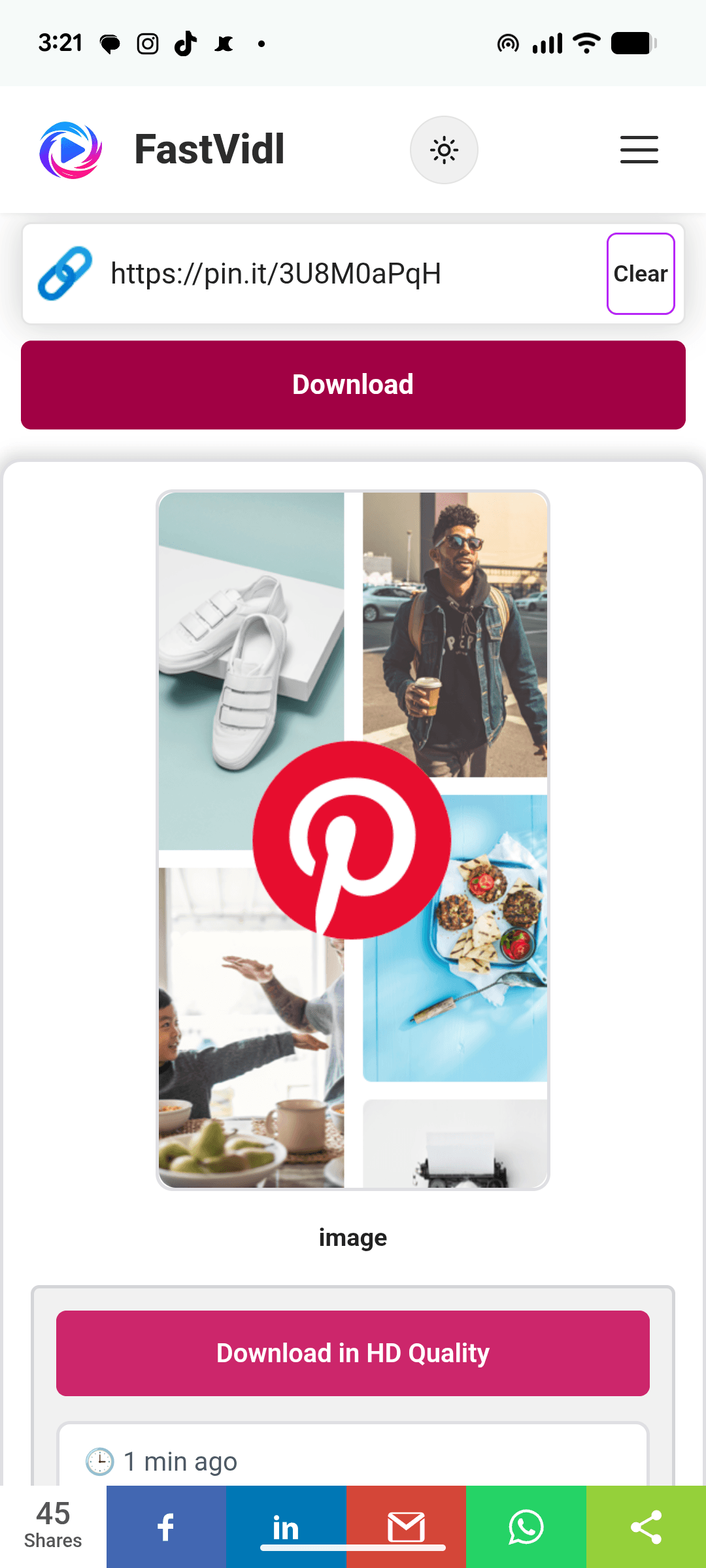
Chrome'da FastVidl ile Android'e bir Pinterest videosu indirme

Windows veya Mac'te

Masaüstünde pinin URL'sini doğrudan adres çubuğundan kopyalayabilirsiniz; pinterest.com/pin/1234567890/ şeklinde görünür. Buraya yapıştırın, İndir'e tıklayın ve MP4 varsayılan indirilenler klasörünüze kaydedilir.
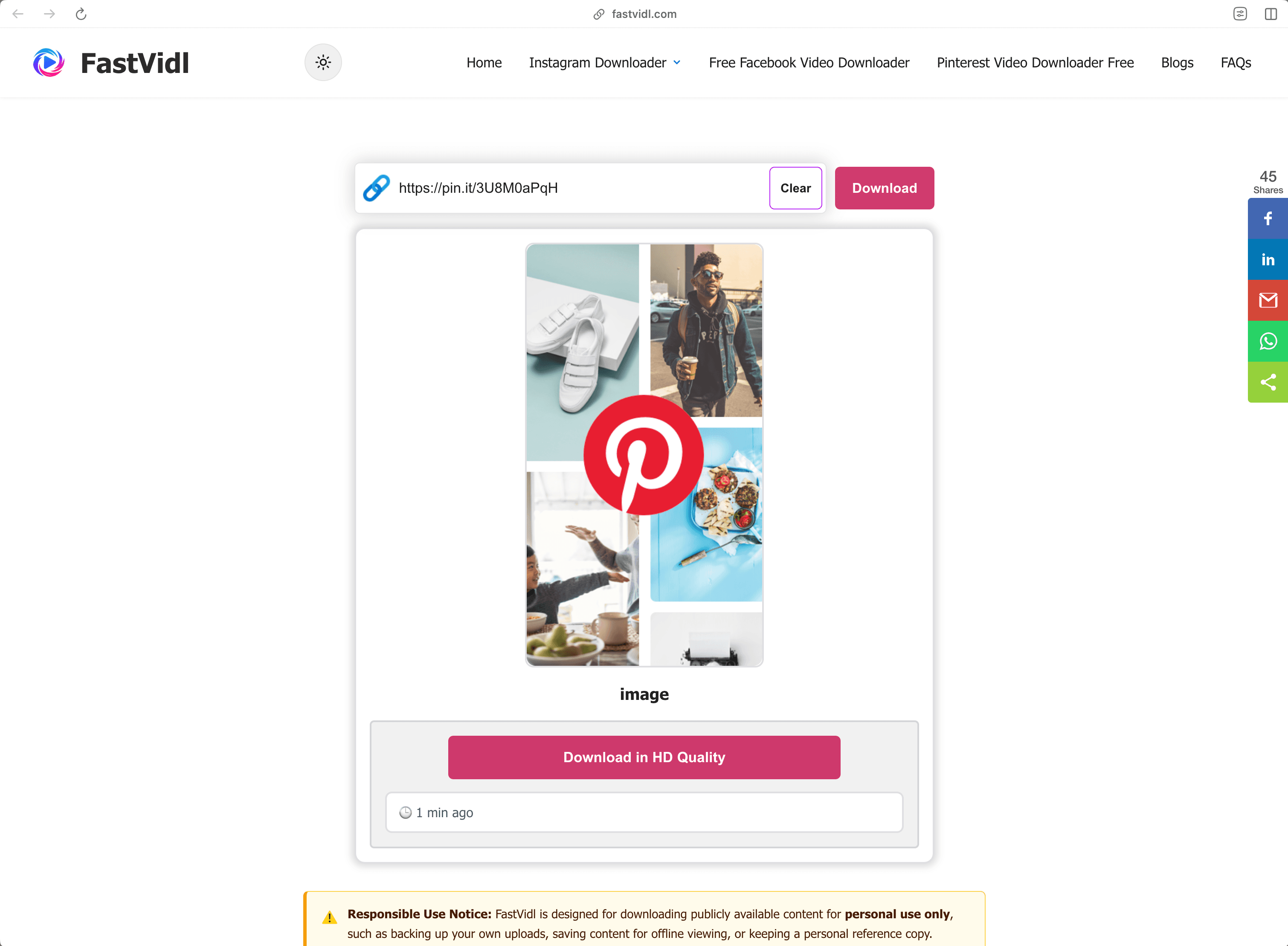
Bir masaüstü tarayıcısında FastVidl ile Windows veya Mac'te bir Pinterest videosunu indirme

Hangi bağlantılar çalışıyor?

FastVidl, herkese açık tüm Pinterest video bağlantı formatlarını anlar:

  • Full pin URLs like https://www.pinterest.com/pin/1234567890/
  • Short share links like https://pin.it/abc123 (these are what the mobile app copies)
  • Regional domains such as pinterest.co.uk, pinterest.de, or pinterest.com.mx

Video pinleri ve video içeren fikir pinleri ile çalışır. Resimler için özel pinler, gizli panolardaki pinler veya yalnızca görsel pinleri indiremez, ekran görüntüsü veya Pinterest'in kendi görsel indirme seçeneğini kullanamaz.

Sorun giderme: Videom neden indirilmiyor?

Olasılık sırasına göre birkaç yaygın neden:

  • The pin is private or on a secret board. Only publicly visible pins can be fetched. If you can open the pin in an incognito window without logging in, it's public.
  • The link points to a board or profile, not a pin. Make sure the URL contains /pin/ or is a pin.it short link to a single pin.
  • The pin contains only an image or a GIF. Video download only works for pins that actually contain video.
  • The link was copied incompletely. Re-copy it and make sure nothing was cut off.

Herkese açık bir video PIN'i hâlâ indirilemiyorsa pin henüz desteklemediğimiz bir format kullanıyor olabilir. iletişim sayfası

Kalite, filigranlar ve gizlilik

FastVidl, Pinterest'in sunduğu orijinal video dosyasını indirir; böylece elde ettiğiniz kalite, içerik oluşturucunun yüklediği kaliteyle tam olarak aynı olur; genellikle 720p veya 1080p. Videoyu asla yeniden kodlamayız veya üzerine herhangi bir şey damgalamayız; bu nedenle filigran yoktur: dosyayı olduğu gibi alırsınız.

Pinterest giriş bilgilerinizi istemiyoruz (hiçbir meşru indirici bunu yapmamalı), indirdiğiniz videoları saklamıyoruz ve bağlantılarınızın geçmişini tutmuyoruz. Her şey doğrudan tarayıcınızda HTTPS üzerinden çalışır.

Pinterest videolarını indirmek yasal mı?

Herkese açık bir videoyu kişisel, çevrimdışı kullanım için indirmek, bir öğreticiyi daha sonra izlemek üzere kaydetmek, bir proje için referans tutmak genellikle iyidir. Yapamayacağınız şey, başka birinin içeriğini izinsiz olarak yeniden yayınlamak veya ticari olarak yeniden kullanmaktır: bir dosyayı indirmek, o dosyaya ilişkin herhangi bir hakkı devretmez. Şüpheye düştüğünüzde yaratıcıya sorun. Tamamımızı görün sorumluluk reddi beyanı

Sık sorulan sorular

FastVidl gerçekten ücretsiz mi?

Evet. İndirme sınırı yok, premium katman yok ve kayıt yok. Site reklamlarla desteklenmektedir.

Herhangi bir şey yüklemem gerekiyor mu?

Hayır. FastVidl, herhangi bir cihazdaki tarayıcınızda tamamen çalışır. APK veya EXE yüklemelerini zorlayan indirici sitelere karşı dikkatli olun; bir video indiricinin hiçbir zaman bunlara ihtiyacı yoktur.

Videoda filigran olacak mı?

Hayır. Orijinal dosyayı tam olarak Pinterest'in sunduğu haliyle, hiçbir şey eklenmeden alırsınız.

Hangi kaliteyi alacağım?

Yaratıcının yüklediği kalitenin aynısı (1080p'ye kadar). Bir videonun kalitesini kaynağının ötesinde artıramayız.

Özel pinleri veya gizli panoları indirebilir miyim?

Hayır. FastVidl yalnızca herkesin erişebildiği pinlerle çalışır ve hiçbir durumda oturum açmanızı talep etmiyoruz.

Pinterest görsellerini ve GIF'lerini de indirebilir miyim?

Bu sayfa videolar içindir. Görseller için Pinterest'in kendi "Resmi indir" seçeneği iyi çalışıyor; özel görsel ve GIF desteği üzerinde çalışıyoruz.

Bu, bir uygulama olmadan iPhone'da çalışır mı?

Evet — Safari, video dosyalarını doğrudan kaydedebilir. Yukarıdaki iPhone adımlarına bakın.

FastVidl'den daha fazlası

FastVidl ayrıca diğer platformları da destekler: Instagram Reel İndirici, Instagram Hikaye İndirici, and Facebook Video İndirici.

Paste a Pinterest video link above and this free online Pinterest video downloader fetches the original MP4 for you, in HD up to 1080p, no watermark, no login, and nothing to install. Works in any browser on iPhone, Android, and desktop.

How to download a Pinterest video

Pinterest doesn't offer a built-in way to save videos, so FastVidl fills the gap. The whole process takes about ten seconds:

  1. Open the pin with the video you want to save.
  2. Copy its link. On the Pinterest app, tap the share icon and choose "Copy link". On desktop, copy the URL from your browser's address bar.
  3. Paste the link into the box at the top of this page.
  4. Tap Download and choose where to save the MP4 file.

That's it. There's no account to create and no app to install.

On iPhone

Open the pin in the Pinterest app, tap the share icon, and tap "Copy link". Switch to Safari, open fastvidl.com, paste the link, and tap Download. When the video is ready, tap "Download in HD Quality", on iPhone and iPad, FastVidl then shows an "Open Share Sheet" button. Tap it, and in the share sheet choose "Save Video" to save the clip straight to your Photos gallery. That's the quickest way to get a video into your camera roll without extra apps or shortcuts.

You can also use the standard Safari download flow: iOS may ask whether to save the file, choose "Download", then find it in the Files app and move it to Photos if needed. On iOS 13 and later, both options work entirely in Safari.

Download in HD Quality and Open Share Sheet buttons on iPhone
iOS share sheet showing Save Video to save a Pinterest clip to Photos

On Android

Copy the pin link from the Pinterest app the same way, open this page in Chrome, paste, and tap Download. The video saves straight to your Downloads folder and shows up in your gallery automatically on most devices.

Downloading a Pinterest video on Android with FastVidl in Chrome

On Windows or Mac

On desktop, you can copy the pin's URL directly from the address bar, it looks like pinterest.com/pin/1234567890/. Paste it here, click Download, and the MP4 saves to your default downloads folder.

Downloading a Pinterest video on Windows or Mac with FastVidl in a desktop browser

Which links work?

FastVidl understands every public Pinterest video link format:

  • Full pin URLs like https://www.pinterest.com/pin/1234567890/
  • Short share links like https://pin.it/abc123 (these are what the mobile app copies)
  • Regional domains such as pinterest.co.uk, pinterest.de, or pinterest.com.mx

It works with video pins and idea pins that contain video. It can't download private pins, pins on secret boards, or image-only pins, for images, use a screenshot or Pinterest's own image download option.

Troubleshooting: why won't my video download?

A few common causes, in order of likelihood:

  • The pin is private or on a secret board. Only publicly visible pins can be fetched. If you can open the pin in an incognito window without logging in, it's public.
  • The link points to a board or profile, not a pin. Make sure the URL contains /pin/ or is a pin.it short link to a single pin.
  • The pin contains only an image or a GIF. Video download only works for pins that actually contain video.
  • The link was copied incompletely. Re-copy it and make sure nothing was cut off.

If a public video pin still won't download, the pin may use a format we don't support yet, let us know through the contact page and we'll look into it.

Quality, watermarks, and privacy

FastVidl downloads the original video file that Pinterest serves, so the quality you get is exactly the quality the creator uploaded, typically 720p or 1080p. We never re-encode the video or stamp anything on it, which is why there's no watermark: you receive the file as-is.

We don't ask for your Pinterest login (no legitimate downloader should), we don't store the videos you download, and we don't keep a history of your links. Everything runs over HTTPS directly in your browser.

Is it legal to download Pinterest videos?

Downloading a public video for personal, offline use, saving a tutorial to watch later, keeping a reference for a project, is generally fine. What you can't do is republish or commercially reuse someone else's content without permission: downloading a file doesn't transfer any rights to it. When in doubt, ask the creator. See our full disclaimer for details.

Frequently asked questions

Is FastVidl really free?

Yes. There are no download limits, no premium tier, and no signup. The site is supported by ads.

Do I need to install anything?

No. FastVidl runs entirely in your browser on any device. Be cautious of downloader sites that push APK or EXE installs. A video downloader never needs one.

Will the video have a watermark?

No. You get the original file exactly as Pinterest serves it, with nothing added.

What quality will I get?

The same quality the creator uploaded, up to 1080p. We can't increase a video's quality beyond its source.

Can I download private pins or secret boards?

No. FastVidl only works with publicly accessible pins, and we don't ask for your login under any circumstances.

Can I download Pinterest images and GIFs too?

This page is for videos. For images, Pinterest's own "Download image" option works well; we're working on dedicated image and GIF support.

Does this work on iPhone without an app?

Yes. Safari can save video files directly. See the iPhone steps above.

FastVidl bağımsız bir araçtır ve Instagram, Meta Platformları, Facebook, Pinterest veya başka herhangi bir platformla bağlantısı yoktur, bunlar tarafından onaylanmaz veya herhangi bir şekilde resmi olarak bağlantılı değildir. Tüm ürün adları ve logolar ilgili sahiplerinin ticari markalarıdır.