FastVidl

برنامج تحميل فيديوهات الفيس بوك- مجاني، بدقة عالية، بدون علامة مائية

كيفية تحميل فيديو الفيسبوك

انسخ رابط الفيديو العام من Facebook، والصقه في المربع الموجود أعلى هذه الصفحة، ثم انقر فوق تنزيل. تستغرق العملية برمتها حوالي عشر ثوان.

  1. Open the public video or Reel on Facebook.
  2. Tap Share and choose "Copy link".
  3. Paste the link here and tap Download.
  4. Save the MP4 to your device.

على اي فون

انسخ الرابط من تطبيق Facebook، وافتح هذه الصفحة في Safari، والصقه، وقم بتنزيله. استخدم "فتح ورقة المشاركة" → "حفظ الفيديو للصور"، أو احفظه في "الملفات" أولاً.
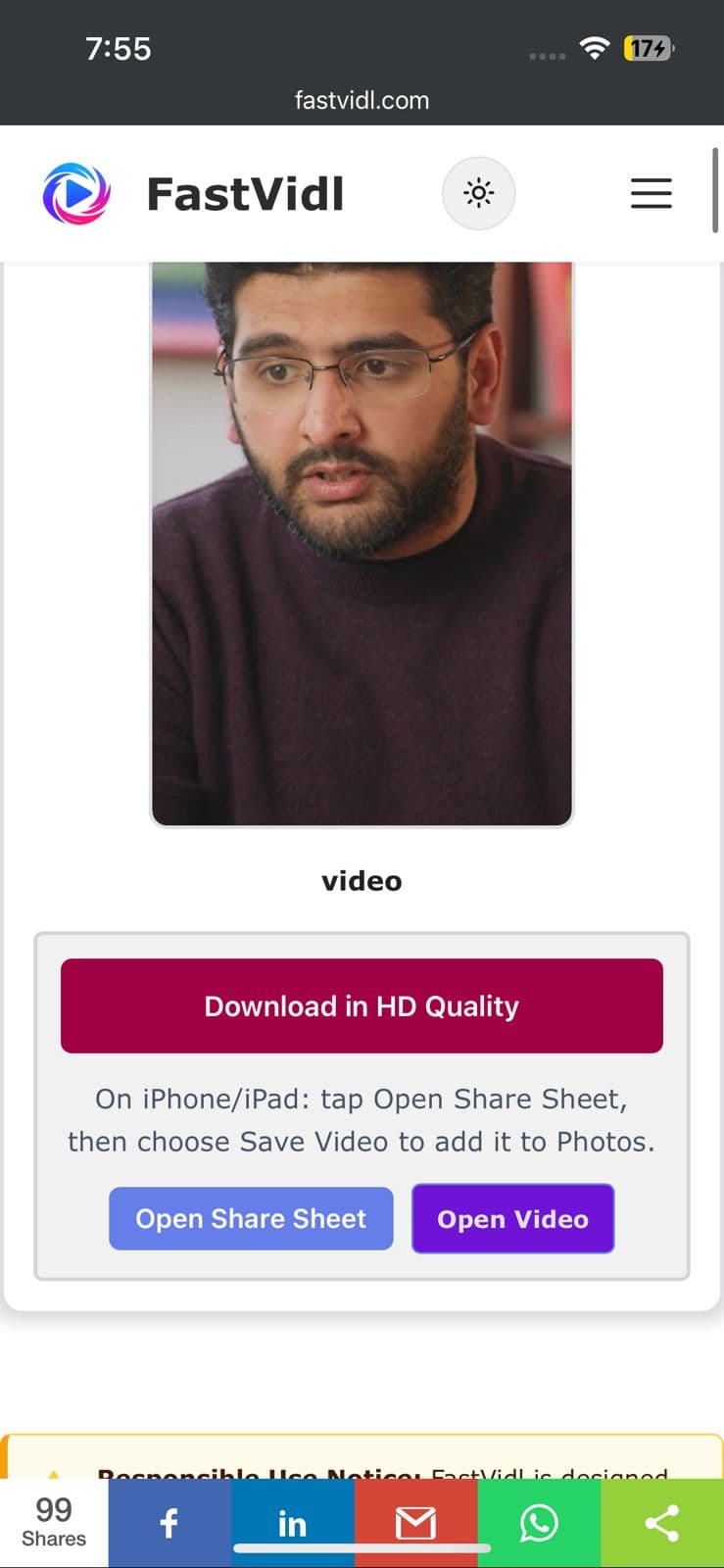
قم بالتنزيل بجودة HD وأزرار Open Share Sheet لفيديو Facebook على iPhone
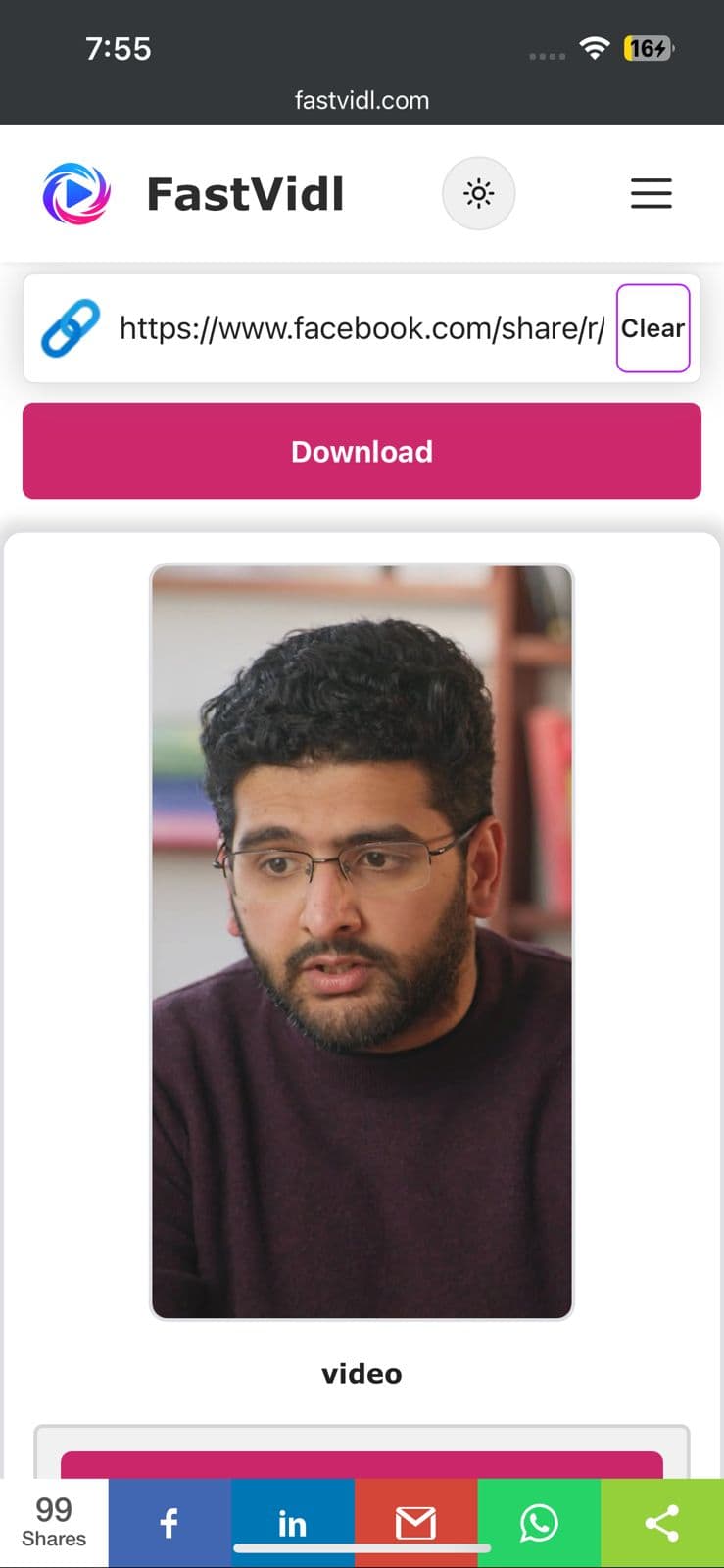
تنزيل فيديو FastVidl Facebook جاهز على iPhone في Safari
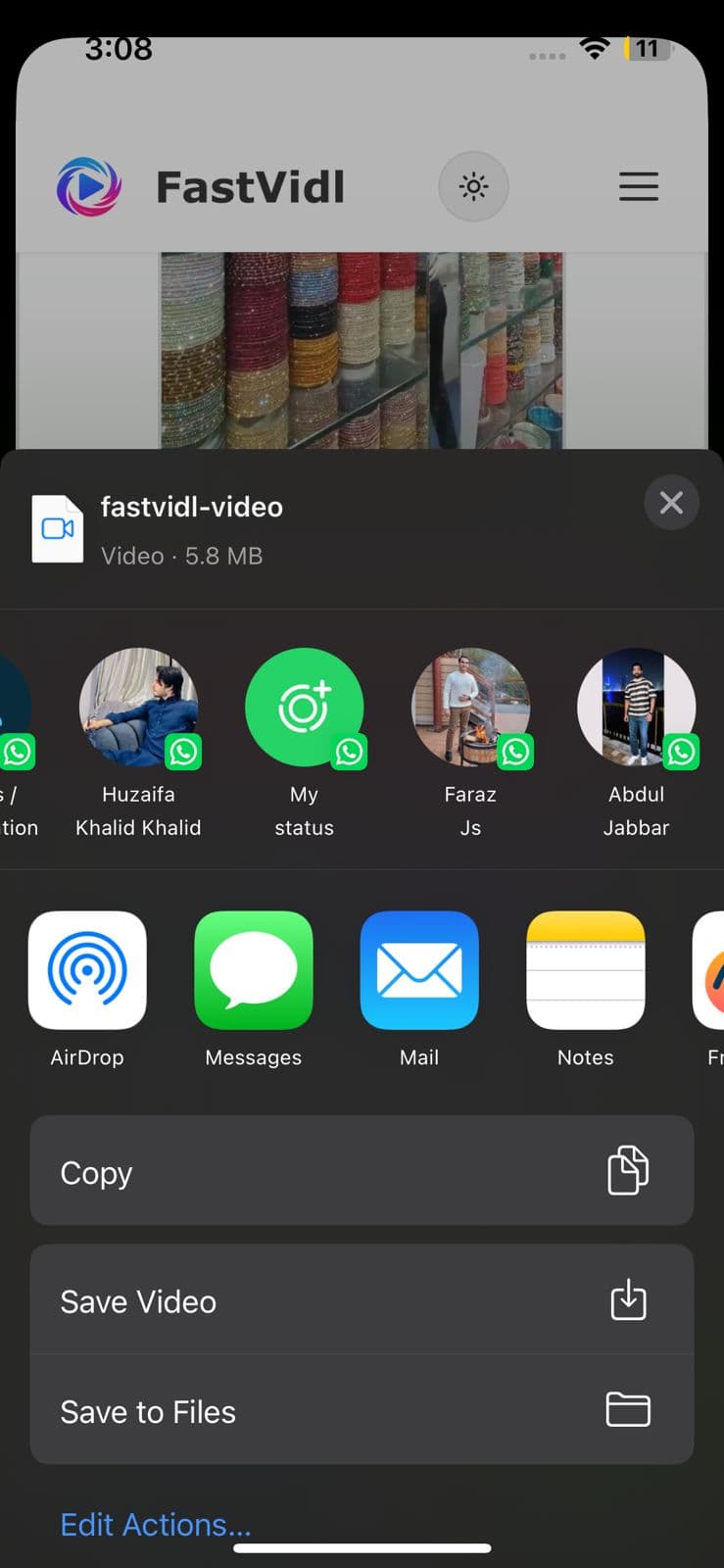
تعرض ورقة مشاركة iOS حفظ الفيديو لحفظ المقطع في الصور

على الروبوت

انسخ الرابط، وافتح هذه الصفحة في Chrome، ثم الصقها، ثم قم بتنزيلها. تظهر الملفات عادةً في التنزيلات ومعرض الصور الخاص بك.
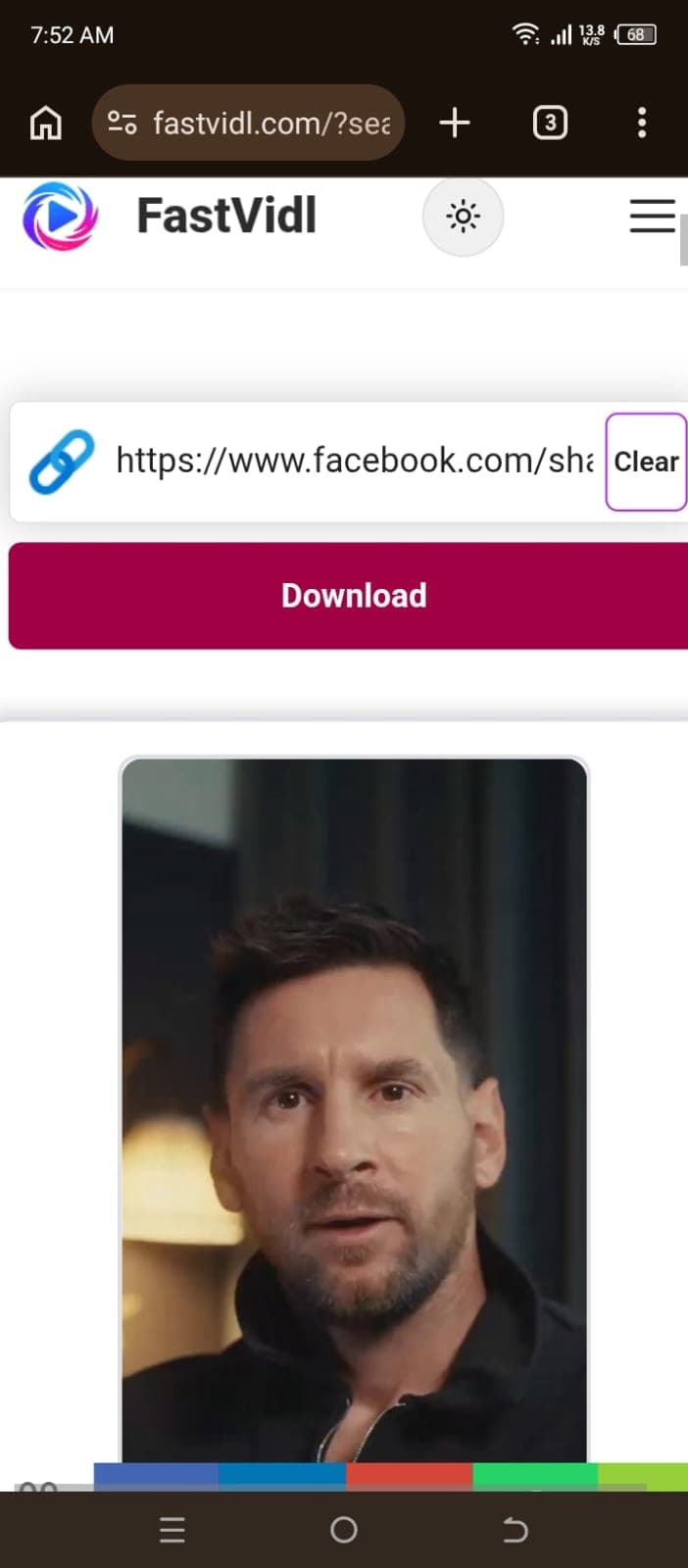
تنزيل فيديو Facebook على Android باستخدام FastVidl في Chrome

على نظام التشغيل Windows أو Mac

انسخ عنوان URL للفيديو من شريط العناوين أو قائمة المشاركة، والصقه هنا، ثم انقر فوق تنزيل.
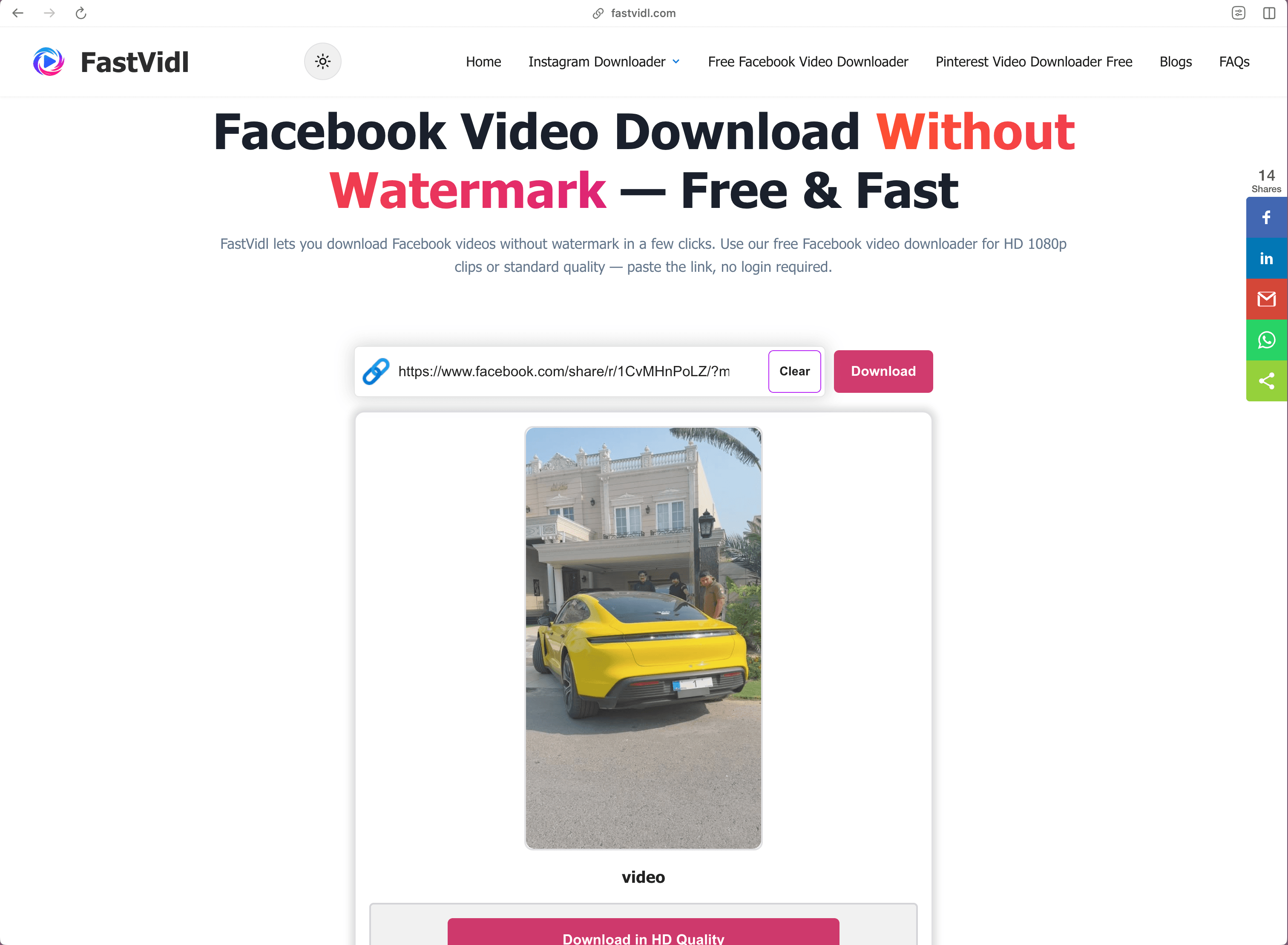
تنزيل فيديو Facebook على نظام التشغيل Windows أو Mac باستخدام FastVidl في متصفح سطح المكتب

كيفية تحميل الفيسبوك ريلز

تستخدم Facebook Reels نفس سير العمل: انسخ رابط البكرة (يحتوي عنوان URL عادةً على /reel/)، والصقه في FastVidl، واحفظ ملف MP4. إذا رأيت "الوسائط غير متاحة"، فقد تكون البكرة خاصة أو مقفلة بالمنطقة أو تمت إزالتها، تأكد من تشغيلها بشكل عام على فيسبوك، ثم انسخ رابطًا جديدًا.

سواء كان عنوان URL يحتوي على /reel/ أو /watch/، فإن خطوات اللصق والتنزيل في هذه الصفحة هي نفسها.

أي الروابط تعمل؟

يدعم FastVidl عناوين URL العامة لفيديو Facebook، بما في ذلك الروابط القصيرة facebook.com/watch/ و/reel/ وfb.watch. لا يمكن تنزيل المنشورات الخاصة ومقاطع الفيديو المخصصة للمجموعة فقط وأحداث البث المباشر النشطة.

استكشاف الأخطاء وإصلاحها

  • Media not available: The post may be private, deleted, or restricted. Copy a new link from Share on a public post.
  • Live stream: Active live broadcasts cannot be saved mid-stream. Try again after a public replay is posted, if Facebook serves one.
  • No sound: See our Facebook video no sound guide .

الجودة والعلامات المائية والخصوصية

يقوم FastVidl بتنزيل الملف الذي يقدمه Facebook لهذا المنشور العام ولا يضيف إليه أي شيء، لا شعار ولا ختم. نحن لا نعيد ترميز الفيديو. الجودة هي كل ما يعرضه فيسبوك لهذا التحميل، وعادةً ما يصل إلى 1080 بكسل. نحن لا نطلب تسجيل الدخول الخاص بك على Facebook ولا نقوم بتخزين التنزيلات الخاصة بك على خوادمنا.

ملاحظات الاختبار لدينا

في أبريل 2026، اختبرنا مقاطع فيديو المشاهدة العامة ومقاطع الفيديو Reels على Facebook على سطح المكتب Edge وChrome على الهاتف المحمول. عادةً ما يتم حل مقاطع فيديو الخلاصة القياسية خلال 5 إلى 12 ثانية. فشلت بعض البكرات في البداية بسبب "الوسائط غير متوفرة"، وغالبًا ما كانت إعادة المحاولة باستخدام رابط عام جديد تعمل في غضون 20 ثانية. تعذر تنزيل مجموعات البث المباشر النشطة في منتصف البث.

هل تنزيل فيديوهات الفيسبوك قانوني؟

المرجع الشخصي دون اتصال بالإنترنت جيد بشكل عام؛ إعادة النشر أو إعادة الاستخدام التجاري يتطلب الحصول على إذن. انظر لدينا تنصل.

الأسئلة المتداولة

هل FastVidl مجاني حقًا لمقاطع الفيديو على Facebook؟

نعم. لا توجد حدود للتنزيل، ولا طبقة متميزة، ولا اشتراك. الموقع مدعوم بالإعلانات.

هل أحتاج إلى تثبيت التطبيق؟

لا، يعمل FastVidl بالكامل في متصفحك على أي جهاز. كن حذرًا من مواقع التنزيل التي تدفع عمليات تثبيت APK أو EXE - فأداة تنزيل الفيديو لا تحتاج إلى ذلك مطلقًا.

هل سيحتوي الفيديو على علامة مائية؟

لا، يمكنك الحصول على الملف الأصلي تمامًا كما يقدمه فيسبوك، دون إضافة أي شيء بواسطة FastVidl.

هل يمكنني تنزيل Facebook Reels؟

نعم. انسخ رابط Reel العام (facebook.com/reel/…)، والصقه هنا، واحفظ ملف MP4. لا يمكن جلب البكرات الخاصة أو المقيدة.

لماذا يقول فيسبوك إن الوسائط غير متاحة للتنزيل؟

بعض البكرات مقفلة بالمنطقة، أو محذوفة، أو تم وضع علامة "خاصة" عليها. تأكد من أن المنشور عام، وقم بتحديث الرابط من المشاركة، ثم أعد المحاولة. إذا قام منشئ المحتوى بإزالة الفيديو، فلن يتمكن أي برنامج تنزيل من استعادته.

هل يمكنني تنزيل البث المباشر أثناء البث؟

لا، لا يمكن تنزيل مجموعات البث المباشر النشطة في منتصف البث. بعد انتهاء البث المباشر، قد يعمل رابط إعادة التشغيل العام إذا كان فيسبوك لا يزال يعرض الملف.

كيف أحفظ مقطع فيديو من الفيسبوك في معرض هاتفي؟

على نظام Android، تظهر التنزيلات عادةً في مجلد التنزيلات والمعرض. على iPhone، احفظ من Safari إلى Files، ثم اضغط على Share and Save Video لنقله إلى الصور.

المزيد من FastVidl

تحميل انستقرام ريل, تنزيل قصة الانستقرام, and برنامج تنزيل الفيديو بينتيريست.

Paste a public Facebook video or Reel link above and this free online Facebook video downloader fetches the original MP4 in HD, no watermark added, no login, and nothing to install. Quality typically reaches 1080p for most public posts and Reels.

How to download a Facebook video

Copy the public video link from Facebook, paste it into the box at the top of this page, and tap Download. The whole process takes about ten seconds.

  1. Open the public video or Reel on Facebook.
  2. Tap Share and choose "Copy link".
  3. Paste the link here and tap Download.
  4. Save the MP4 to your device.

On iPhone

Copy the link from the Facebook app, open this page in Safari, paste, and download. Use Open Share Sheet → Save Video for Photos, or save to Files first.

Download in HD Quality and Open Share Sheet buttons for Facebook video on iPhone
FastVidl Facebook video download ready on iPhone in Safari
iOS share sheet showing Save Video to save the clip to Photos

On Android

Copy the link, open this page in Chrome, paste, and download. Files usually appear in Downloads and your gallery.

Downloading a Facebook video on Android with FastVidl in Chrome

On Windows or Mac

Copy the video URL from the address bar or Share menu, paste it here, and click Download.

Downloading a Facebook video on Windows or Mac with FastVidl in a desktop browser

How to download Facebook Reels

Facebook Reels use the same workflow: copy the reel link (the URL usually contains /reel/), paste it into FastVidl, and save the MP4. If you see "Media not available," the reel may be private, region-locked, or removed, confirm it plays publicly on Facebook, then copy a fresh link.

Whether the URL contains /reel/ or /watch/, the paste-and-download steps on this page are the same.

Which links work?

FastVidl supports common public Facebook video URLs, including facebook.com/watch/, /reel/, and fb.watch short links. Private posts, group-only videos, and active live streams cannot be downloaded.

Troubleshooting

  • Media not available: The post may be private, deleted, or restricted. Copy a new link from Share on a public post.
  • Live stream: Active live broadcasts cannot be saved mid-stream. Try again after a public replay is posted, if Facebook serves one.
  • No sound: See our Facebook video no sound guide.

Quality, watermarks, and privacy

FastVidl downloads the file Facebook serves for that public post and adds nothing to it, no logo, no stamp. We do not re-encode the video. Quality is whatever Facebook exposes for that upload, typically up to 1080p. We do not ask for your Facebook login and do not store your downloads on our servers.

Our testing notes

In April 2026 we tested public Facebook watch videos and Reels on desktop Edge and mobile Chrome. Standard feed videos usually resolved in 5–12 seconds. Some Reels initially failed with "Media not available", retrying with a fresh public link often worked within 20 seconds. Active live streams could not be downloaded mid-broadcast.

Is it legal to download Facebook videos?

Personal offline reference is generally fine; republication or commercial reuse requires permission. See our disclaimer.

Frequently asked questions

Is FastVidl really free for Facebook videos?

Yes. There are no download limits, no premium tier, and no signup. The site is supported by ads.

Do I need to install an app?

No. FastVidl runs entirely in your browser on any device. Be cautious of downloader sites that push APK or EXE installs. A video downloader never needs one.

Will the video have a watermark?

No. You get the original file exactly as Facebook serves it, with nothing added by FastVidl.

Can I download Facebook Reels?

Yes. Copy the public Reel link (facebook.com/reel/…), paste it here, and save the MP4. Private or restricted reels cannot be fetched.

Why does Facebook say media is not available for download?

Some reels are region-locked, deleted, or marked private. Confirm the post is public, refresh the link from Share, and retry. If the creator removed the video, no downloader can recover it.

Can I download live streams while they are broadcasting?

No. Active live streams cannot be downloaded mid-broadcast. After a live ends, a public replay link may work if Facebook still serves the file.

How do I save a Facebook video to my phone gallery?

On Android, downloads usually appear in the Downloads folder and gallery. On iPhone, save from Safari to Files, then tap Share and Save Video to move it to Photos.

FastVidl هي أداة مستقلة وليست تابعة أو معتمدة من قبل أو مرتبطة رسميًا بأي شكل من الأشكال بـ Instagram أو Meta Platforms أو Facebook أو Pinterest أو أي نظام أساسي آخر. جميع أسماء المنتجات والشعارات هي علامات تجارية لأصحابها.