
FastVidl

برنامج تنزيل الفيديو بينتيريست- مجاني، بدقة عالية، بدون علامة مائية

كيفية تنزيل فيديو بينتريست

لا يقدم موقع Pinterest طريقة مدمجة لحفظ مقاطع الفيديو، لذا فإن FastVidl يملأ هذه الفجوة. تستغرق العملية بأكملها حوالي عشر ثوانٍ:

  1. Open the pin with the video you want to save.
  2. Copy its link. On the Pinterest app, tap the share icon and choose "Copy link". On desktop, copy the URL from your browser's address bar.
  3. Paste the link into the box at the top of this page.
  4. Tap Download and choose where to save the MP4 file.

هذا كل شيء. لا يوجد حساب لإنشاءه ولا يوجد تطبيق لتثبيته.

على اي فون

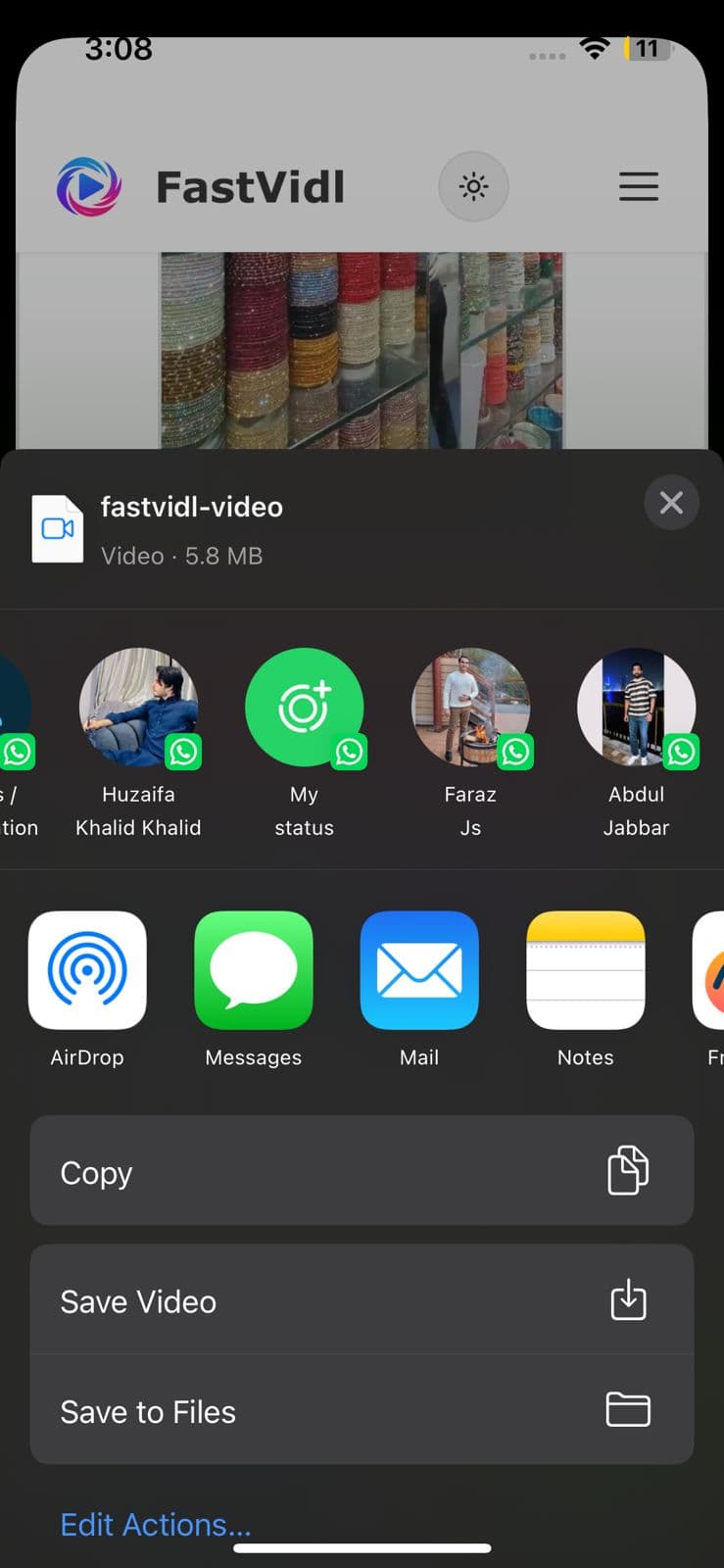
افتح الدبوس في تطبيق Pinterest، وانقر على أيقونة المشاركة، ثم انقر على "نسخ الرابط". قم بالتبديل إلى Safari، وافتح fastvidl.com، والصق الرابط، ثم انقر فوق تنزيل. عندما يكون الفيديو جاهزًا، اضغط على "تنزيل بجودة HD"، على iPhone وiPad، ثم يعرض FastVidl زر "فتح ورقة المشاركة". اضغط عليه، وفي ورقة المشاركة اختر "حفظ الفيديو" لحفظ المقطع مباشرة في معرض الصور الخاص بك. هذه هي أسرع طريقة للحصول على مقطع فيديو في ألبوم الكاميرا بدون تطبيقات أو اختصارات إضافية.

يمكنك أيضًا استخدام تدفق تنزيل Safari القياسي: قد يسألك iOS عما إذا كنت تريد حفظ الملف أم لا، ثم اختر "تنزيل"، ثم ابحث عنه في تطبيق الملفات وانقله إلى الصور إذا لزم الأمر. في نظام التشغيل iOS 13 والإصدارات الأحدث، يعمل كلا الخيارين بالكامل في Safari.
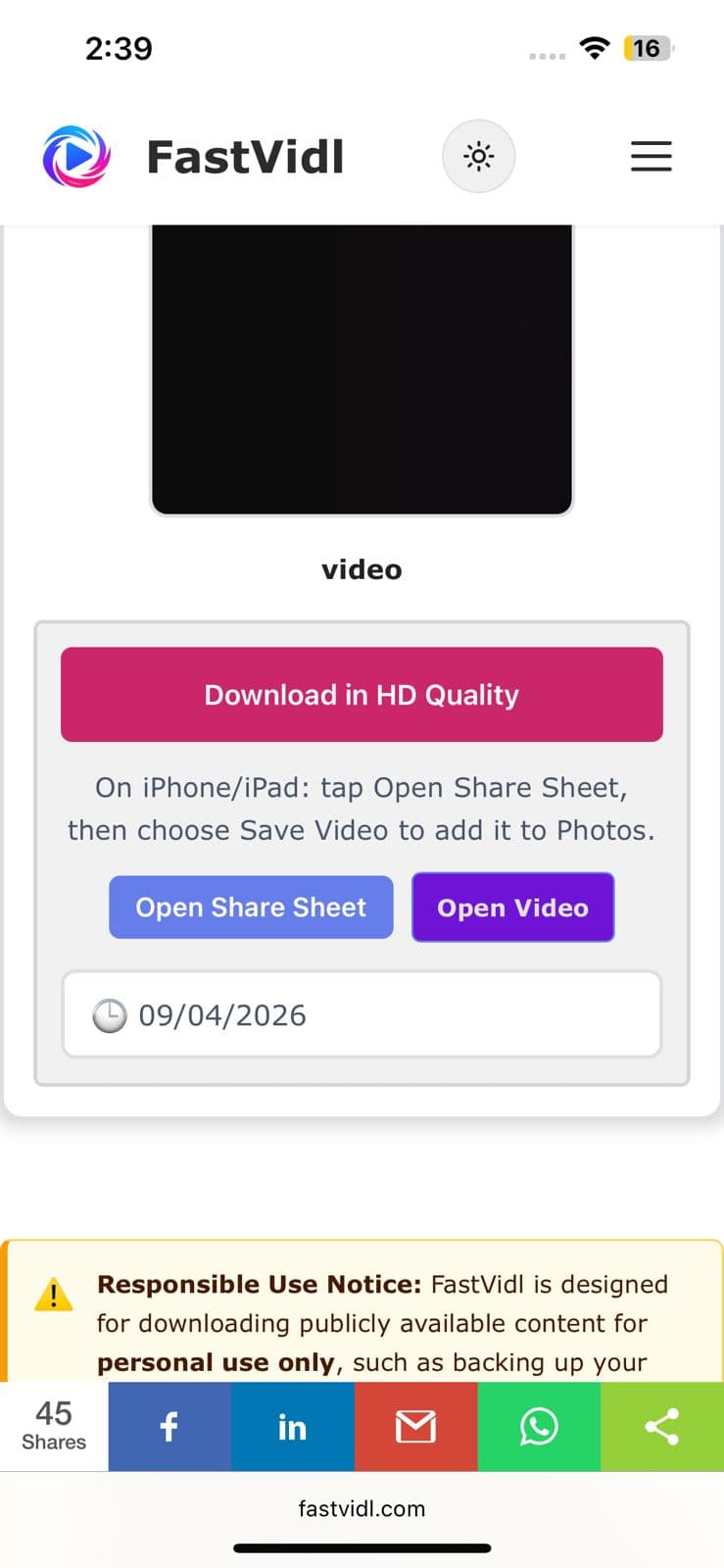
قم بالتنزيل بجودة HD وأزرار Open Share Sheet على iPhone
تعرض ورقة مشاركة iOS حفظ الفيديو لحفظ مقطع Pinterest في الصور

على الروبوت

انسخ رابط الدبوس من تطبيق Pinterest بنفس الطريقة، وافتح هذه الصفحة في Chrome، والصقه، ثم انقر فوق تنزيل. يتم حفظ الفيديو مباشرة في مجلد التنزيلات الخاص بك ويظهر في معرض الصور الخاص بك تلقائيًا على معظم الأجهزة.
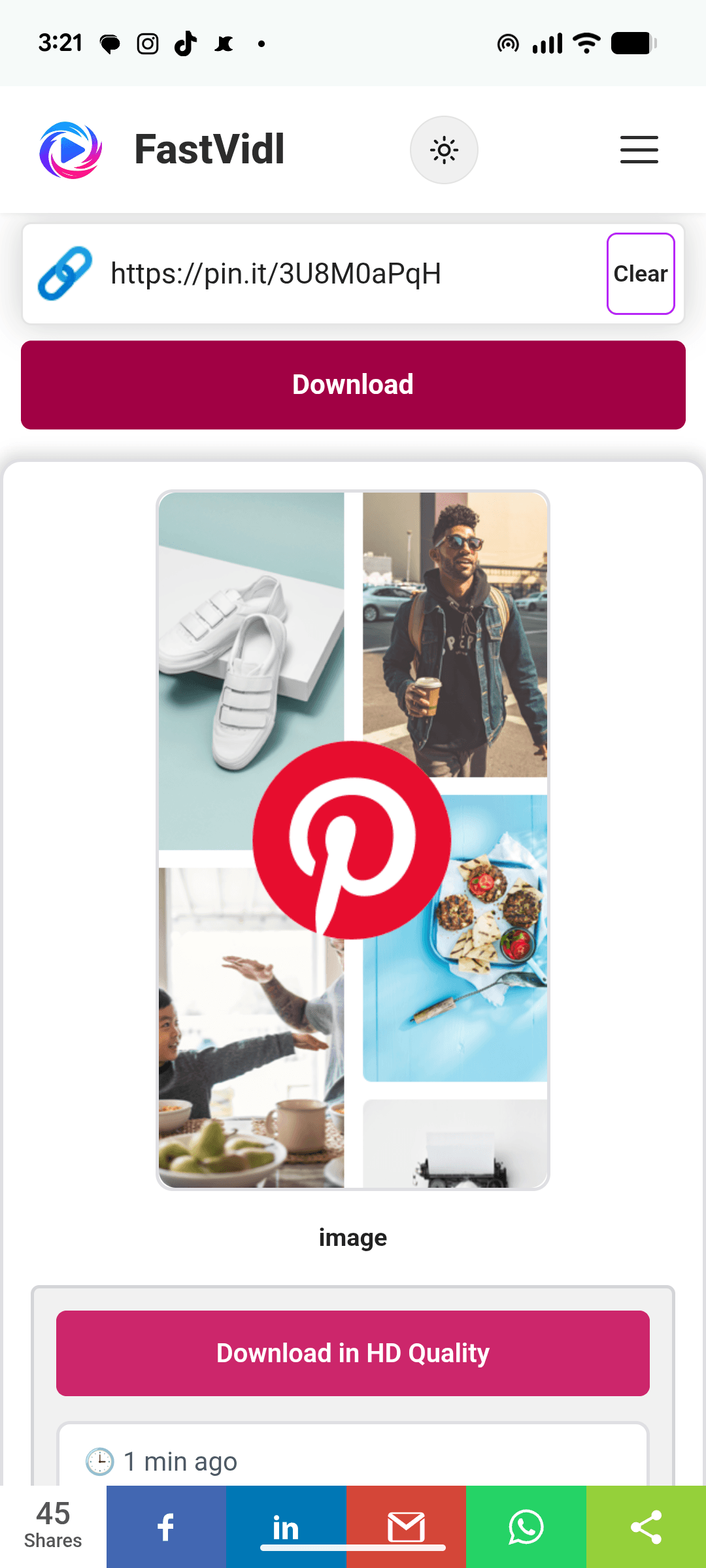
تنزيل فيديو Pinterest على Android باستخدام FastVidl في Chrome

على نظام التشغيل Windows أو Mac

على سطح المكتب، يمكنك نسخ عنوان URL الخاص بالدبوس مباشرةً من شريط العناوين، والذي يبدو مثل pinterest.com/pin/1234567890/. الصقه هنا، وانقر فوق "تنزيل"، وسيتم حفظ ملف MP4 في مجلد التنزيلات الافتراضي لديك.
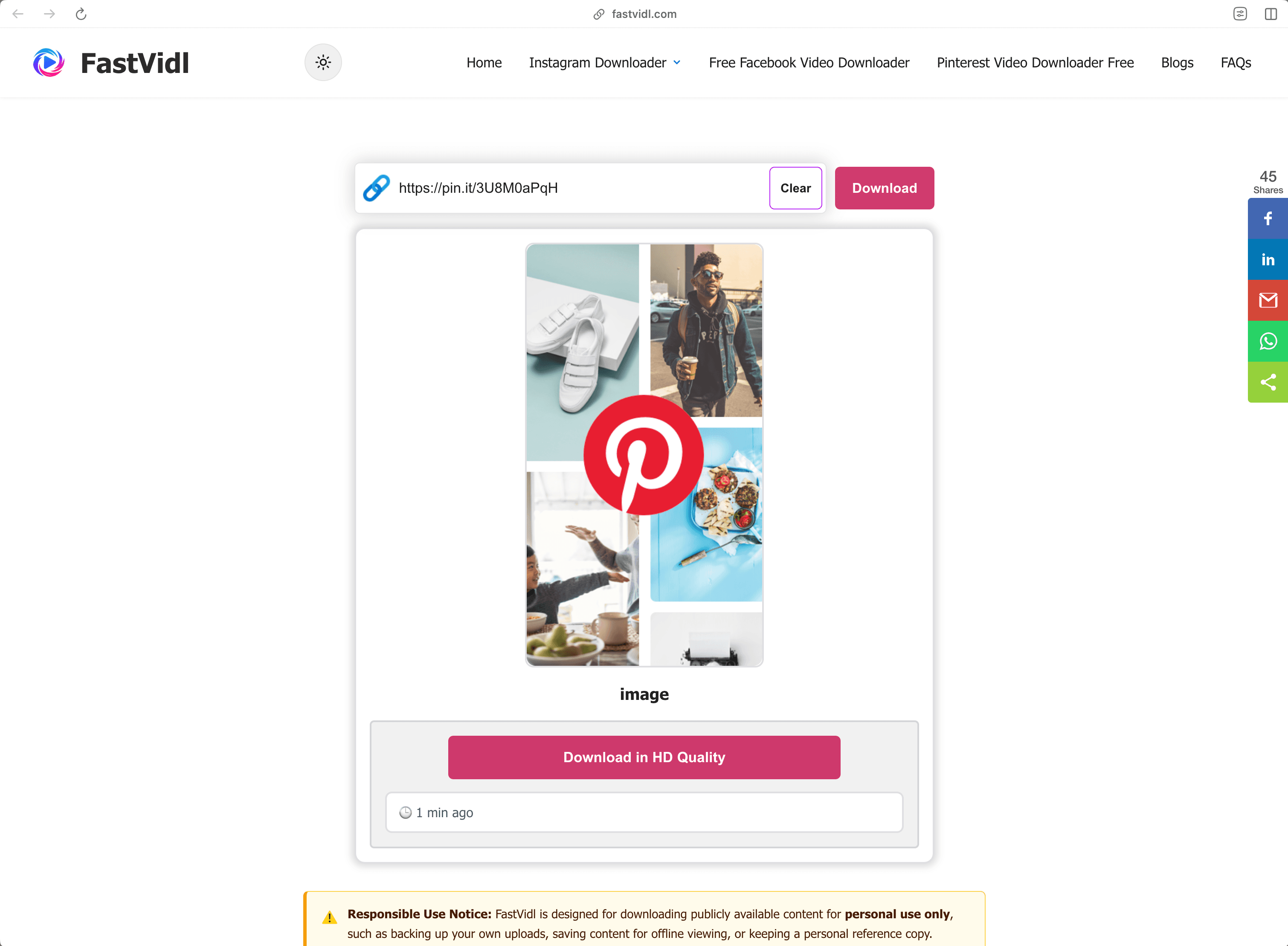
تنزيل فيديو Pinterest على نظام التشغيل Windows أو Mac باستخدام FastVidl في متصفح سطح المكتب

أي الروابط تعمل؟

يفهم FastVidl كل تنسيق رابط فيديو Pinterest العام:

  • Full pin URLs like https://www.pinterest.com/pin/1234567890/
  • Short share links like https://pin.it/abc123 (these are what the mobile app copies)
  • Regional domains such as pinterest.co.uk, pinterest.de, or pinterest.com.mx

يعمل مع دبابيس الفيديو ودبابيس الفكرة التي تحتوي على فيديو. لا يمكنه تنزيل دبابيس خاصة، أو دبابيس على لوحات سرية، أو دبابيس صور فقط، بالنسبة للصور، استخدم لقطة شاشة أو خيار تنزيل الصور الخاص بموقع Pinterest.

استكشاف الأخطاء وإصلاحها: لماذا لا يتم تنزيل الفيديو الخاص بي؟

بعض الأسباب الشائعة، حسب ترتيب الاحتمالية:

  • The pin is private or on a secret board. Only publicly visible pins can be fetched. If you can open the pin in an incognito window without logging in, it's public.
  • The link points to a board or profile, not a pin. Make sure the URL contains /pin/ or is a pin.it short link to a single pin.
  • The pin contains only an image or a GIF. Video download only works for pins that actually contain video.
  • The link was copied incompletely. Re-copy it and make sure nothing was cut off.

إذا استمر عدم تنزيل دبوس الفيديو العام، فقد يستخدم الدبوس تنسيقًا لا ندعمه حتى الآن، فأخبرنا بذلك من خلال صفحة الاتصال

الجودة والعلامات المائية والخصوصية

يقوم FastVidl بتنزيل ملف الفيديو الأصلي الذي يقدمه Pinterest، وبالتالي فإن الجودة التي تحصل عليها هي بالضبط الجودة التي قام المنشئ بتحميلها، عادةً 720 بكسل أو 1080 بكسل. لا نقوم أبدًا بإعادة تشفير الفيديو أو ختم أي شيء عليه، ولهذا السبب لا توجد علامة مائية: تتلقى الملف كما هو.

نحن لا نطلب تسجيل الدخول الخاص بك على Pinterest (لا ينبغي لأي أداة تنزيل شرعية)، ولا نقوم بتخزين مقاطع الفيديو التي تقوم بتنزيلها، ولا نحتفظ بسجل لروابطك. كل شيء يعمل عبر HTTPS مباشرة في متصفحك.

هل من القانوني تنزيل مقاطع فيديو Pinterest؟

يعد تنزيل مقطع فيديو عام للاستخدام الشخصي دون الاتصال بالإنترنت، وحفظ البرنامج التعليمي لمشاهدته لاحقًا، والاحتفاظ بمرجع للمشروع، أمرًا جيدًا بشكل عام. ما لا يمكنك فعله هو إعادة نشر محتوى شخص آخر أو إعادة استخدامه تجاريًا دون إذن: تنزيل ملف لا ينقل أي حقوق إليه. عندما تكون في شك، اسأل الخالق. انظر لدينا الكامل تنصل

الأسئلة المتداولة

هل FastVidl مجاني حقًا؟

نعم. لا توجد حدود للتنزيل، ولا طبقة متميزة، ولا اشتراك. الموقع مدعوم بالإعلانات.

هل أحتاج إلى تثبيت أي شيء؟

لا، يعمل FastVidl بالكامل في متصفحك على أي جهاز. كن حذرًا من مواقع التنزيل التي تدفع عمليات تثبيت APK أو EXE - فأداة تنزيل الفيديو لا تحتاج إلى ذلك مطلقًا.

هل سيحتوي الفيديو على علامة مائية؟

لا، يمكنك الحصول على الملف الأصلي تمامًا كما يقدمه Pinterest، دون إضافة أي شيء.

ما هي الجودة التي سأحصل عليها؟

نفس الجودة التي رفعها المنشئ، حتى 1080 بكسل. لا يمكننا زيادة جودة الفيديو بما يتجاوز مصدره.

هل يمكنني تنزيل دبابيس خاصة أو لوحات سرية؟

لا، يعمل FastVidl فقط مع الدبابيس التي يمكن الوصول إليها بشكل عام، ولا نطلب منك تسجيل الدخول تحت أي ظرف من الظروف.

هل يمكنني تنزيل صور Pinterest وملفات GIF أيضًا؟

هذه الصفحة مخصصة للفيديوهات بالنسبة للصور، يعمل خيار "تنزيل الصورة" الخاص بموقع Pinterest بشكل جيد؛ نحن نعمل على دعم الصور المخصصة وملفات GIF.

هل يعمل هذا على الايفون بدون تطبيق؟

نعم — يستطيع Safari حفظ ملفات الفيديو مباشرة. راجع خطوات iPhone أعلاه.

المزيد من FastVidl

يدعم FastVidl أيضًا الأنظمة الأساسية الأخرى: تحميل انستقرام ريل, تنزيل قصة الانستقرام, and برنامج تحميل فيديوهات الفيس بوك.

Paste a Pinterest video link above and this free online Pinterest video downloader fetches the original MP4 for you, in HD up to 1080p, no watermark, no login, and nothing to install. Works in any browser on iPhone, Android, and desktop.

How to download a Pinterest video

Pinterest doesn't offer a built-in way to save videos, so FastVidl fills the gap. The whole process takes about ten seconds:

  1. Open the pin with the video you want to save.
  2. Copy its link. On the Pinterest app, tap the share icon and choose "Copy link". On desktop, copy the URL from your browser's address bar.
  3. Paste the link into the box at the top of this page.
  4. Tap Download and choose where to save the MP4 file.

That's it. There's no account to create and no app to install.

On iPhone

Open the pin in the Pinterest app, tap the share icon, and tap "Copy link". Switch to Safari, open fastvidl.com, paste the link, and tap Download. When the video is ready, tap "Download in HD Quality", on iPhone and iPad, FastVidl then shows an "Open Share Sheet" button. Tap it, and in the share sheet choose "Save Video" to save the clip straight to your Photos gallery. That's the quickest way to get a video into your camera roll without extra apps or shortcuts.

You can also use the standard Safari download flow: iOS may ask whether to save the file, choose "Download", then find it in the Files app and move it to Photos if needed. On iOS 13 and later, both options work entirely in Safari.

Download in HD Quality and Open Share Sheet buttons on iPhone
iOS share sheet showing Save Video to save a Pinterest clip to Photos

On Android

Copy the pin link from the Pinterest app the same way, open this page in Chrome, paste, and tap Download. The video saves straight to your Downloads folder and shows up in your gallery automatically on most devices.

Downloading a Pinterest video on Android with FastVidl in Chrome

On Windows or Mac

On desktop, you can copy the pin's URL directly from the address bar, it looks like pinterest.com/pin/1234567890/. Paste it here, click Download, and the MP4 saves to your default downloads folder.

Downloading a Pinterest video on Windows or Mac with FastVidl in a desktop browser

Which links work?

FastVidl understands every public Pinterest video link format:

  • Full pin URLs like https://www.pinterest.com/pin/1234567890/
  • Short share links like https://pin.it/abc123 (these are what the mobile app copies)
  • Regional domains such as pinterest.co.uk, pinterest.de, or pinterest.com.mx

It works with video pins and idea pins that contain video. It can't download private pins, pins on secret boards, or image-only pins, for images, use a screenshot or Pinterest's own image download option.

Troubleshooting: why won't my video download?

A few common causes, in order of likelihood:

  • The pin is private or on a secret board. Only publicly visible pins can be fetched. If you can open the pin in an incognito window without logging in, it's public.
  • The link points to a board or profile, not a pin. Make sure the URL contains /pin/ or is a pin.it short link to a single pin.
  • The pin contains only an image or a GIF. Video download only works for pins that actually contain video.
  • The link was copied incompletely. Re-copy it and make sure nothing was cut off.

If a public video pin still won't download, the pin may use a format we don't support yet, let us know through the contact page and we'll look into it.

Quality, watermarks, and privacy

FastVidl downloads the original video file that Pinterest serves, so the quality you get is exactly the quality the creator uploaded, typically 720p or 1080p. We never re-encode the video or stamp anything on it, which is why there's no watermark: you receive the file as-is.

We don't ask for your Pinterest login (no legitimate downloader should), we don't store the videos you download, and we don't keep a history of your links. Everything runs over HTTPS directly in your browser.

Is it legal to download Pinterest videos?

Downloading a public video for personal, offline use, saving a tutorial to watch later, keeping a reference for a project, is generally fine. What you can't do is republish or commercially reuse someone else's content without permission: downloading a file doesn't transfer any rights to it. When in doubt, ask the creator. See our full disclaimer for details.

Frequently asked questions

Is FastVidl really free?

Yes. There are no download limits, no premium tier, and no signup. The site is supported by ads.

Do I need to install anything?

No. FastVidl runs entirely in your browser on any device. Be cautious of downloader sites that push APK or EXE installs. A video downloader never needs one.

Will the video have a watermark?

No. You get the original file exactly as Pinterest serves it, with nothing added.

What quality will I get?

The same quality the creator uploaded, up to 1080p. We can't increase a video's quality beyond its source.

Can I download private pins or secret boards?

No. FastVidl only works with publicly accessible pins, and we don't ask for your login under any circumstances.

Can I download Pinterest images and GIFs too?

This page is for videos. For images, Pinterest's own "Download image" option works well; we're working on dedicated image and GIF support.

Does this work on iPhone without an app?

Yes. Safari can save video files directly. See the iPhone steps above.

FastVidl هي أداة مستقلة وليست تابعة أو معتمدة من قبل أو مرتبطة رسميًا بأي شكل من الأشكال بـ Instagram أو Meta Platforms أو Facebook أو Pinterest أو أي نظام أساسي آخر. جميع أسماء المنتجات والشعارات هي علامات تجارية لأصحابها.