FastVidl

تنزيل فيديو انستقرام- مجاني، بدقة عالية، بدون علامة مائية

كيفية تنزيل فيديو انستغرام

لا يمنحك Instagram إمكانية تصدير الملفات لمعظم مقاطع الفيديو الموجزة. انسخ رابط المنشور العام، والصقه أعلاه، ثم انقر فوق تنزيل.

  1. Open the video post on a public profile.
  2. Tap Share → Copy link.
  3. Paste the link here and tap Download.
  4. Save the MP4 to your device.

على اي فون

انسخ الرابط من Instagram، وافتح هذه الصفحة في Safari، ثم الصقها، ثم قم بتنزيلها. استخدم التنزيل بجودة HD → فتح ورقة المشاركة → حفظ الفيديو للحصول على أسرع مسار للصور.
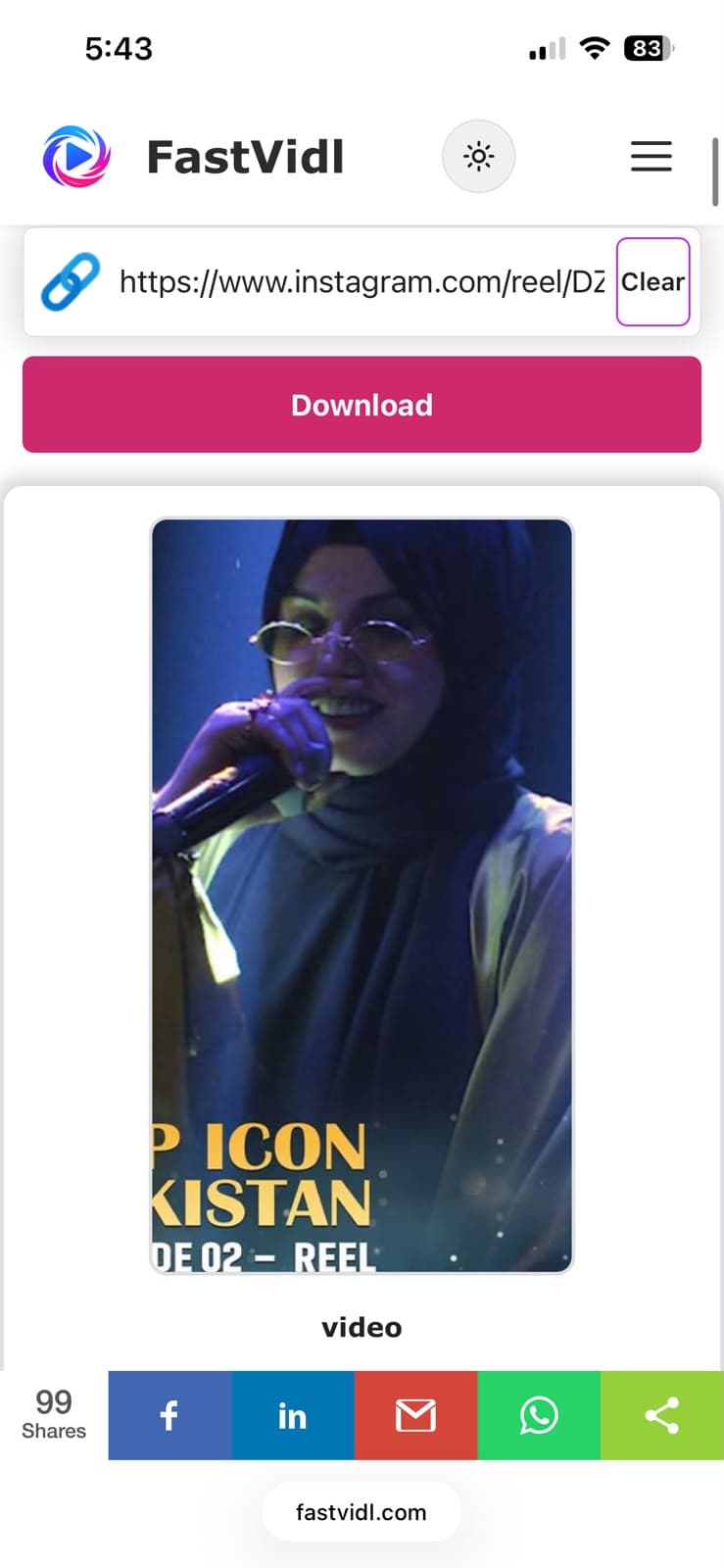
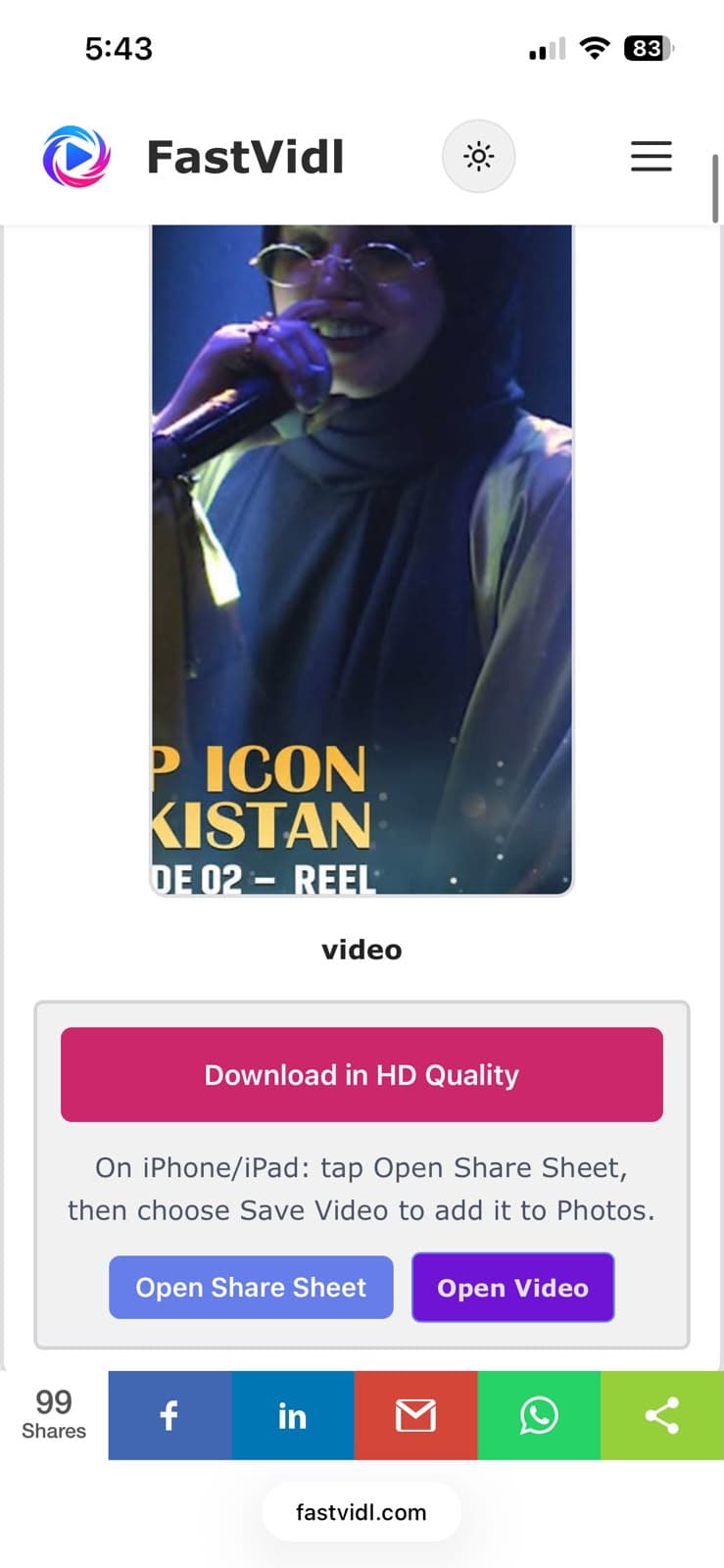
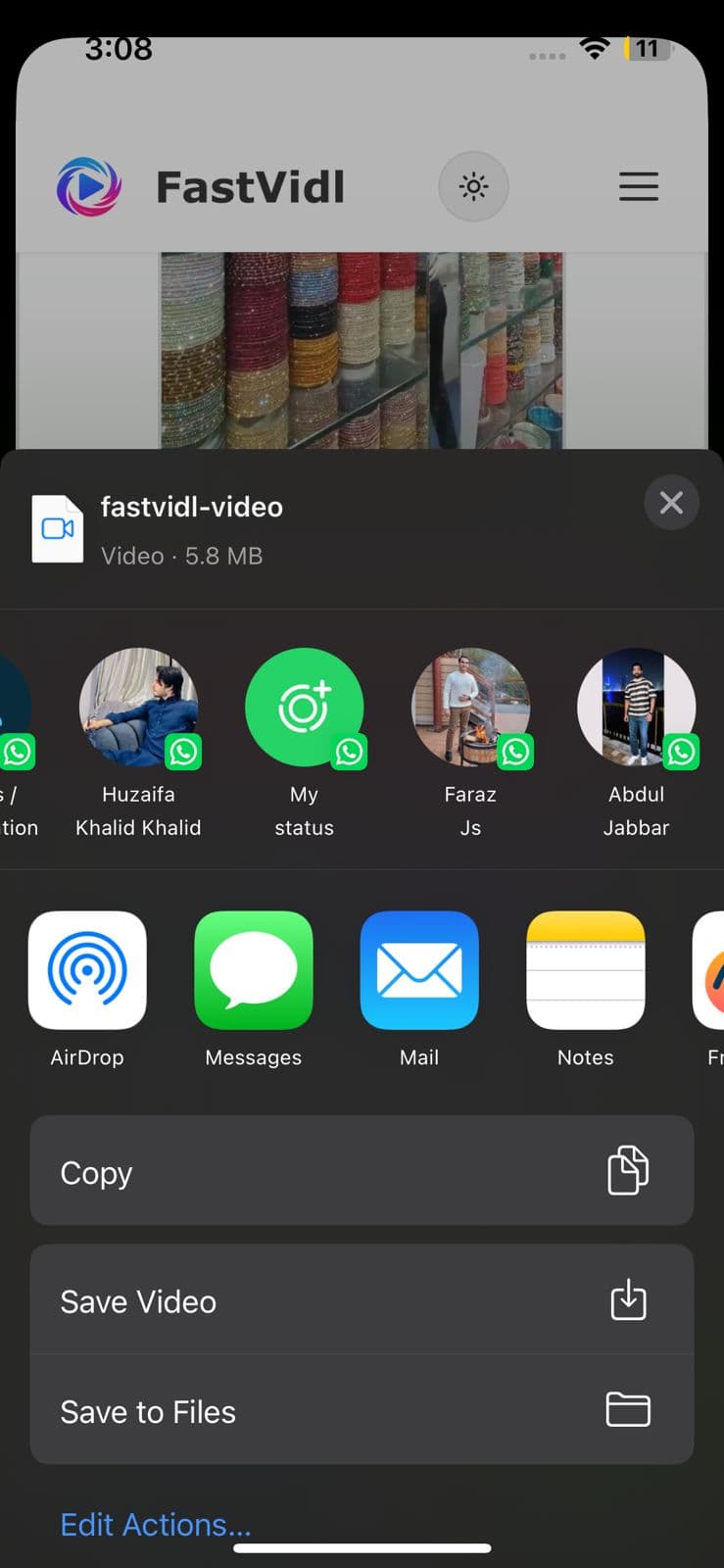
قم بالتنزيل بجودة HD وأزرار Open Share Sheet على iPhone
تنزيل FastVidl جاهز على iPhone في Safari
تعرض ورقة مشاركة iOS حفظ الفيديو لحفظ المقطع في الصور

على الروبوت

انسخ الرابط، وافتح هذه الصفحة في Chrome، ثم الصقها، ثم قم بتنزيلها. يتم حفظ الملفات في التنزيلات وتظهر عادةً في معرض الصور الخاص بك.
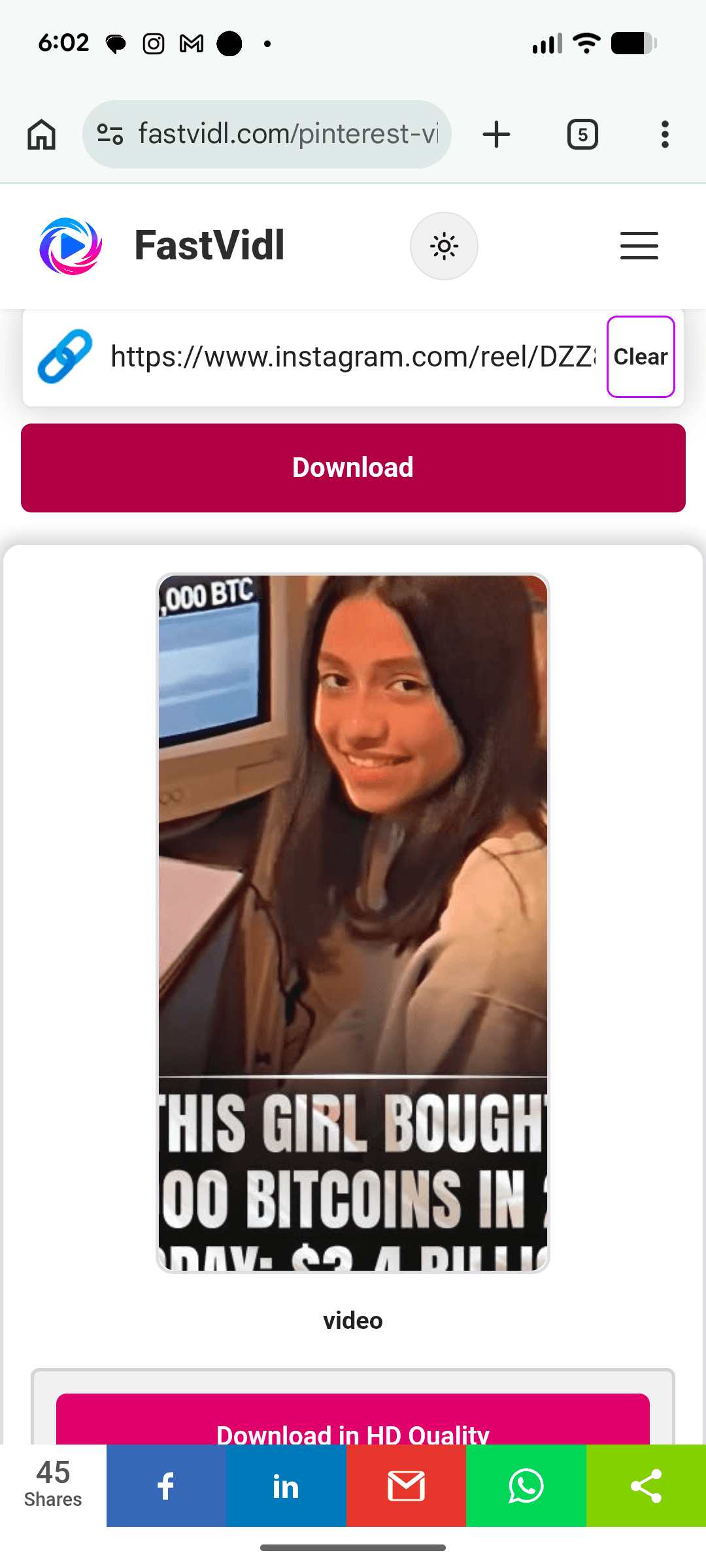
تنزيل محتوى Instagram على Android باستخدام FastVidl في Chrome

على نظام التشغيل Windows أو Mac

انسخ عنوان URL للمنشور من Share أو من شريط المتصفح، والصقه هنا، ثم انقر فوق Download.
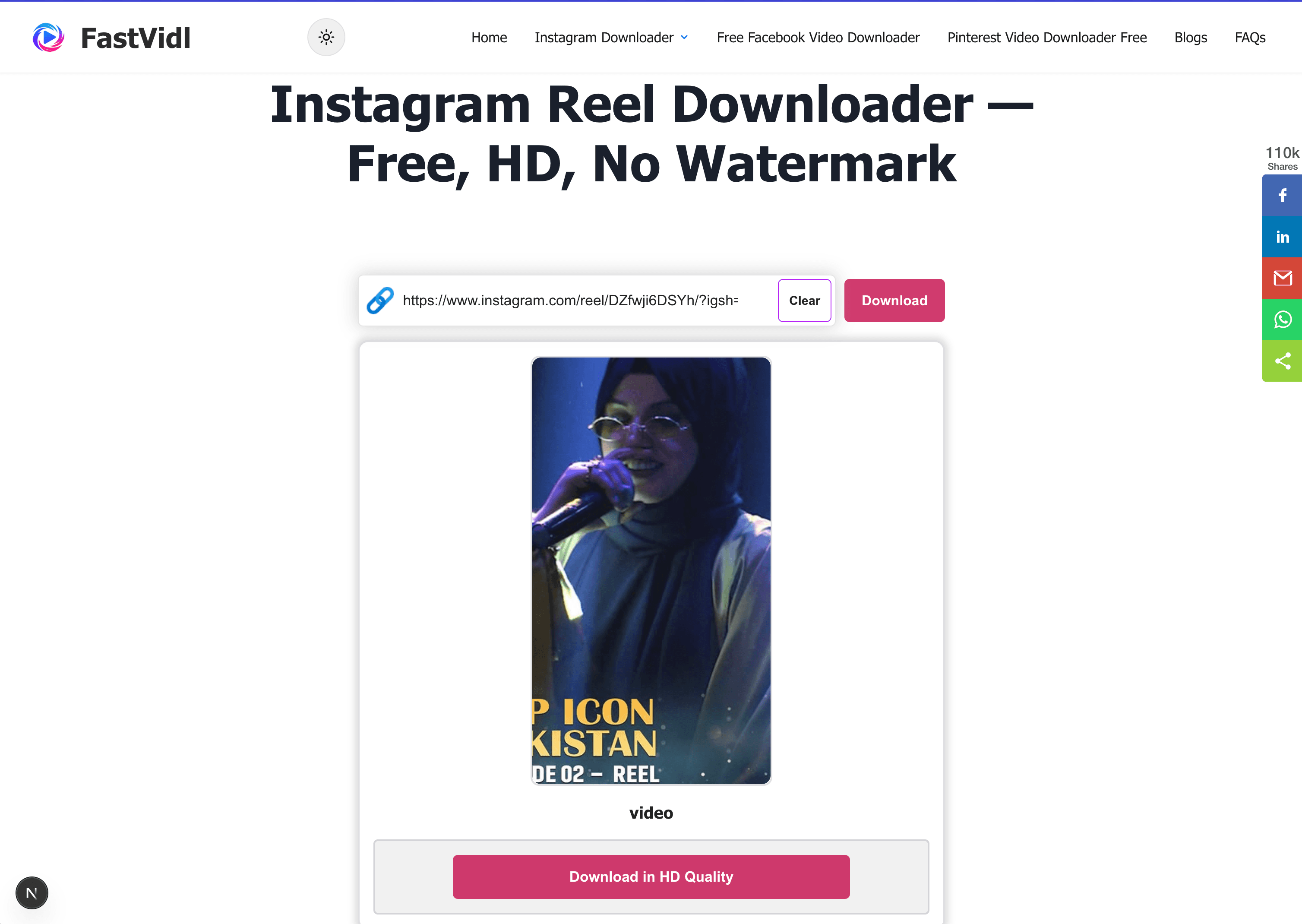
تنزيل محتوى Instagram على نظام التشغيل Windows أو Mac باستخدام FastVidl في متصفح سطح المكتب

أي الروابط تعمل؟

تعمل عناوين URL القياسية للنشر العام (instagram.com/p/…) وروابط instagram.com/tv/ القديمة عندما يكون الفيديو في ملف شخصي عام. بالنسبة إلى منشورات العرض الدائري، افتح شريحة الفيديو أولاً وانسخ رابط تلك الشريحة - قد لا يؤدي عنوان URL للعرض الدائري وحده إلى جلب المقطع الذي تريده.

استكشاف الأخطاء وإصلاحها

  • Private account: Only public posts are supported.
  • Photo-only post: Use our Instagram Photo Downloader .
  • Blurry file: Copy a fresh link; avoid screen recordings.

الجودة والعلامات المائية والخصوصية

يقوم FastVidl بتنزيل ملف الفيديو الذي يعرضه Instagram لهذا المنشور العام - عادةً بدقة 720 بكسل أو 1080 بكسل. لا نقوم بإضافة علامة مائية أو إعادة تشفير المقطع. تضع خيارات الحفظ داخل التطبيق في Instagram إشارة مرجعية على المنشور؛ لا يقومون بتصدير ملف MP4 نظيف كما تفعل هذه الأداة.

ملاحظات الاختبار لدينا

في أبريل 2026، اختبرنا مقاطع فيديو الخلاصات العامة على متصفح Chrome لسطح المكتب وSafari على الأجهزة المحمولة. تتم معالجة معظم المقاطع التي تقل مدتها عن دقيقتين خلال 8-15 ثانية. تحتاج التحميلات الأطول أحيانًا إلى ما يصل إلى 25 ثانية. تطابق الإخراج مع أعلى تيار عام مكشوف على Instagram - عادةً 720 بكسل أو 1080 بكسل للتحميلات الأخيرة.

هل هو قانوني؟

الاستخدام الشخصي دون اتصال بالإنترنت مقبول بشكل عام؛ إعادة الاستخدام التجاري يتطلب الحصول على إذن. انظر لدينا تنصل.

الأسئلة المتداولة

هل FastVidl مجاني حقًا؟

نعم. لا توجد حدود للتنزيل، ولا طبقة متميزة، ولا اشتراك. الموقع مدعوم بالإعلانات.

هل أحتاج إلى تثبيت التطبيق؟

لا، يعمل FastVidl بالكامل في متصفحك على أي جهاز. كن حذرًا من مواقع التنزيل التي تدفع عمليات تثبيت APK أو EXE - فأداة تنزيل الفيديو لا تحتاج إلى ذلك مطلقًا.

هل سيحتوي الفيديو على علامة مائية؟

لا، يمكنك الحصول على الملف الأصلي تمامًا كما يقدمه Instagram، دون إضافة أي شيء.

ما هي الجودة التي سأحصل عليها؟

نفس الجودة التي قام المنشئ بتحميلها، وعادةً ما تصل إلى 1080 بكسل. لا يمكننا زيادة جودة الفيديو بما يتجاوز مصدره.

هل يمكنني تنزيل IGTV أو روابط التلفزيون الأقدم؟

نعم. تعمل روابط instagram.com/tv/ القديمة وعناوين URL القياسية للنشر عندما يكون الفيديو في ملف شخصي عام.

كيف يمكنني تنزيل فيديو دائري؟

افتح الشريحة المحددة التي تحتوي على الفيديو، وانسخ رابط تلك الشريحة من المشاركة، ثم الصقه هنا. قد يؤدي رابط النشر الدائري وحده إلى جلب العنصر الأول فقط.

لماذا يكون الفيديو الذي تم تنزيله غير واضح؟

عادةً ما يعني الإخراج غير الواضح أن المصدر قد تم تحميله بدقة أقل أو أن الرابط قديم. انسخ رابطًا عامًا جديدًا وتجنب تسجيلات الشاشة.

المزيد من FastVidl

تحميل انستقرام ريل, تنزيل قصة الانستقرام, and برنامج تحميل الصور من الانستقرام.

Paste a public Instagram video link above and FastVidl fetches the original MP4, free, in the highest quality Instagram serves (typically up to 1080p), with no watermark added, no login, and nothing to install.

How to download an Instagram video

Instagram does not give you a file export for most feed videos. Copy the public post link, paste it above, and tap Download.

  1. Open the video post on a public profile.
  2. Tap Share → Copy link.
  3. Paste the link here and tap Download.
  4. Save the MP4 to your device.

On iPhone

Copy the link from Instagram, open this page in Safari, paste, and download. Use Download in HD Quality → Open Share Sheet → Save Video for the fastest path to Photos.

Download in HD Quality and Open Share Sheet buttons on iPhone
FastVidl download ready on iPhone in Safari
iOS share sheet showing Save Video to save the clip to Photos

On Android

Copy the link, open this page in Chrome, paste, and download. Files save to Downloads and usually appear in your gallery.

Downloading Instagram content on Android with FastVidl in Chrome

On Windows or Mac

Copy the post URL from Share or the browser bar, paste it here, and click Download.

Downloading Instagram content on Windows or Mac with FastVidl in a desktop browser

Which links work?

Standard public post URLs (instagram.com/p/…) and legacy instagram.com/tv/ links work when the video is on a public profile. For carousel posts, open the video slide first and copy that slide's link, a carousel URL alone may not fetch the clip you want.

Troubleshooting

  • Private account: Only public posts are supported.
  • Photo-only post: Use our Instagram Photo Downloader.
  • Blurry file: Copy a fresh link; avoid screen recordings.

Quality, watermarks, and privacy

FastVidl downloads the video file Instagram serves for that public post, typically 720p or 1080p. We do not add a watermark or re-encode the clip. Instagram's in-app save options bookmark the post; they do not export a clean MP4 file like this tool does.

Our testing notes

In April 2026 we tested public feed videos on desktop Chrome and mobile Safari. Most clips under two minutes processed in 8–15 seconds. Longer uploads occasionally needed up to 25 seconds. Output matched the highest public stream Instagram exposed, usually 720p or 1080p for recent uploads.

Is it legal?

Personal offline use is generally acceptable; commercial reuse requires permission. See our disclaimer.

Frequently asked questions

Is FastVidl really free?

Yes. There are no download limits, no premium tier, and no signup. The site is supported by ads.

Do I need to install an app?

No. FastVidl runs entirely in your browser on any device. Be cautious of downloader sites that push APK or EXE installs. A video downloader never needs one.

Will the video have a watermark?

No. You get the original file exactly as Instagram serves it, with nothing added.

What quality will I get?

The same quality the creator uploaded, typically up to 1080p. We can't increase a video's quality beyond its source.

Can I download IGTV or older TV links?

Yes. Legacy instagram.com/tv/ links and standard post URLs both work when the video is on a public profile.

How do I download a carousel video?

Open the specific slide that contains the video, copy that slide's link from Share, and paste it here. A carousel post link alone may only fetch the first item.

Why is my downloaded video blurry?

Blurry output usually means the source was uploaded at lower resolution or the link was stale. Copy a fresh public link and avoid screen recordings.

FastVidl هي أداة مستقلة وليست تابعة أو معتمدة من قبل أو مرتبطة رسميًا بأي شكل من الأشكال بـ Instagram أو Meta Platforms أو Facebook أو Pinterest أو أي نظام أساسي آخر. جميع أسماء المنتجات والشعارات هي علامات تجارية لأصحابها.